Best Marketing Attribution Software for B2B LinkedIn Advertisers (2026)
The best marketing attribution software for B2B LinkedIn advertisers, compared — from visitor identification to CRM revenue tracking
Share:
Your LinkedIn ads are influencing deals you may never be able to prove. When you run a campaign, you see clicks, impressions, and leads while it is live. Once that campaign ends, you lose track of what happens next. Buyers who convert weeks or months later are rarely tied back to the ads they saw.
LinkedIn attribution software solves this. A good revenue attribution tool shows which companies land on your site, what pages they view, and when they come back. That activity reaches your CRM, where it shows up against real accounts and deals.
This article compares seven attribution tools for B2B LinkedIn campaigns, and what to check before you choose one.
Why Native LinkedIn Attribution Falls Short
B2B buying journeys run for months. A buyer sees your ad, ignores it, visits your site a few weeks later, and becomes an opportunity a quarter after that. Campaign Manager counts part of that customer journey and stops short in three places:
It counts members, not accounts. Conversions are last-touch and per member. The attribution window goes up to 90 days for clicks and views, and up to 365 days for some lead events sent through the Conversions API. A deal worked by six people at one account over nine months still shows up as one member’s last click or view, if it shows up at all.
Pipeline lives in your CRM. LinkedIn’s Revenue Attribution Report adds aggregate influenced pipeline for supported CRMs. It doesn’t tell you which open deals your ads touched.
It can’t see your site. You get totals and demographics, not the companies that visited your pricing page after seeing an ad.
Attribution software for LinkedIn fills those three gaps.
What Is LinkedIn Attribution Software?
LinkedIn attribution software connects LinkedIn ad data (impressions, clicks, engagement) to what happens afterwards: site visits, CRM opportunities and actual revenue. It does this at the account level and over the length of a real B2B sales cycle, instead of a fixed click attribution window. Some tools add multi-touch attribution across every channel, with custom attribution models and data sources from Google Analytics to Meta Ads. Others are built LinkedIn-first and add controls for acting on the result.
What to Look For in LinkedIn Attribution Tools
Most marketing attribution tools weren’t really built with LinkedIn in mind. They will track your Google and Meta campaigns beautifully, then kind of shrug when you ask about LinkedIn. So before you commit to a platform, here are the capabilities you should consider:
Multi-touch attribution across long cycles Buyers rarely convert on their first visit. Pick a tool that can track every step over a longer sales period.
LinkedIn-specific tracking Many attribution platforms focus on Google or Meta campaigns. LinkedIn attribution is often partial or inferred. Pick a tool that can track impressions, clicks, and engagement tied to LinkedIn specifically.
CRM integration Your campaign data should flow into your CRM and attach to deals, not sit in a separate dashboard.
Account-level visibility You should see the specific companies and people visiting your site by name, position, and intent.
Leading indicators, not just closed-won attribution
The tool should be able to show early engagement signals like repeat visits and time on page. This gives you a clearer sense of interest while deals are still in progress.
Let us compare how different tools handle these capabilities.
What a LinkedIn Attribution Dashboard Should Show
A LinkedIn attribution dashboard should answer four questions without an export:
Which accounts did your ads reach, and how often?
Which of those accounts came to your site, and which pages did they read?
Which open opportunities and closed-won deals involved those accounts, and what are they worth?
Which campaigns influenced the most pipeline for what they cost?
If a tool only answers the first question, it’s an engagement report.
Comparison of B2B Marketing Attribution Tools for LinkedIn
Not every attribution tool is built for LinkedIn’s long sales cycles and account-based buying. Here’s how the leading options stack up:
→ DemandSense — Best for LinkedIn ad optimization, website visitor identification, and revenue attribution. LinkedIn-first, with Google Ads, Facebook Ads and StackAdapt also connected. Includes audience tuning, budget and frequency controls, Sensor Pixel visitor identification, CRM sync, influenced revenue attribution, and a LinkedIn Ads MCP server for querying campaign data via AI assistants. Every feature is on every plan, starting at $89/month.
→Fibbler — Best for account-level ad engagement tracking across LinkedIn and Google. Partially LinkedIn-specific. Identifies which companies engage with your ads, syncs activity to HubSpot, Attio, and Pipedrive. Salesforce sync and the LinkedIn Ads MCP server are on the Unlimited plan ($129/month). Pricing: starts at $89/month.
→ HockeyStack — Best for multi-touch revenue attribution across channels. Partial LinkedIn focus (cross-channel). Includes cross-device tracking and AI agents. Enterprise pricing (custom plans).
→ Dreamdata — Best for mid-market B2B revenue analytics. Partial LinkedIn focus (multi-channel). Connects LinkedIn ad views to closed-won deals. Free plan with 2 months of history; paid plans are custom.
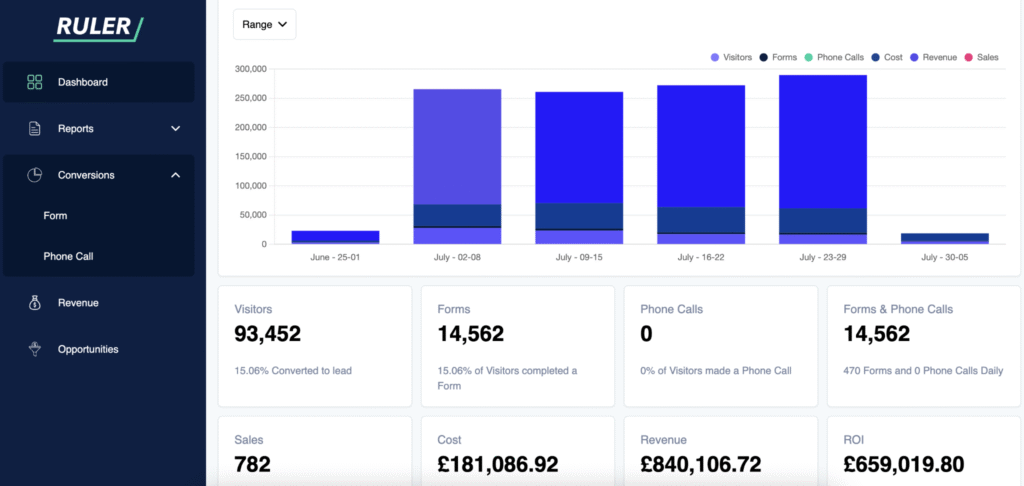
→ Ruler Analytics — Best for lead-gen teams combining call tracking with CRM sync. Not LinkedIn-specific (call tracking focus). Links phone calls and form fills back to the ad source. From $400/month for up to 10,000 visits.
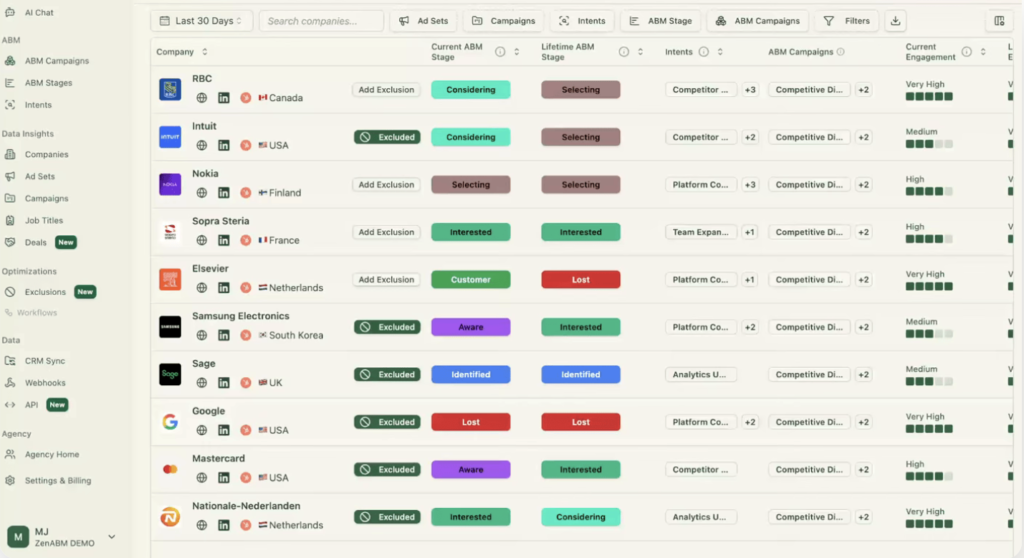
→ ZenABM — Best for ABM teams scoring LinkedIn engagement by account. LinkedIn-specific. Tracks company-level ad engagement, moves accounts through ABM stages and syncs them to HubSpot (Salesforce and Attio from the Growth plan). Starts at $69/month, or $59/month billed annually.
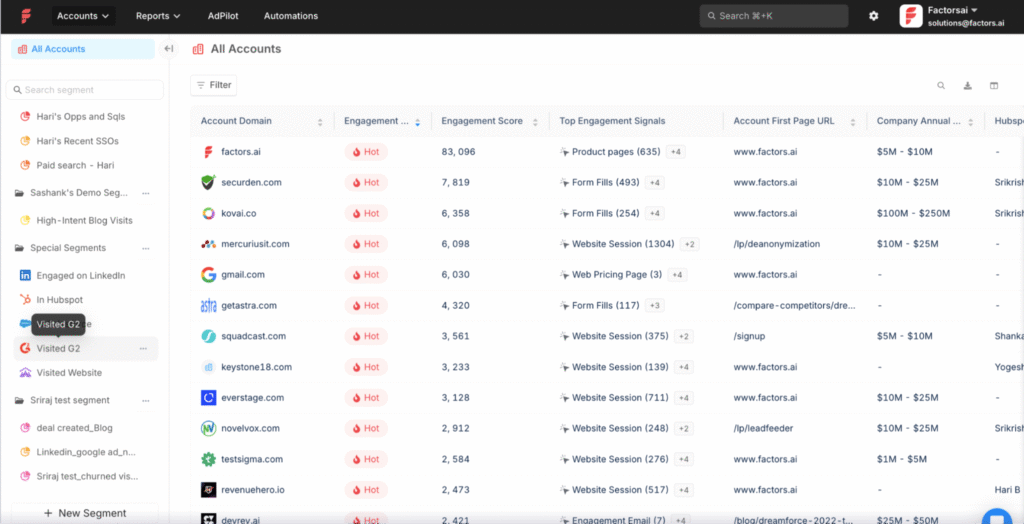
→ Factors.ai — Best for account identification and ad analytics. Partial LinkedIn focus (multi-channel). Sends real-time sales alerts when target accounts engage with ads. Free plan available; custom pricing for larger teams.
Tool
Best for
LinkedIn focus
Key capabilities
Pricing
DemandSense
LinkedIn ad optimization, Sensor Pixel visitor identification and revenue attribution
LinkedIn-first (Google Ads, Facebook Ads and StackAdapt also connect)
Audience tuning, budget and frequency controls, Sensor Pixel, CRM sync, influenced revenue attribution, MCP server
From $89/month, every feature on every plan
Fibbler
Account-level ad engagement tracking across LinkedIn and Google
Partial (LinkedIn and Google)
Company engagement, CRM sync (Salesforce and MCP on the Unlimited plan)
From $89/month; Unlimited $129/month
HockeyStack
Multi-touch revenue attribution across channels
Partial (cross-channel)
Cross-device tracking, AI agents
Enterprise (custom plans)
Dreamdata
Mid-market B2B revenue analytics
Partial (multi-channel)
Connects LinkedIn ad views to closed-won deals
Free plan; paid plans are custom
Ruler Analytics
Lead-gen teams combining call tracking with CRM sync
No (call tracking focus)
Links phone calls and form fills to the ad source
From $400/month
ZenABM
ABM engagement scoring by account
Yes (LinkedIn ABM)
Company engagement, ABM stages, CRM sync (Salesforce and Attio from Growth)
From $69/month; $59/month billed annually
Factors.ai
Account identification and ad analytics
Partial (multi-channel)
Real-time sales alerts when target accounts engage
Free plan; custom pricing for larger teams
We will go through the tools in detail.
DemandSense
DemandSense is built for B2B teams running LinkedIn campaigns who need total control over spend, clear visibility into who is visiting their site, and proof that their pipeline activity ties back to ad spend. That’s the data LinkedIn ads optimization runs on.
Instead of relying only on form fills, it uses the Sensor Pixel to show which companies land on your site, what pages they view, and how often they return. In the US, it can identify individual visitors by name and job title. That data is then synced into your CRM, where sales can see which accounts are active.
Key features
Visitor identification (Sensor Pixel): Shows which companies visit your site globally, and which individuals (name, job title) in the US — even if they never fill out a form.
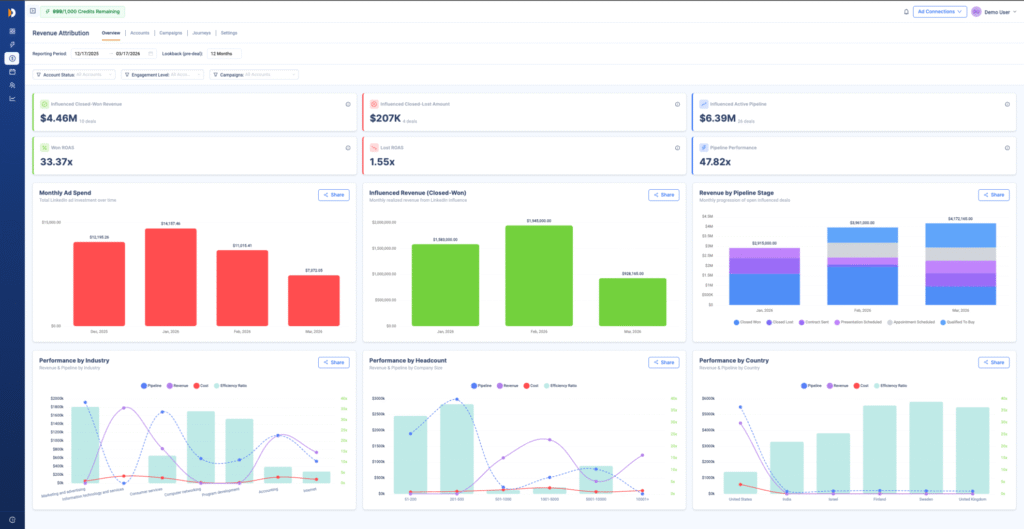
Revenue Attribution: Connects closed CRM revenue back to LinkedIn ad activity, so you can see which campaigns actually influenced deals — not just clicks.
CRM intent sync: Sends visit and page-view data into your CRM and flags active accounts for sales.
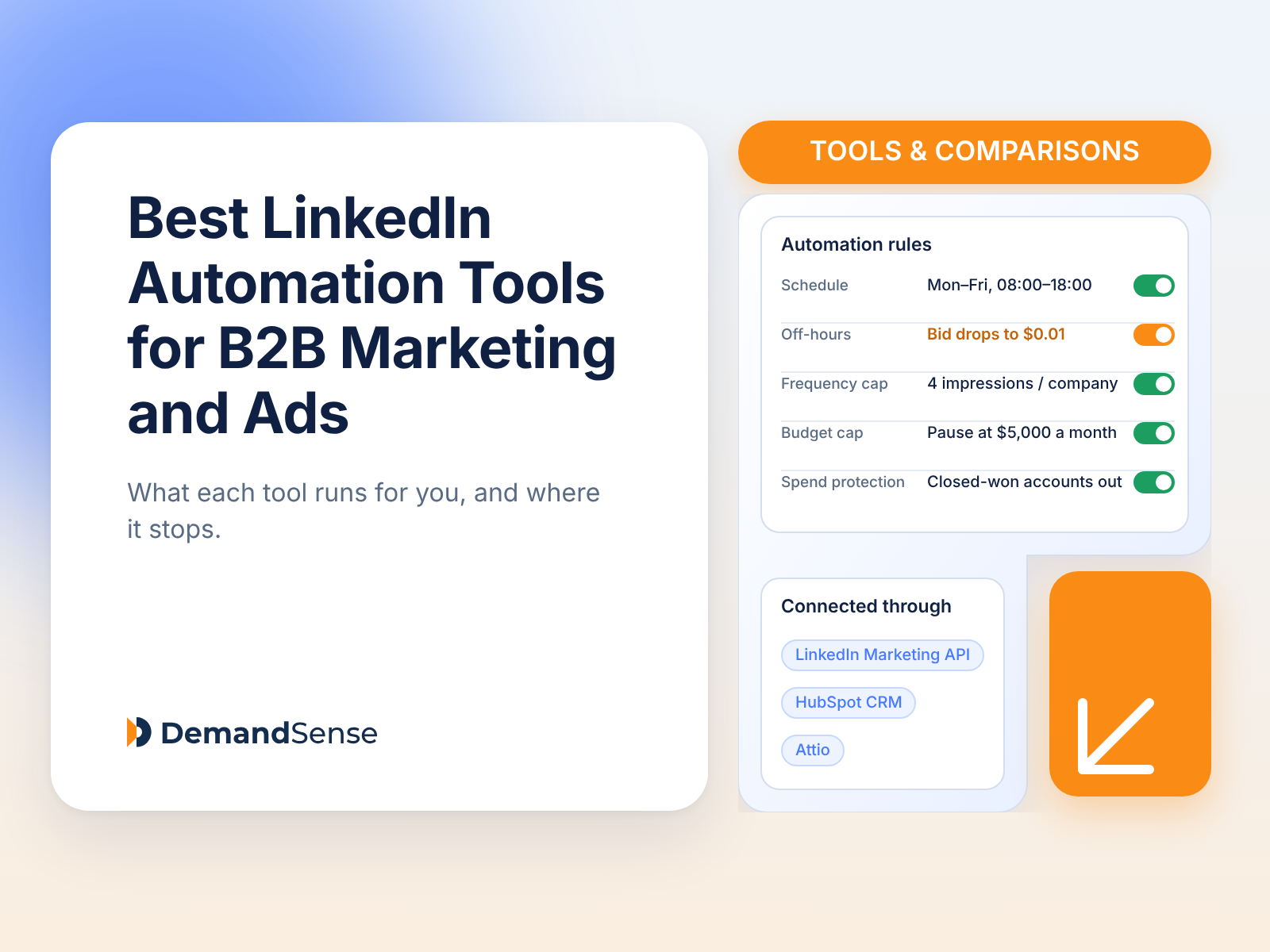
Smart ad scheduling: You set the hours you want your campaigns to run. Outside them, campaigns pause or drop to a minimal bid, so LinkedIn’s optimization history stays intact.
Frequency caps: Caps how often any one company sees your ads, reducing fatigue and wasted spend.
Spend Protection: Stops your ads from serving to accounts that have already closed.
LinkedIn Conversions API: Sends closed-won deals and qualified pipeline from your CRM back to LinkedIn as conversions.
MCP server: Lets AI assistants like Claude and ChatGPT query your LinkedIn Ads, website visitor and CRM data. Available on every plan.
Best for small and mid-size B2B teams who spend consistently on LinkedIn and want campaign control, visitor intelligence, and revenue attribution in one place.
Limitation: Built LinkedIn-first. Google Ads, Facebook Ads and StackAdapt connect and their engagement is tracked, but it isn’t a full cross-channel attribution platform like HockeyStack or Dreamdata. There’s also a fair amount of functionality to get used to at the start.
If you have ever wished you could see your entire GTM motion in one place, HockeyStack was built for exactly that. It pulls data from ads, website visits, and CRM systems, then links those steps together so you can see how a deal started and what influenced it along the way.
Key features
Journey mapping: You can trace the entire buyer’s journey from their first anonymous visit to the closed deal.
Custom governance: Lets you define funnel stages and group channels your way.
Natural language reporting: Marketers can use simple text commands to build reports such as “Which LinkedIn campaigns influenced enterprise deals?”
It is the best fit for enterprise teams with complex funnels and multiple acquisition channels beyond LinkedIn.
Limitation: LinkedIn tracking is partial. It works best as part of a broader, cross-channel attribution setup rather than a LinkedIn-focused solution.
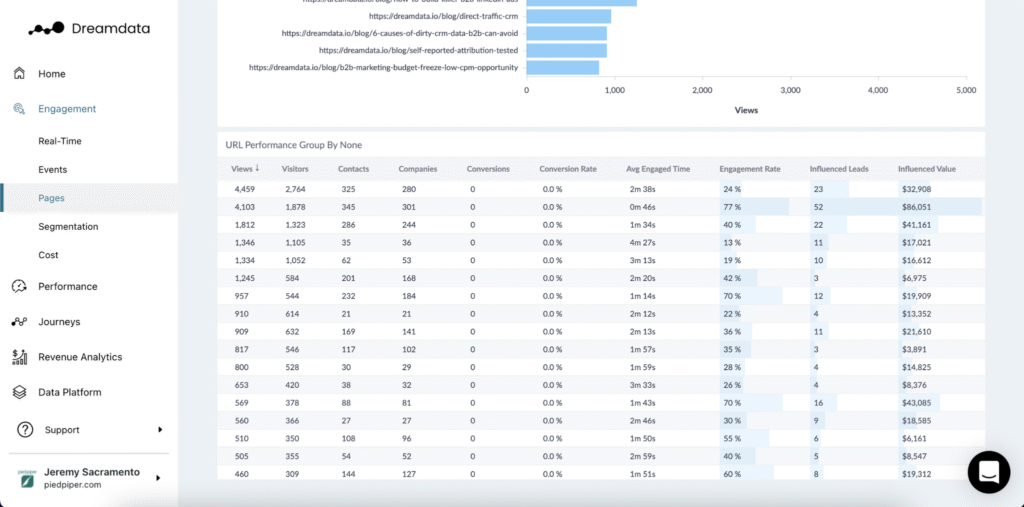
Dreamdata tracks how marketing activity turns into pipeline and revenue. It collects and connects data from your campaign to deals, for you to see how channels contribute to revenue. You can easily see the entire buyer’s journey at a glance.
It ensures finance, marketing, and revenue teams all speak the same language and have accurate data to back up reports.
Key features
Multi-touch revenue attribution: Distributes credit to every channel the buyers touch and how much ROI each brings.
CRM and data integrations: Analyze campaign data and push it directly into your CRM to connect it to the pipeline.
Channel performance analysis: Measures attribution across LinkedIn and other social media platforms, so teams can see their best-performing channel.
Limitation: Focuses on reporting but cannot help with day-to-day campaign control. You will also need an experienced RevOps team to run it.
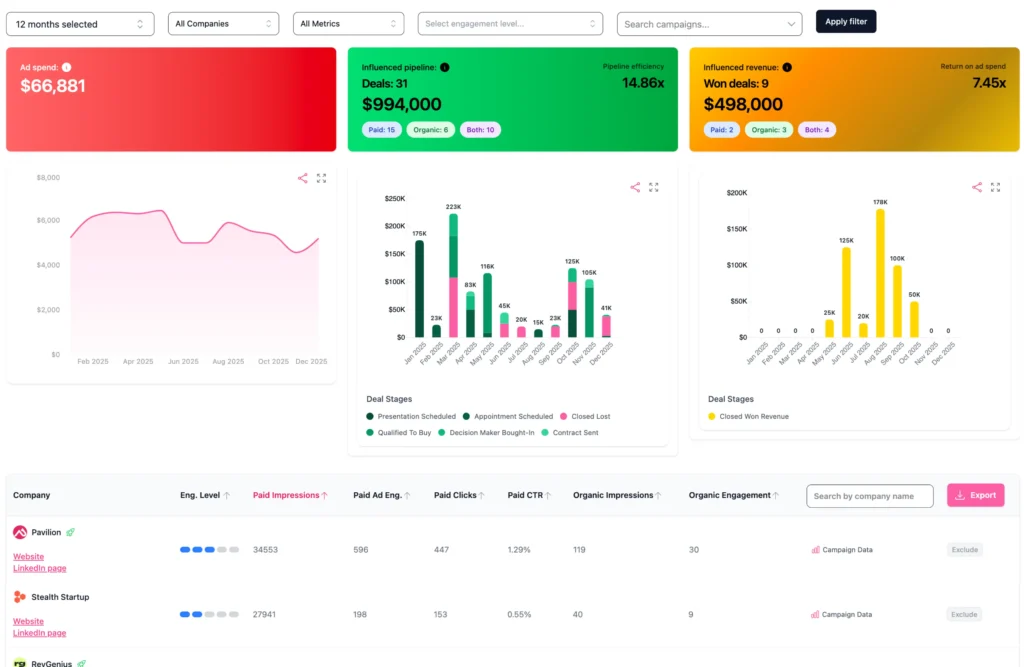
Fibbler is built for B2B teams running LinkedIn and Google Ads who need to see which accounts are engaging with their ads and how that activity connects to pipeline in their CRM. Rather than tracking clicks, it tracks companies — showing which accounts saw or clicked your ads and flagging them for sales when engagement signals are high.
Key features
Company-level ad engagement: Identifies which companies are clicking or engaging with your LinkedIn and Google Ads, not just anonymous click counts.
CRM pipeline sync: Connects ad engagement data directly to HubSpot, Attio, and Pipedrive (Salesforce on the Unlimited plan) so sales can see which accounts are active.
Signals: Sends account engagement to Slack, Teams or a webhook, daily or weekly.
Revenue attribution: Ties closed CRM deals back to ad activity across LinkedIn and Google.
LinkedIn Ads MCP server: On the Unlimited and Agency plans, lets AI assistants like Claude and ChatGPT query your live LinkedIn campaign data directly — no CSV exports or manual reporting needed.
Best for B2B marketing teams who want account-level ad attribution and a direct sales handoff workflow, without needing full campaign management capabilities.
Limitation: Scheduling works by pausing campaigns, and impression caps and exclusions are limited to 200 companies per campaign per month. CRM sync runs weekly. Attribution is focused on LinkedIn and Google — not a full multi-channel solution.
Ruler Analytics is designed for teams that rely on inbound leads from calls and form submissions. It makes it easy to track the customer’s journey and match closed revenue to the source. It tracks long sales cycles and offline conversions for industries like travel and legal.
It works best when individual lead tracking matters more than account-level visibility.
Key features
Call tracking: Identifies the campaigns that make the phone ring.
Revenue reporting: Tracks how marketing impacts sales opportunities.
Form tracking: Links form submission to their source.
Best for SMB and mid-market teams focused on lead generation and inbound tracking.
Limitation: Limited LinkedIn tracking and no visibility into account-level activity.
ZenABM is built for ABM teams running LinkedIn ads. It tracks which companies engage with your LinkedIn campaigns, moves them through ABM stages, and writes those stages back to your CRM so sales can see which target accounts are warming up.
Key features
Company-level LinkedIn engagement: Impressions, clicks and engagement by account, not just campaign totals.
ABM stages: Accounts move through stages as engagement builds, and the stages sync to your CRM once a day.
CRM integrations: HubSpot on every plan. Salesforce, Attio, webhooks, the API and an MCP server start on the Growth plan.
Zena: An AI assistant for questions about your ABM data, with daily chat limits on the lower plans.
Best for ABM teams with a named account list who want LinkedIn engagement scored by account and pushed into HubSpot.
Limitation: Salesforce, Attio and the API need the Growth plan ($199/month, or $159/month billed annually), and CRM stages sync once a day.
Factors.ai focuses on account identification and intent tracking, helping B2B teams understand which companies are engaging with their brand and when. It also tracks buyer behaviour outside your website – the content they consume, when they are actively considering options, and the competitors they search for.
Key features
LinkedIn & Google Adpilot: Can automatically adjust budgets or pause underperforming campaigns.
Account identification: Reveals companies visiting your website before they even convert.
Autonomous AI agents: Odin and Nova analyze data, build reports, and identify hot leads without manual prompting.
Best fit for mid-market B2B teams who want to identify high-intent buyers early and act on them, instead of reporting on attribution later on.
Limitation: The AdPilot automation requires a very high volume of data to learn effectively. If your LinkedIn ads spend is under $5k/month, the AI agents may not have enough signals to make autonomous budget shifts.
Who This Is Not For
If your CRM is full of duplicates, missing fields, and outdated contacts, these platforms will not clean it for you. They will just reflect the same chaos back in prettier charts. You need to clean your data first.
If your sales cycle is short, these tools may be unnecessary. They are built for longer, more complex sales cycles.
If you have no one to actively review the campaigns and make adjustments based on the insights, the tools will not do much on their own, even though they are automated.
If you are spending less than $2k/month on LinkedIn, check pricing carefully. Some enterprise platforms cost more than the campaigns they measure.
FAQ
What is LinkedIn attribution software?
LinkedIn attribution software connects LinkedIn ad impressions, clicks and engagement to the accounts, opportunities and actual revenue in your CRM, over the full sales cycle rather than a fixed attribution window.
Can LinkedIn track revenue on its own?
Partly. Campaign Manager tracks conversions, the Revenue Attribution Report shows aggregate influenced pipeline once your CRM is connected, and the Conversions API sends CRM outcomes back to LinkedIn. Seeing which accounts and open deals your ads touched takes a LinkedIn ads attribution tool.
Do HubSpot and Salesforce attribute LinkedIn revenue?
HubSpot Marketing Hub Enterprise has revenue attribution reports, and Salesforce has Campaign Influence. Both credit LinkedIn only for tracked clicks and form fills, so an ad a buyer saw and never clicked is missing. An attribution tool with a HubSpot connection or Salesforce integration reads those impressions too.
How do you measure LinkedIn ROI?
Compare the revenue from closed-won deals your LinkedIn campaigns influenced with what you spent on them. That needs your LinkedIn ad data read against your CRM deals, which is what attribution software does.
How much does LinkedIn attribution software cost?
Dreamdata and Factors.ai have free tiers. DemandSense and Fibbler start at $89 a month, and ZenABM at $69. HockeyStack and the enterprise platforms price on request.
Conclusion
LinkedIn native tools leave you in the dark. With the right attribution software, you can easily connect your ad spend to revenue and finally see what is working. Most tools offer multi-channel attribution but lack the capability to track the buyers’ journey on LinkedIn. DemandSense is built LinkedIn-first. It identifies the companies visiting your site, syncs that activity to your CRM, ties closed revenue back to your LinkedIn campaigns, and gives you the controls to shift spend while deals are still in progress. Google Ads, Facebook Ads and StackAdapt connect too, and their engagement is tracked alongside LinkedIn.
See DemandSense in action
Book a personalized demo and discover how we can transform your B2B marketing.