LinkedIn already knows every single company your ads reach
Demandsense pulls deep company and engagement data straight from LinkedIn's API, connects it to your CRM, and shows you which accounts are paying attention and what to do next.
See how it works on real accounts
30-day full access. No credit card required.
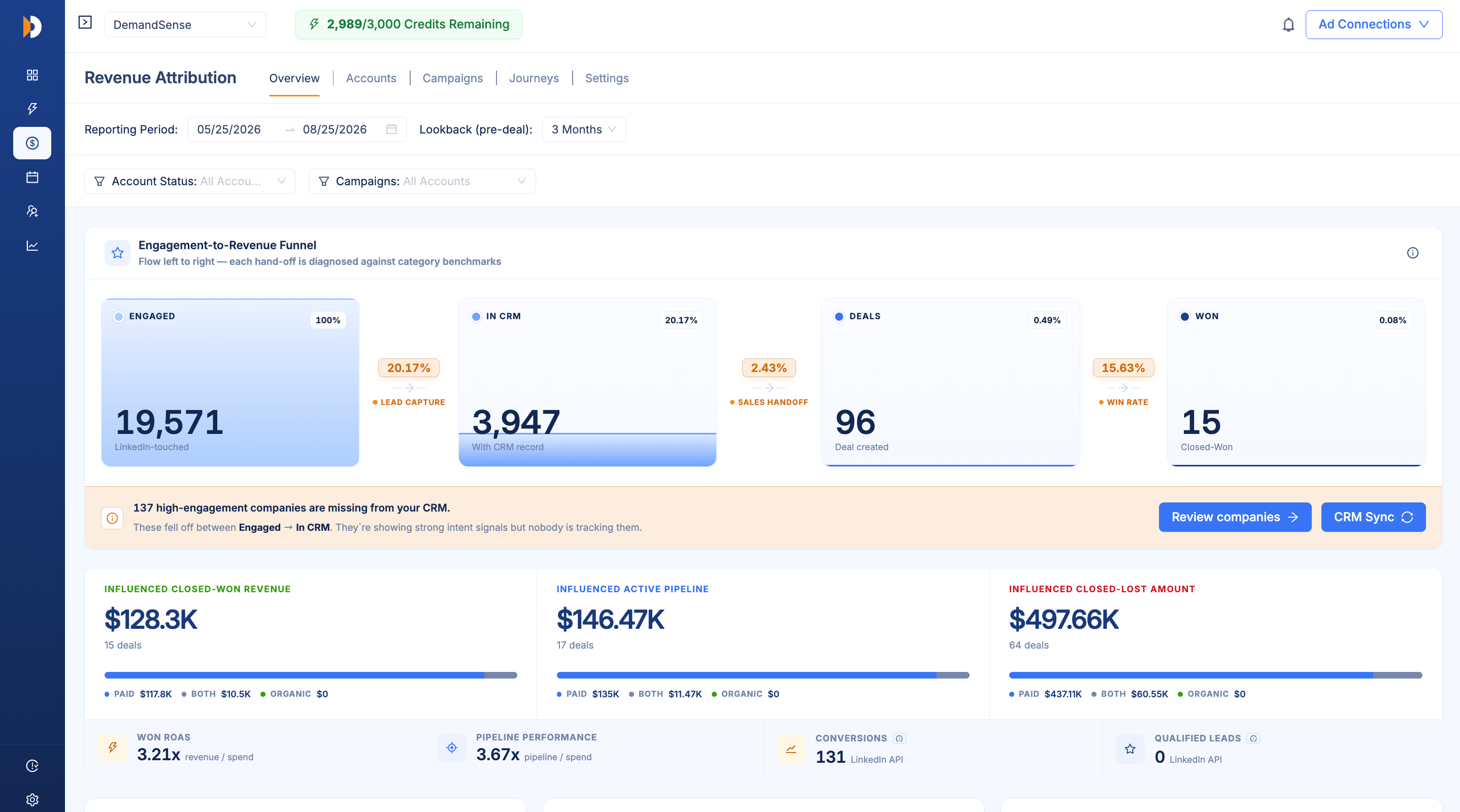





On average, our users see 2X more companies reached and 6X more companies engaged by ads
You’re making LinkedIn budget decisions from a fraction of the data LinkedIn actually has
LinkedIn already knows which companies you reached, how deeply they engaged, whether they came back and what they did organically. Campaign Manager shows you a small slice of that.
Clicks miss most of the interest your ads create
A company can see your ad four times, visit your page, and come to your site later - without ever clicking.
You're missing companies behind the campaigns
Campaign Manager summarizes activity, so the account-level story disappears.
You still have to decide where budget goes
Pausing, scaling, and changing campaigns based on a partial view of what buyers actually did.
DemandSense pulls the deeper LinkedIn API data out, organizes it by company, and connects it to your CRM - so you see what your ads are actually doing.
Turn the LinkedIn API data you can't see into your next campaign move
Demandsense brings company reach, paid and organic engagement, website activity, and CRM data together - then lets you act on those signals directly.
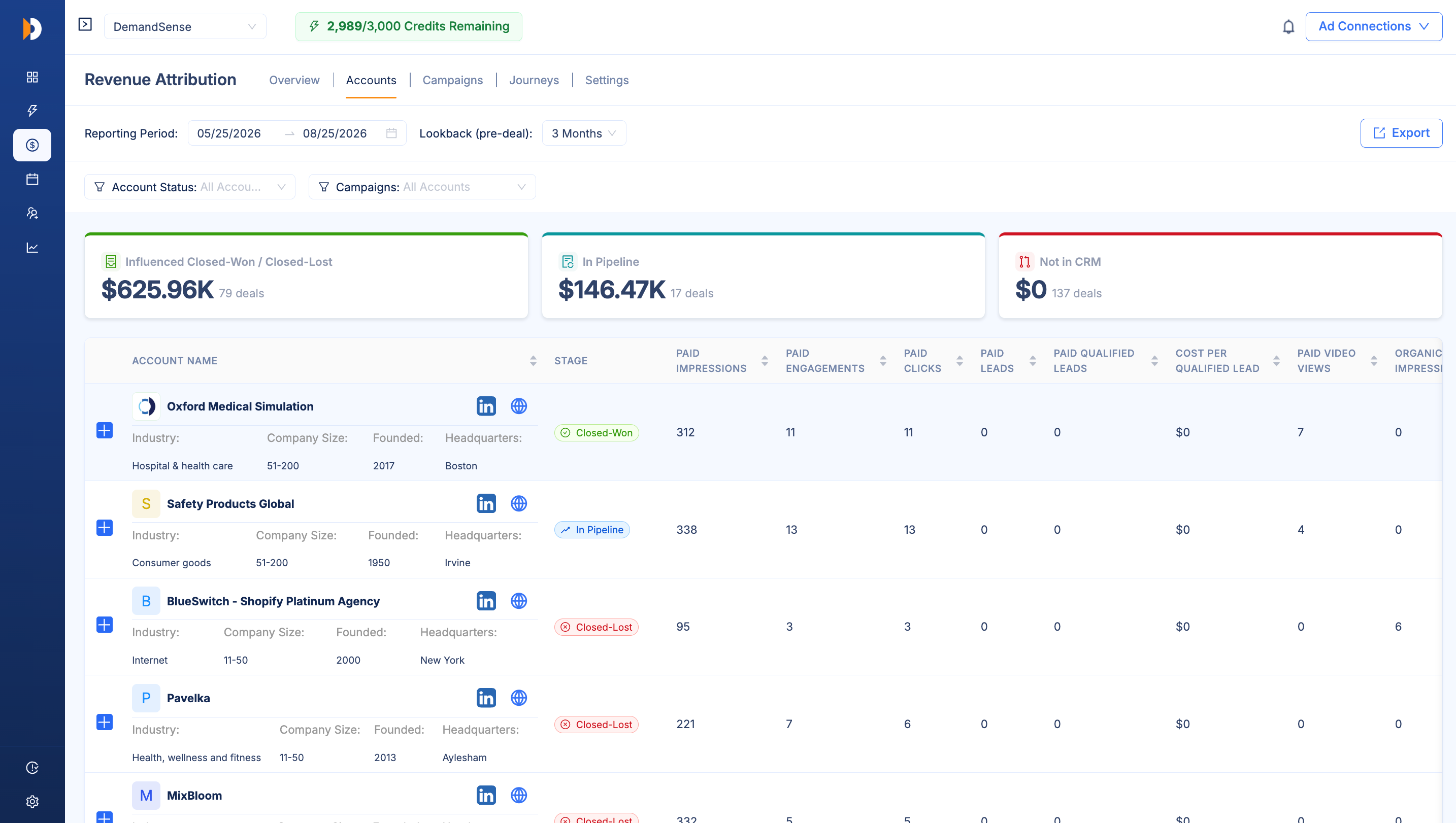
See every company your LinkedIn Ads reached
Go beyond Campaign Manager’s capped company view and see the accounts behind your campaign reach, ranked by how deeply they engaged.
- See every company your ads reached
- Rank accounts by engagement depth
- Find companies that keep coming back
- See up to 2X more companies reached
See the companies behind your campaign reach
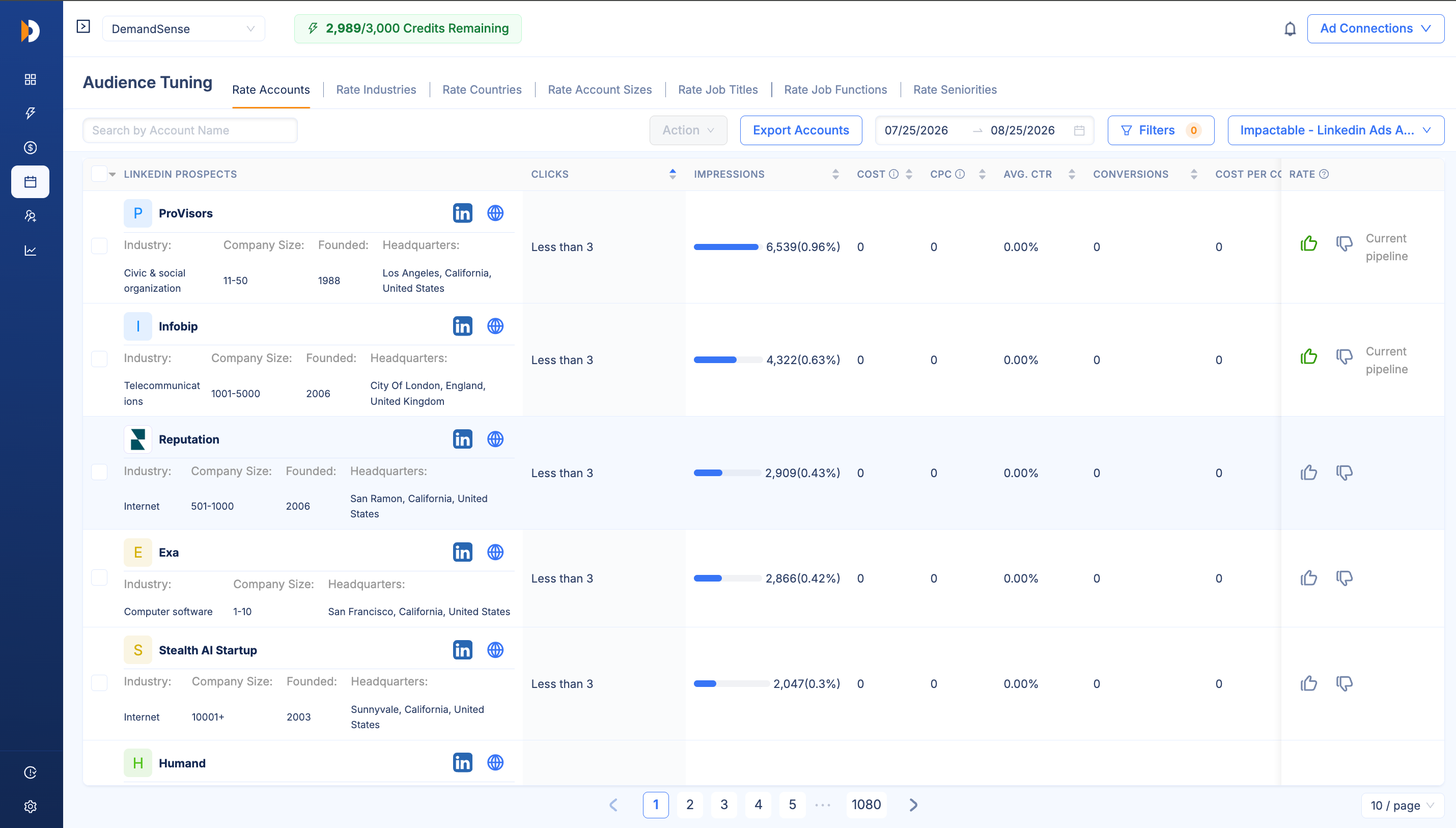
Find company engagement that never became a click
Bring clicks, paid engagement, organic LinkedIn activity and website visits together to see which companies keep showing interest across different touchpoints.
- See paid and organic LinkedIn engagement together
- Add website visits to the same company view
- Find companies coming back without clicking an ad
- See up to 6X more companies showing engagement
See ad engagement already warming up leads
Connect LinkedIn activity straight to CRM leads and deals
Put LinkedIn engagement on the same company record as your CRM activity, so you can follow what happened after an account started engaging.
- LinkedIn engagement on the same record as CRM activity
- Trace leads back to LinkedIn engagement
- Follow activity from first impression through the deal
- See 65% more CRM leads traceable to LinkedIn Ads
Connect LinkedIn Ads engagement directly to your CRM opportunities
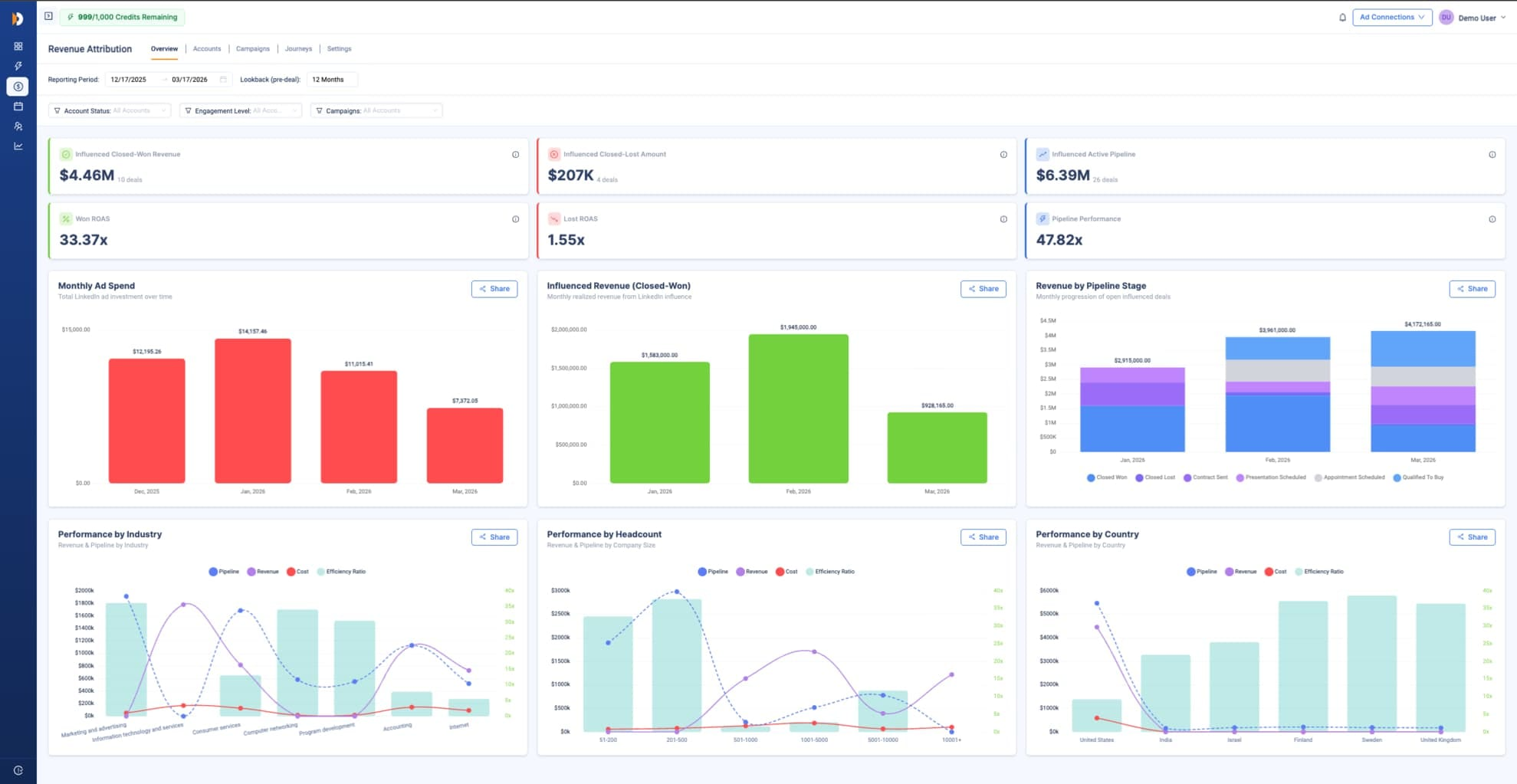
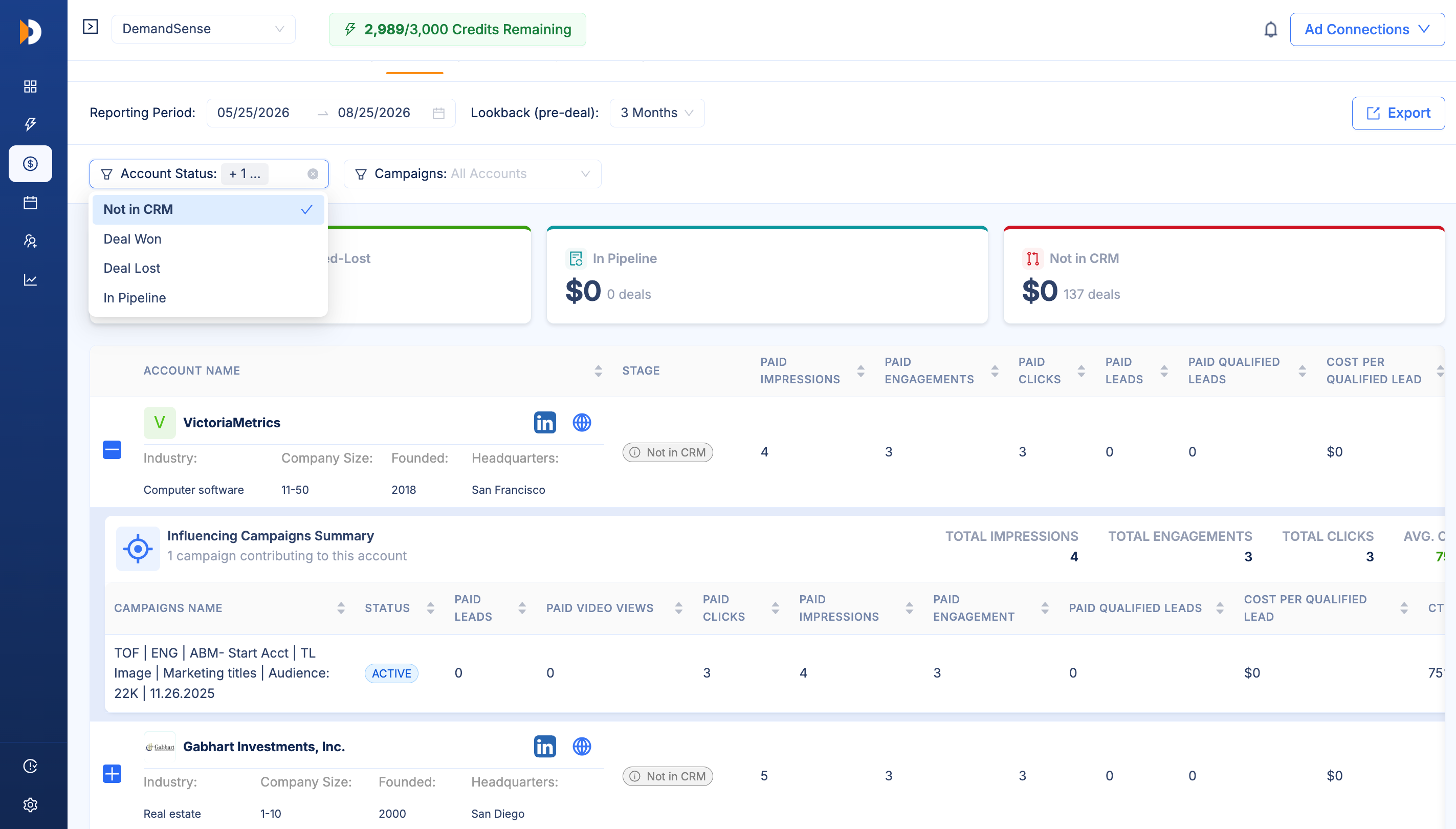
Put more budget behind the accounts showing real signals
Use what DemandSense finds to adjust targeting, re-engage active audiences and spend more around the accounts showing real interest.
- Re-engage active companies
- Adjust targeting from the same platform
- Find campaigns connected to closed-won deals
- Lower cost per qualified lead by up to 30%
Use the signals to make your next campaign move
See the companies and pipeline behind the LinkedIn activity Campaign Manager misses
| Without DemandSense | With DemandSense | LIFT | |
|---|---|---|---|
| Companies your ads reached | Capped company list | Every company, ranked by engagement | 2X more |
| Engaged companies you can see | Click data only | Paid + organic engagement + website visits | 6X more |
| CRM leads traced to LinkedIn | Last-touch only | Full LinkedIn journey on the CRM record | 65% more |
| Closed-won deals tied to campaigns | Final conversion only | Activity from first impression to closed-won | 55% more |
| Cost per qualified lead | Based on limited campaign data | Based on the fuller account journey | 30% lower |
DemandSense uses LinkedIn’s deepest API data to show which companies are behind your activity, connects that engagement to CRM leads and deals, and lets you target and re-engage those accounts directly.
Make your next budget decision with the data Campaign Manager doesn't show you.
Use deep LinkedIn signals to decide where to keep spending, where to pull back and which accounts are worth re-engaging.
