Aussie Founders
DemandSense user here. Early days, but definitely feel like I'm burning less money.
K
Kieron Brown
B2B Strategy & Execution Partner to Aussie Founders
DemandSense watches your competitors' LinkedIn ads for you. See their offers, creatives, messaging, and campaign patterns in one place, and find out what changed each week without checking brand pages by hand.
Track every competitor that matters.
30-day free trial, no sales call.
Connected through
LinkedIn's official APIs
 5.0Stars on G2
 SOC 2 · GDPR







Your competitors run LinkedIn ads at the same buyers you do. Most teams check what they're running by hand, brand by brand, when someone remembers. Systematic competitive ad monitoring changes what you can act on.
A competitor launches a new offer and your buyers see it for weeks before you do. Tracking catches new ads the week they go live, with the brand named, so you find out while there's still time to answer it.
Week one, while the response still matters.
An ad that stays live past 90 days is paying for itself. Run duration and repeat formats show you what your market rewards, and the experiments a brand quietly dropped tell you as much as the ones it kept.
The ads they keep paying for are the answer.
Start your tests from evidence: which offers and messages already work around you, and where nobody is competing yet. Test budget goes further when the direction is proven, and you stop re-running experiments your market already settled.
Ten minutes of reading changes what you test this month.
Each view in the LinkedIn competitor analysis tool answers a different question about what your competitors are running.
When a competitor launches a new test or one of their ads gets flagged as a winner, it shows up as a signal with the brand named. One feed replaces opening every competitor's page to see what's new, and the events arrive with enough context to act on them the same day.
Stop finding out about competitor moves a month late.
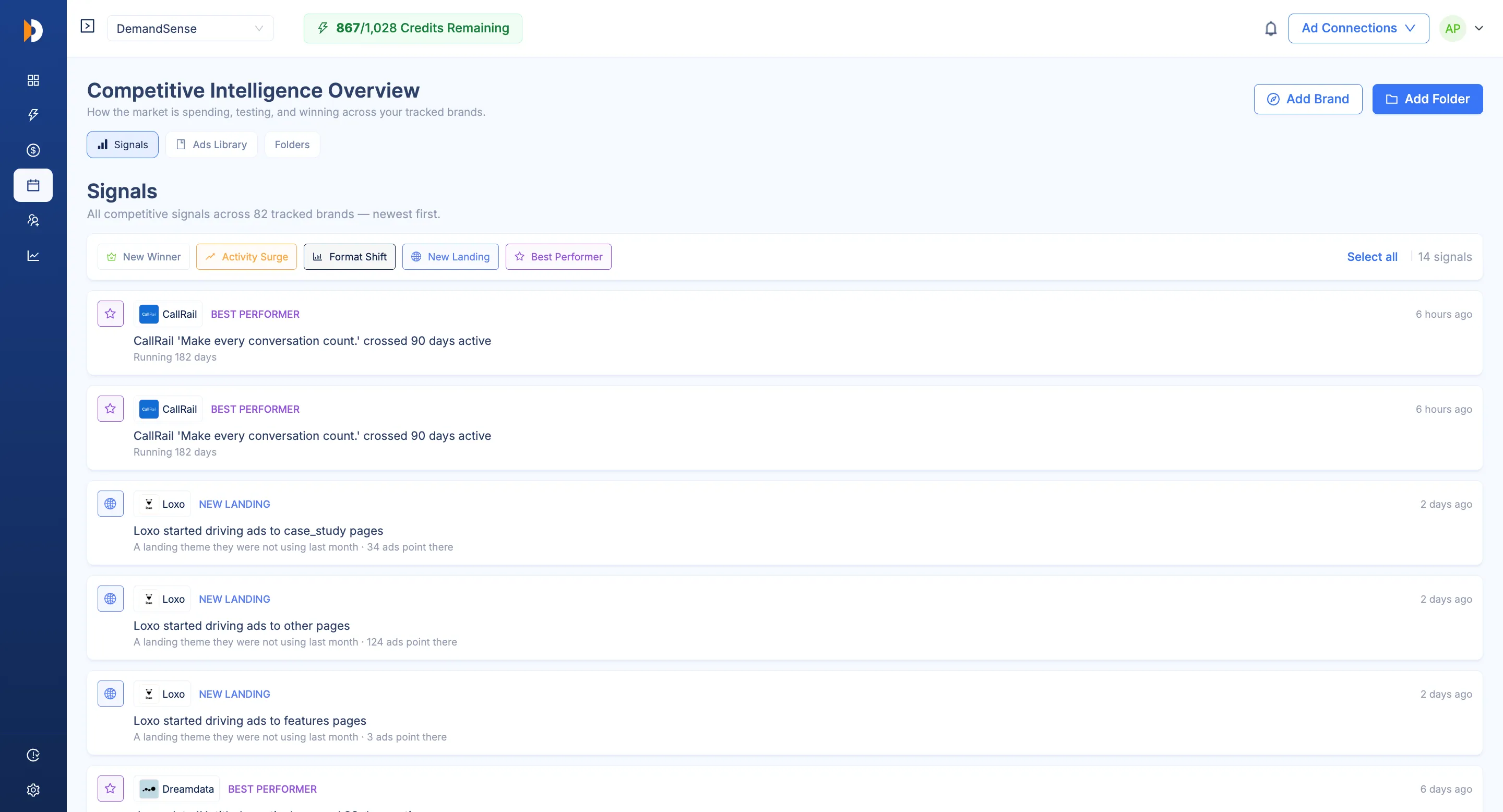
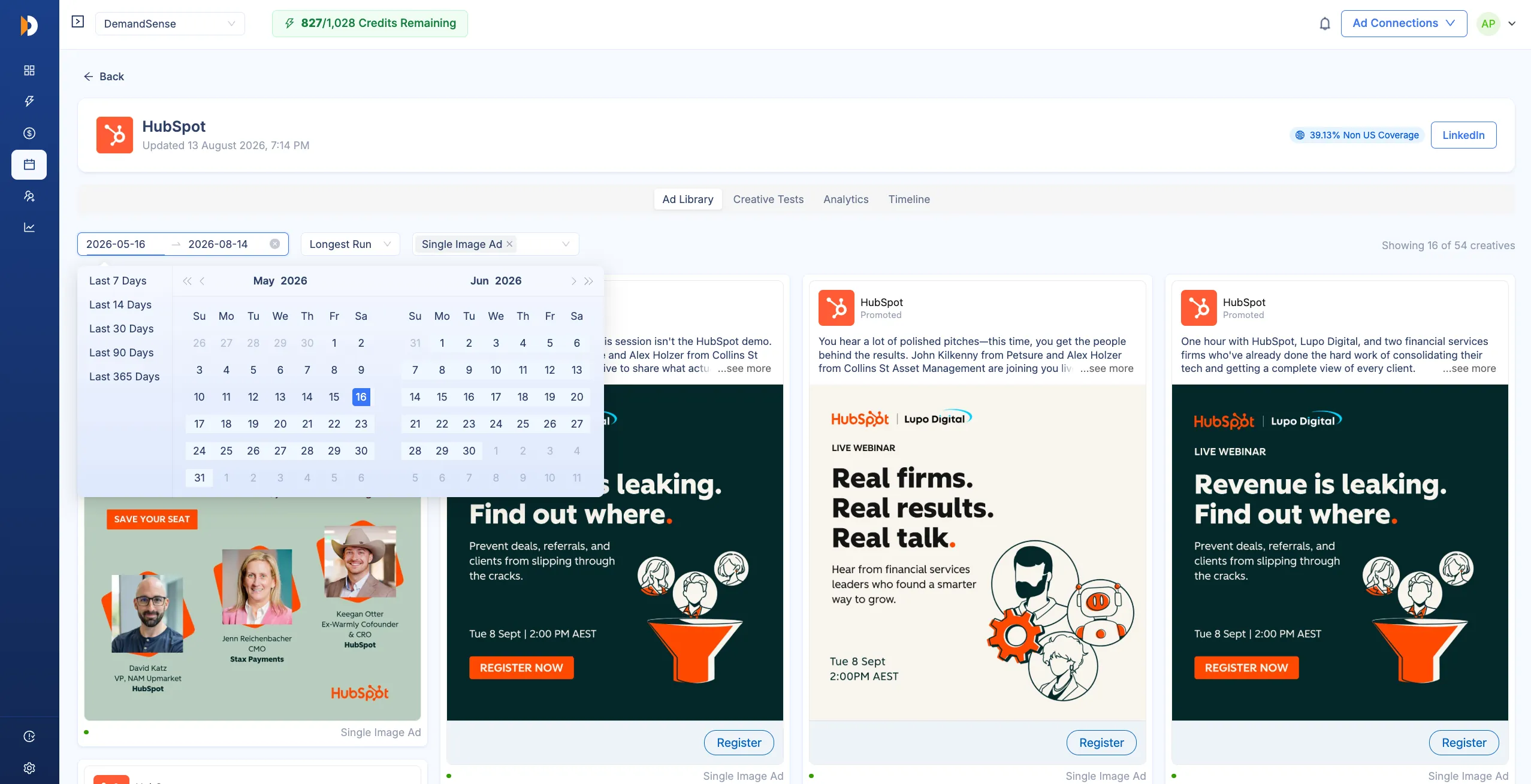
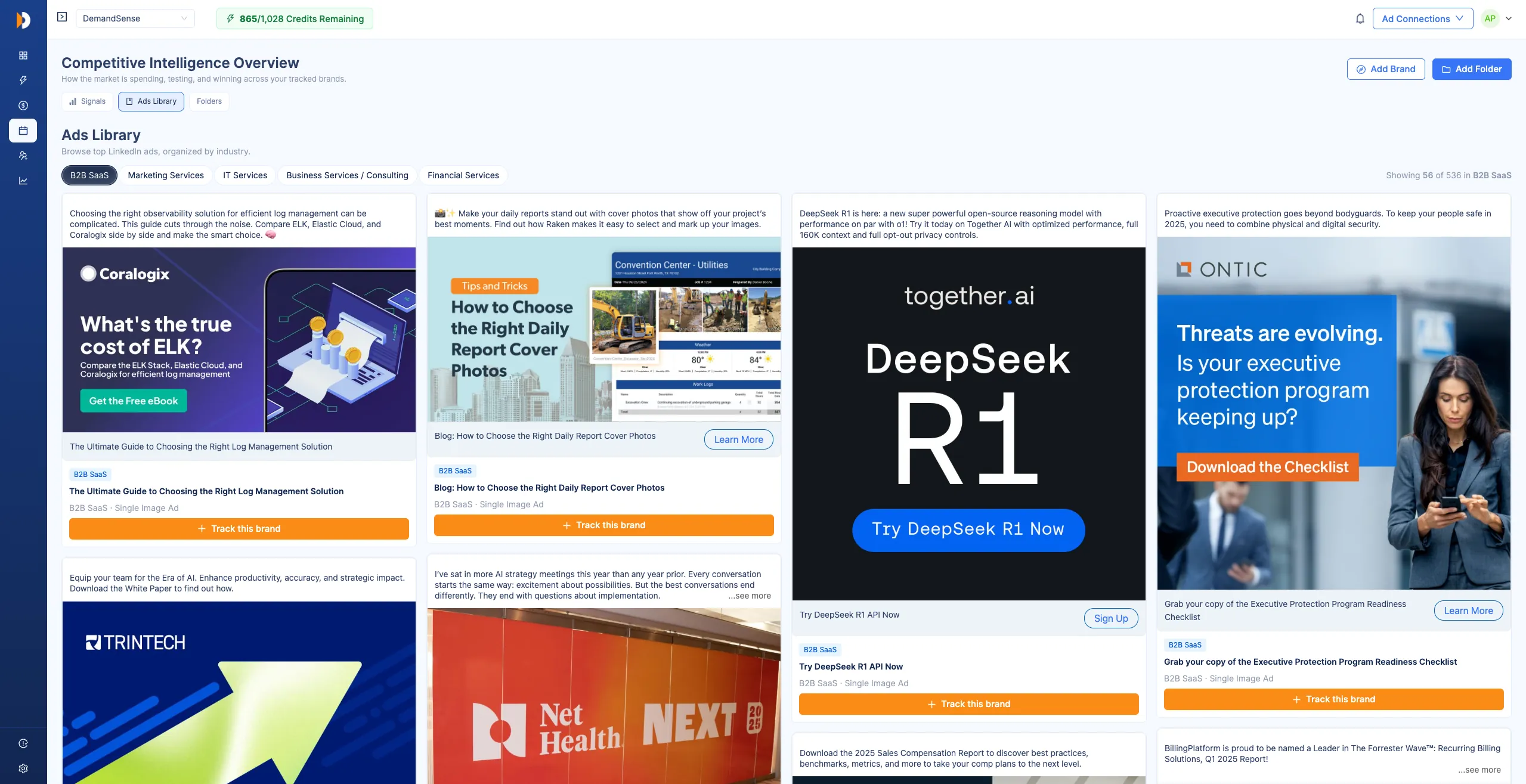
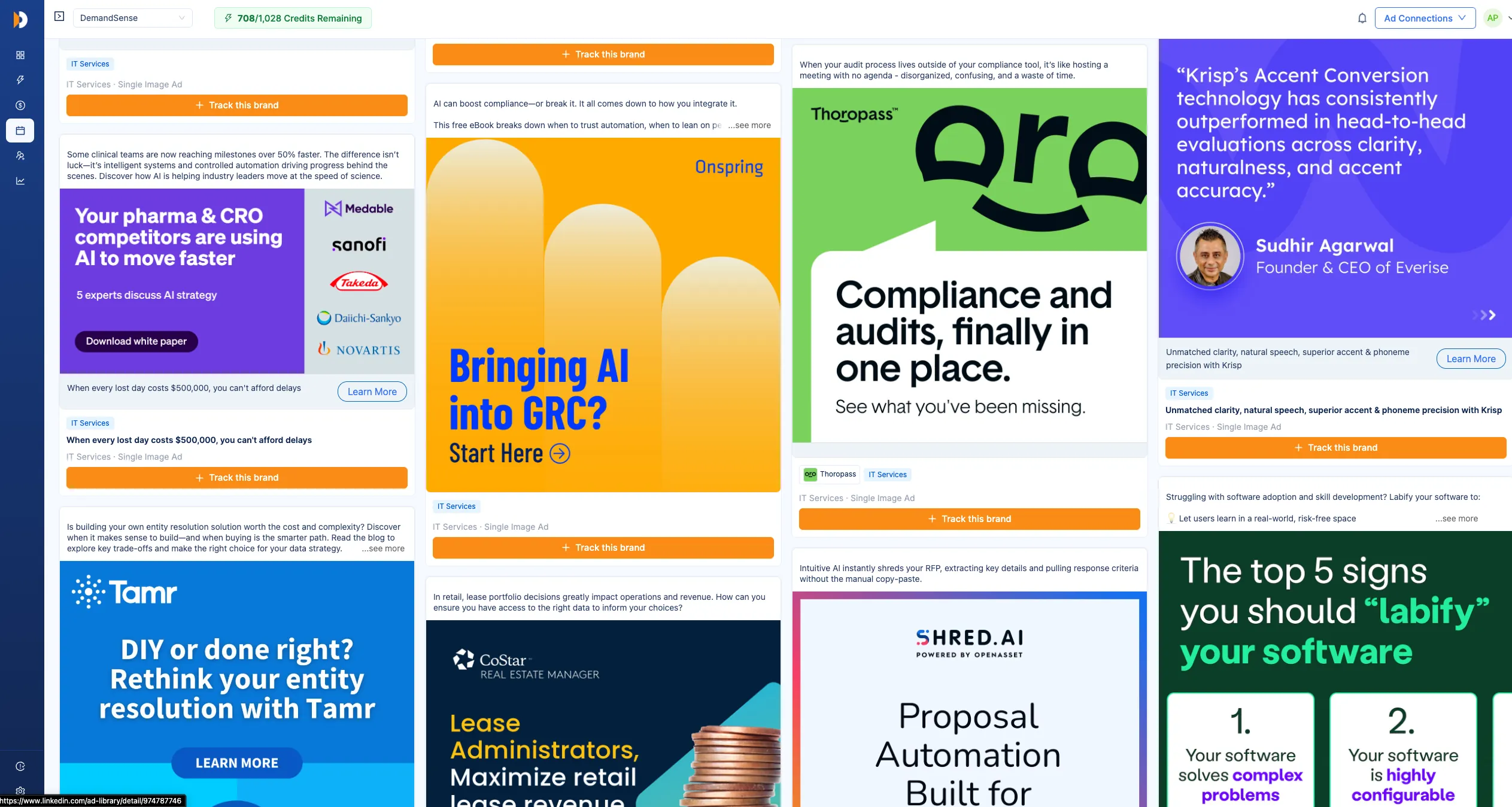
A grid of the ad creatives your tracked competitors run, current and past. Filter by date, format, run length, or status. Winner and Running badges mark each ad at a glance, so the strongest creatives stand out while you scroll, and the ads that died young stay visible as evidence too.
Every brand you track, in one grid.
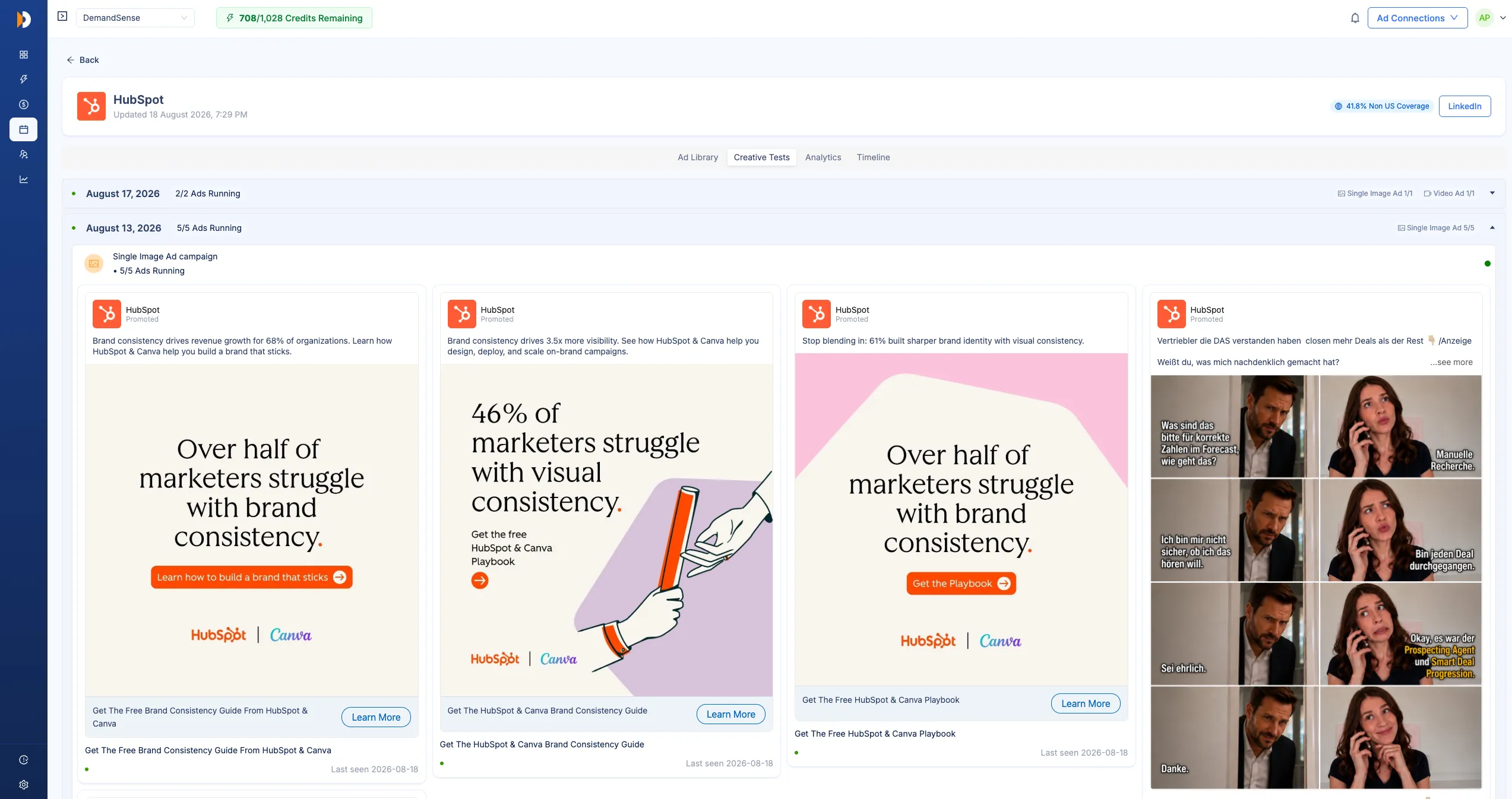
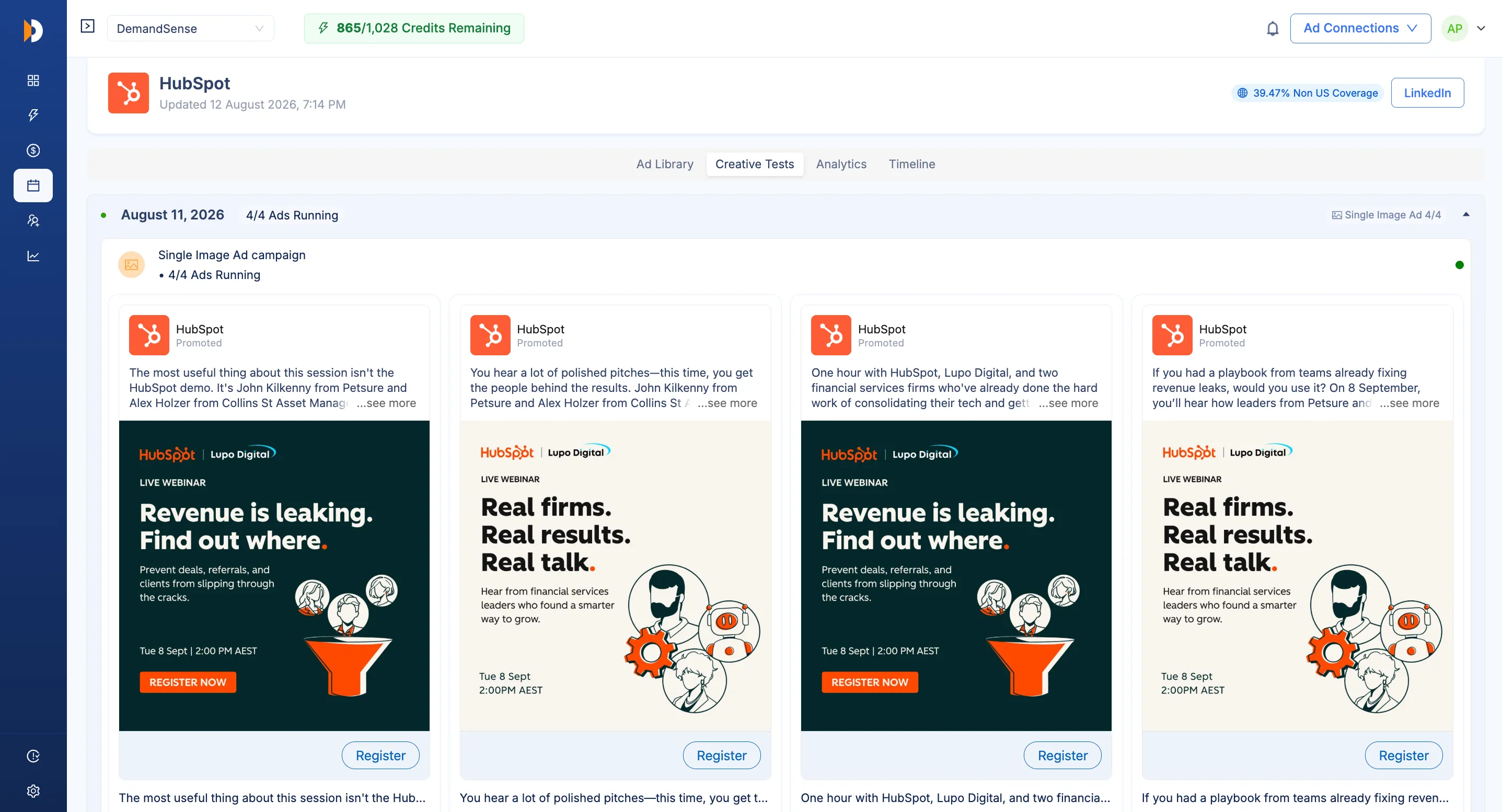
Launches grouped by day show how many new ads a competitor shipped, in which formats, and which earned a Winner badge. A month of their testing behavior becomes readable in one scroll, so you can tell a brand running steady experiments from one that ships in bursts around a launch.
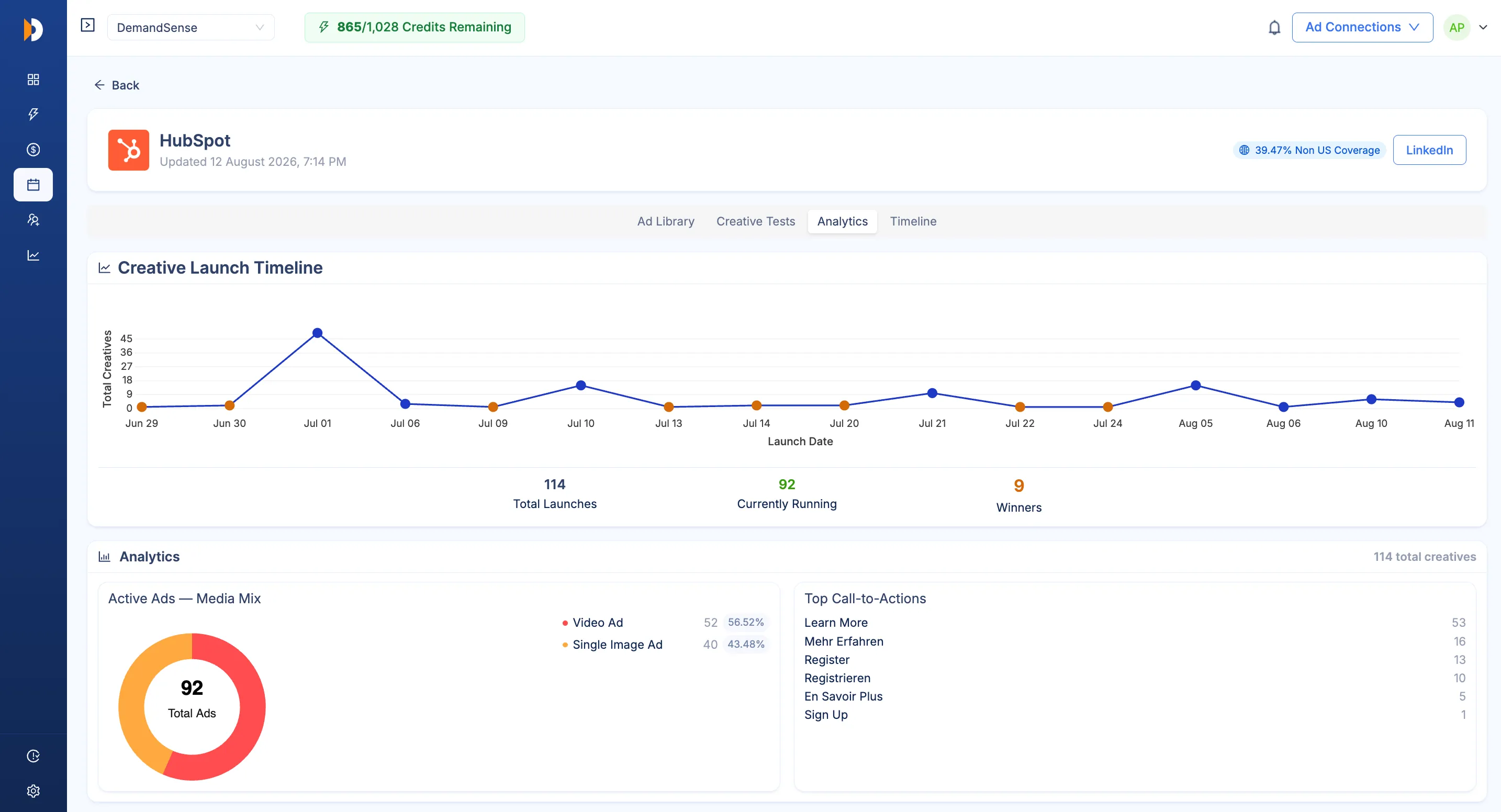
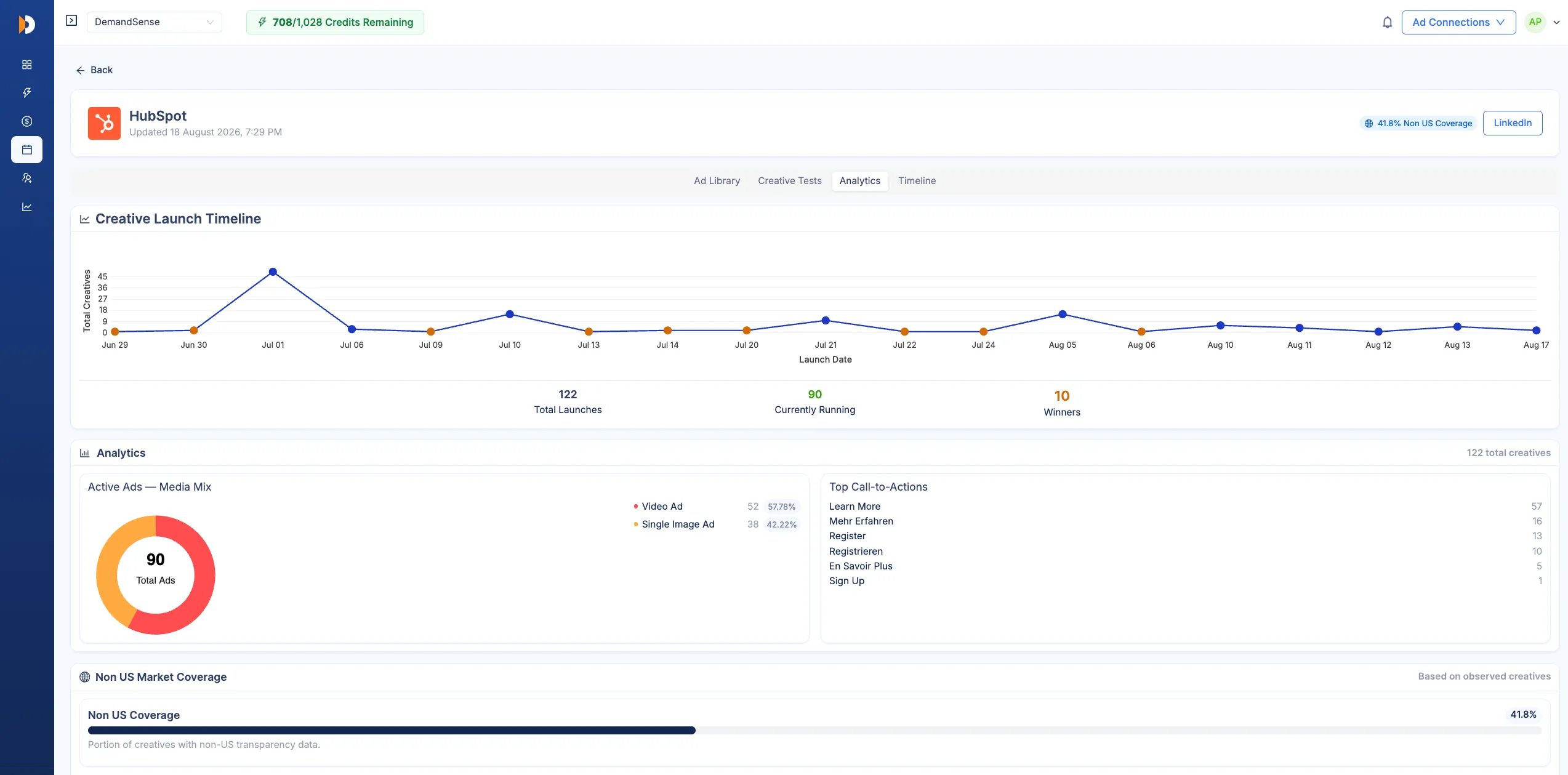
The Analytics view works as a LinkedIn competitor analytics tool: launch volume over time, the media mix of active ads, the calls to action they lean on, and which countries and languages their targeting covers. It answers what a brand is betting on this quarter.
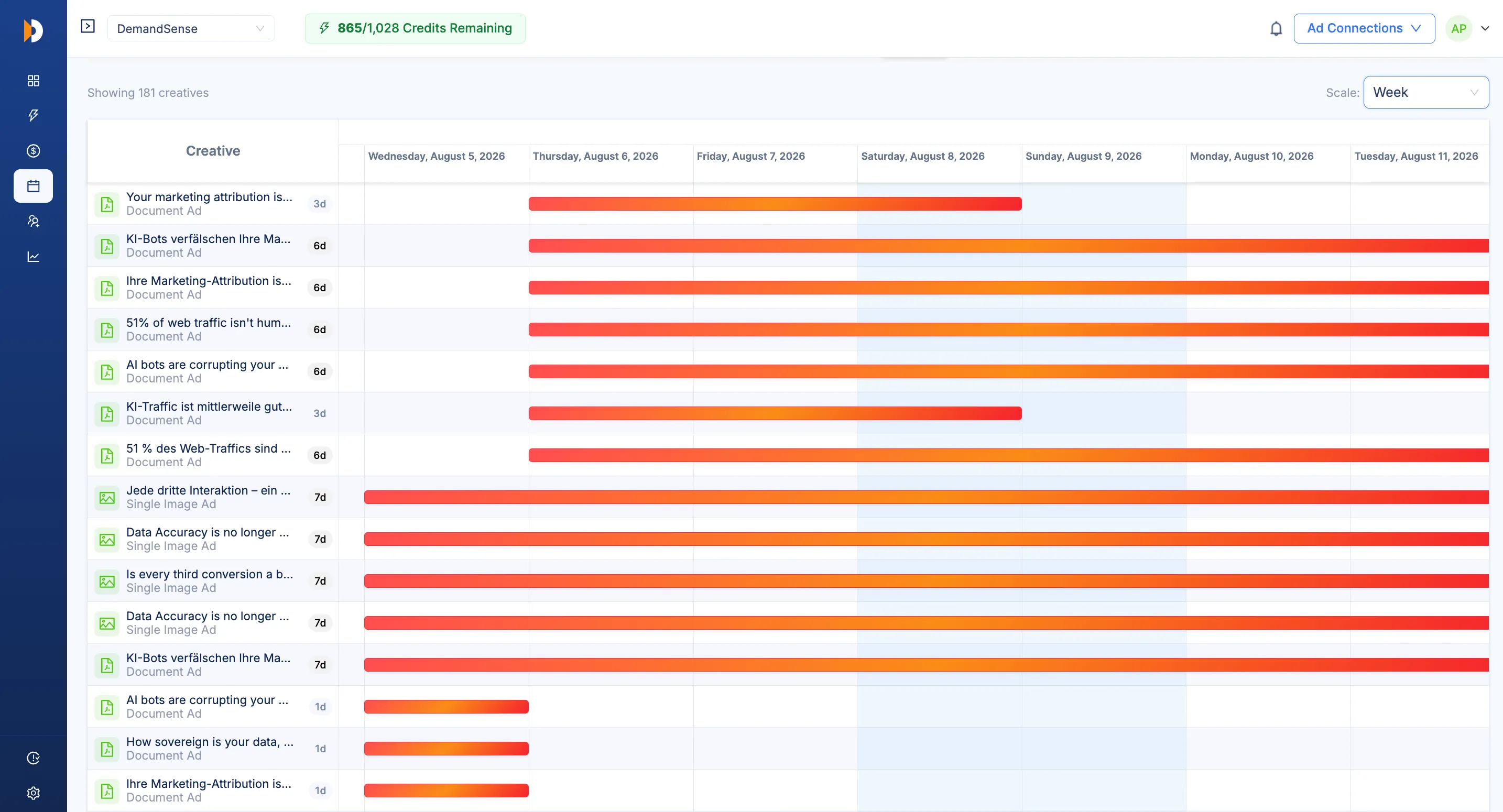
A calendar lays creatives out by day, week, month, or year with color-coded duration bars. Long-running evergreen ads and overlapping campaigns become obvious, and run length is the closest public signal to what's working, because a company keeps paying for the ads that earn their place.
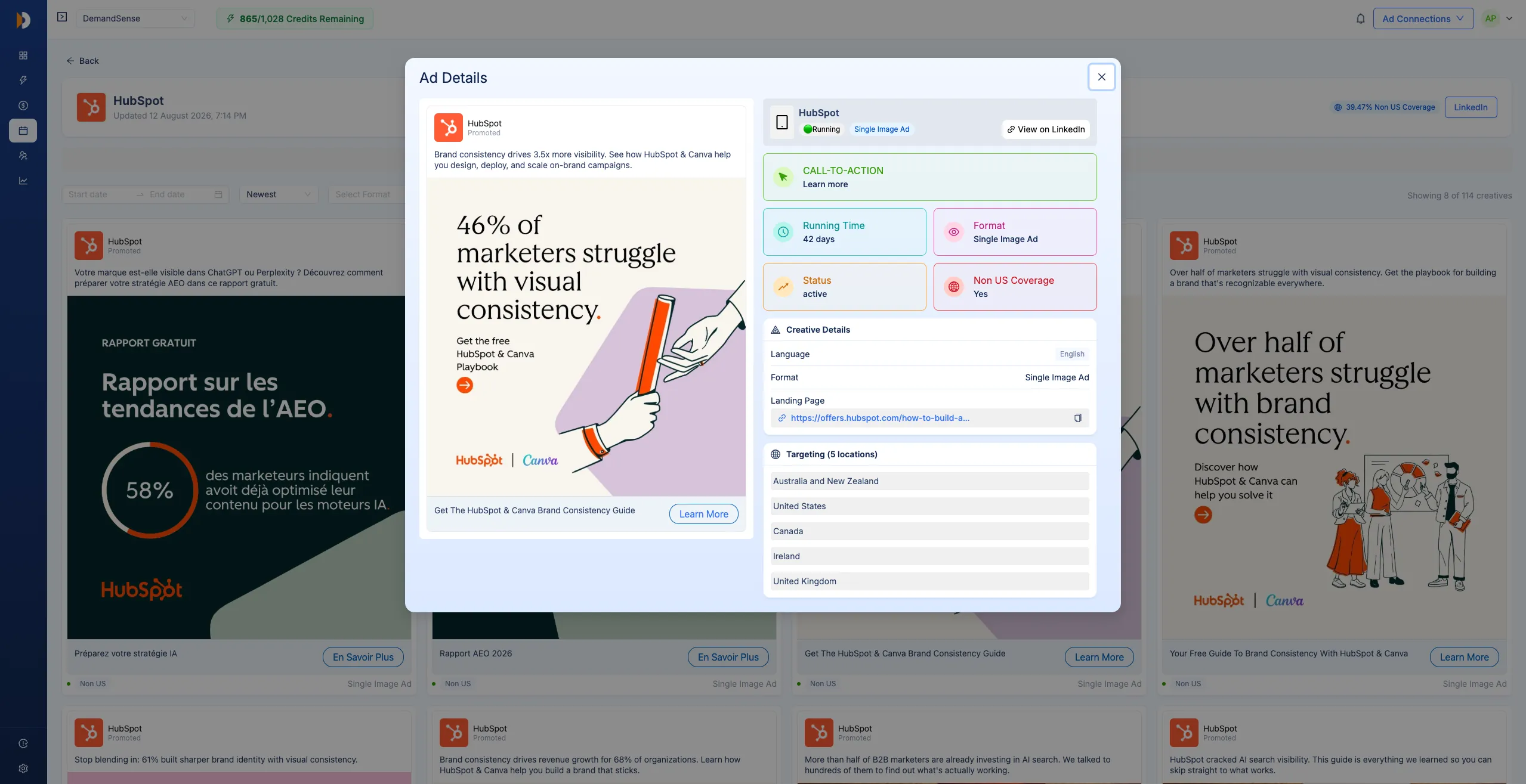
Click any creative to see the whole ad: preview, full copy, how long it's been running, available targeting info, and a link to view it live on LinkedIn. This is the view to open when a competitor's ads are worth studying line by line before you write your own.
You can track your competitors by hand in LinkedIn's Ad Library. A tracking tool changes what that work produces.
| Capability | Manual research | DemandSense |
|---|---|---|
| Competitor ads in one place | Open each brand's page separately, every time you look | Every brand you track, in one dashboard |
| Ad history | Gone once an ad stops running | Full history, with how long each ad ran |
| Knowing something changed | Only if you happen to check that day | Signals name the brand and what changed |
| Reading what works | A guess from a screenshot | Winner and 90-day best performer flags |
| Creative inspiration | A blank page | Curated monthly gallery for your industry |
| Competitors you can follow | As many as you have hours for | Every brand on your list, tracked continuously |
| Time per week | Hours of scrolling and screenshots | About 10 minutes |
With tracking, you see the pattern: what changed this week, and which ads a competitor keeps paying to run, across every brand you follow.
Competitor advertising monitoring earns its place wherever LinkedIn ad decisions get made without an analyst behind them.
You own campaign performance and your competitors target the same accounts. Tracking their ads tells you which offers and messages you're actually up against this quarter, and gives you something concrete when a founder asks what the competition is doing.
Test budget is finite, and every round spent proving something a competitor already proved is a round you don't get back. Creatives that have run for months are free market research on what converts in your category, and reading them costs you nothing.
Nobody has hours to stalk brand pages, and competitor research is the first thing that falls off the list when the week fills up. A weekly feed does the checking for you, so the findings still reach the planning conversation.
Track a separate competitor set for each client and walk into reviews knowing what moved in their market that week. Having the creatives on screen turns a status update into a strategy conversation, which is the part clients renew for.
Aussie Founders
DemandSense user here. Early days, but definitely feel like I'm burning less money.
B2B Strategy & Execution Partner to Aussie Founders
Vim
Linkedin Ad Scheduling of DemandSense is my favorite feature too, and it saves me thousands of $$ every month. I've been using it for 2+ years!
Growth Marketing Lead
BlueStar US
Just wanted to say that I've been using DemandSense for almost a full week, and the early returns are pretty awesome. CPMs are down between 30-40%, impressions are up between 50-100+%, and clicks are up between 30-60%.
Director of Marketing
Project Scale
I'm a HUGE fan of DemandSense… probably reduced my cost per lead by 60% the second I turned it on. It's literally been the difference between a campaign being incredibly successful, or burning a hole in my pocket.
Founder
Marketixa
Been using your ad scheduling tool since yesterday. CPC went 50% down.
Ad Creative Expert | Owner at Marketixa
Opteo
We've found this and the ad scheduling super useful.
Head Of Marketing at Opteo
Aussie Founders
DemandSense user here. Early days, but definitely feel like I'm burning less money.
B2B Strategy & Execution Partner to Aussie Founders
Vim
Linkedin Ad Scheduling of DemandSense is my favorite feature too, and it saves me thousands of $$ every month. I've been using it for 2+ years!
Growth Marketing Lead
BlueStar US
Just wanted to say that I've been using DemandSense for almost a full week, and the early returns are pretty awesome. CPMs are down between 30-40%, impressions are up between 50-100+%, and clicks are up between 30-60%.
Director of Marketing
Project Scale
I'm a HUGE fan of DemandSense… probably reduced my cost per lead by 60% the second I turned it on. It's literally been the difference between a campaign being incredibly successful, or burning a hole in my pocket.
Founder
Marketixa
Been using your ad scheduling tool since yesterday. CPC went 50% down.
Ad Creative Expert | Owner at Marketixa
Opteo
We've found this and the ad scheduling super useful.
Head Of Marketing at Opteo
Five steps from an empty brand list to a competitor read you can act on. Setup takes one sitting, and the collection runs from there.
Add competitors you want to monitor. Search a brand or pick one from the library and hit Track. Add as many competitor brands as you want to follow, including the ones you only half-suspect are chasing your buyers.
Collect competitor LinkedIn ads in one place. DemandSense gathers your tracked brands' ads, active and historical, with the copy, format, and run duration attached to each one. Nothing to schedule and nothing to remember.
Review creatives, messaging, and offers. Browse the library, open any ad's details, and read each brand's analytics to see what they're pushing and which formats they lean on this quarter.
Spot patterns and campaign changes. Signals flag new winners, activity surges, and format shifts the week they happen, with the brand named, so a week of market movement reads as a short list.
Turn insights into your own campaign tests. Take the messages your market rewards, and the gaps nobody covers, into your next LinkedIn campaign. That is the whole point of watching in the first place.
Add your first competitors in minutes. DemandSense collects their LinkedIn ads, flags the winners, and briefs you weekly. Your time goes back to your own campaigns. Every brand you add starts collecting from the day you add it.
Common questions about competitor ad tracking on LinkedIn.
