••
Insights & Resources
Expert strategies, case studies, and best practices for B2B marketing teams.
Expert strategies, case studies, and best practices for B2B marketing teams.
Forty companies saw your ads last month. Six of them absorbed most of the impressions, a fifth of the budget ran between midnight and six, and none of it reached HubSpot, where your team actually works. Campaign Manager offers you no lever for any of that.
Linklo is built precisely for those levers, and says so in its headline: “Turn LinkedIn Ads influence into action in HubSpot.” Action, inside the CRM you already run. It schedules and dayparts, evens out company-level delivery, watches budgets against thresholds, tests creative for significance, and writes company-level ad exposure onto HubSpot company records.
DemandSense carries a set of the same controls and puts them next to something Linklo does not attempt: a read on what the spend produced. Their own integration page is careful about this, offering exposure data for workflows and reports “without pretending impressions explain everything.” That is an honest boundary, and it is where the two tools separate.
Linklo gives LinkedIn advertisers the delivery control Campaign Manager withholds. Scheduling and dayparting, Company Flows to stop one account absorbing your impression share, Budget Control that watches spend against thresholds and warns while there is still time to adjust, A/B testing with significance scoring, and a Heatmap that shows performance by day and hour. Its LinkedIn Ads Impression Sync writes company-level exposure onto HubSpot records, beside deals and target accounts. One plan at $99 a month, two users, 21-day trial.
DemandSense reads LinkedIn engagement, site visits and CRM movement, identifies the companies visiting your site and the people behind US visits, and attributes that activity to revenue under thresholds you set. The same data drives ad scheduling, a frequency cap, audience tuning and a monthly budget ceiling, returns won deals to LinkedIn through the Conversions API, and keeps budget off accounts that have already bought. Every feature is on every plan from $89 a month.
Choose Linklo if the job is executing LinkedIn better inside HubSpot and you already know what the spend is worth. Choose DemandSense if you do not, or if your CRM is not HubSpot.
On the controls, genuinely. Both give you dayparting, company-level exposure limits and budget guardrails, and both publish what they cost, which is not universal in this category. If your immediate problem is spend leaking into hours nobody reads, or six accounts swallowing your impression share, both put those levers in your hands and neither takes a cut of your media.
Linklo’s approach is discovery first. Its Heatmap shows performance by day of week across campaigns and hourly metrics break that down by hour with time zones handled, building forward from the day you connect. The scheduler then holds whatever window you choose.
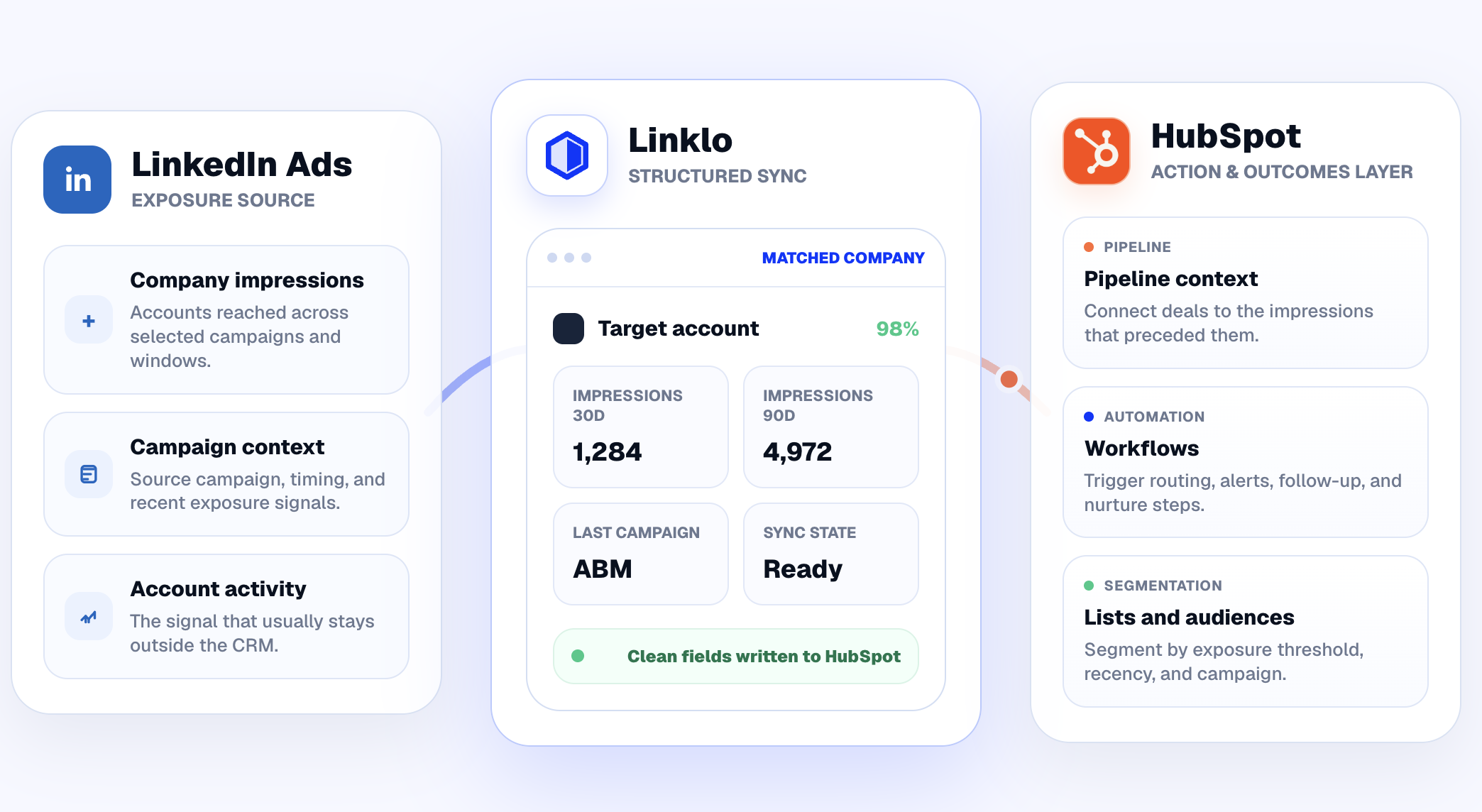
DemandSense shows the same pattern in its hourly breakdown, which feeds the schedule directly. What differs is the mechanism underneath. Most schedulers pause a campaign outside its window and reactivate it when the window opens, and every restart costs you LinkedIn’s optimisation history. DemandSense drops the bid to a cent instead, so the campaign never stops and the learning carries through the night.
Company Flows is Linklo’s answer and it is a good one: rules on impressions, clicks or conversions that exclude companies automatically and move high performers between campaigns so no single account dominates. It runs continuously.
DemandSense comes at it from the ICP side. A frequency cap works per company, and audience tuning shows every job title and company your budget is reaching so you can cut the ones wasting it, including suppressing a competitor, a customer or an active deal in one click.
Budgets diverge more sharply. Linklo watches spend against thresholds you set across ad accounts, campaign groups and campaigns, and tells you when a group is projected to run over. DemandSense sets a monthly ceiling that pauses the campaigns at the cap and brings them back on the first, so the overspend does not happen while you are deciding what to do about the warning.
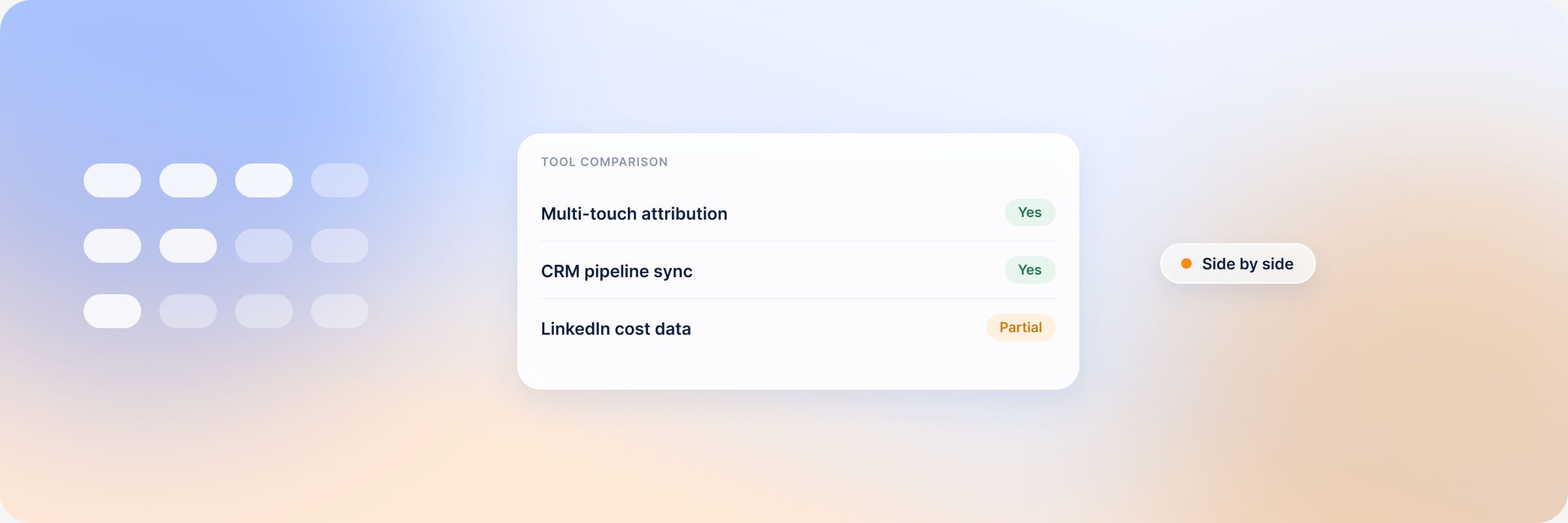
This is the part Linklo leaves to you. It writes company-level exposure onto HubSpot records with first, last and recent timing, so an account’s ad history sits beside its deal and you can build lists and workflows on it. Reading whether the ads moved the deal is a judgement you make from the two columns.
DemandSense models it. Awareness, Engagement and Intent each carry thresholds you can move across paid impressions, organic engagements, clicks and site visits, read back over three, six or twelve months, with Won ROAS on closed revenue. Alongside it, spend protection works a rolling twelve-month window to keep budget off accounts that have already bought. Both are on every plan from $89, which is the figure to weigh against their $99.
Linklo’s sync runs one way: exposure out of LinkedIn and into HubSpot, where your team reads it beside the deal. The Conversions API runs the opposite way, and it is the direction nothing in Linklo covers.
Your CRM already knows which deals closed and what they were worth. Campaign Manager does not. It keeps optimising toward whatever you last told it to count, which for most B2B accounts is a form fill, and it gets progressively better at finding people who fill in forms. Handing it the deals instead changes what it is hunting for.
DemandSense sends two streams back: closed-won deals as Purchase events carrying the amount, and qualified opportunities as Qualified Lead events. Each moves six identifiers, syncs daily, and lands on a conversion rule you can point a campaign at. Those two event types also hold a 365-day window against 180 for most others, which decides whether a nine-month deal counts at all. Linklo publishes nothing in this direction. The DemandSense guide to LinkedIn Ads conversion tracking covers the stack around it.
Linklo publishes no MCP server, so its data stays inside its own screens and HubSpot’s. DemandSense ships one, read-only and open on every plan, and it hands Claude or ChatGPT your LinkedIn engagement, identified site visits and CRM deals. That turns a planning question into one prompt: which ICP-fit companies saw this month’s ads and visited the site but have no deal yet, and where should next week’s budget go because of it. The MCP Intelligence Hub shows what it connects, and a walkthrough on a live account shows the queries running. There is an in-app Co-Pilot too, which replies with a chart.
Linklo has no reviews on G2 yet, so its 80% cost-per-lead case study, and its 80-plus advertisers are self-reported with nothing independent to weigh them against; the single plan with two users is either refreshingly simple or a ceiling, depending on your team size. DemandSense has its own: audience activation runs to LinkedIn and no further, and the AI Co-Pilot is early enough that it is worth a look before you rely on it. Neither list is fixed, since both products ship changes monthly, so read them as trial questions.
DemandSense reads 5.0 on G2.
| DemandSense | Linklo | |
|---|---|---|
| Entry | $89/mo: 200 credits, every feature | $99/mo Core: scheduling, Company Flows, budget control, A/B testing, heatmap, HubSpot exposure sync, two users |
| Attribution | Included on every plan | Not offered |
| Upper | Plus from $149/mo at 500 credits, laddering to $999/mo at 10,000 | One published plan |
| CRMs | HubSpot, Salesforce, Attio | HubSpot |
| Free trial | 30 days, every feature, no credit card | 21 days, no credit card |
| G2 | 5.0 | Not yet rated |
The DemandSense entry plan lands $10 below Linklo’s single tier and includes revenue attribution, visitor identification, and competitor monitoring; theirs includes two users and a creative testing suite.
Linklo’s controls run on what you already believe the spend is worth. In DemandSense, they run on what it turned out to be worth, and the result goes back to LinkedIn.
Choose Linklo if you run HubSpot, LinkedIn is your channel, and the job is executing better. High creative volume that needs significance scoring, scheduling built on your own heatmap, continuous control over which companies absorb your impressions, and exposure landing in workflows your team already uses: that is what they have built, and $99 with a 21-day trial is a cheap way to find out.
Choose DemandSense if you need to know what the ads were worth as well as how they ran, and want that answer to change the next campaign. It reads LinkedIn engagement, site visits and CRM deals, attributes pipeline and revenue under thresholds you set, takes budget off accounts that already bought, and sends won deals back to LinkedIn so it learns from buyers instead of form-fills. It also names the accounts on your site that have not clicked anything yet, from $89 a month with a 30-day trial. And if you are on Salesforce or Attio, Linklo publishes no path there.
Start a 30-day trial and see what a month of delivery was actually worth.
No. Linklo writes company-level LinkedIn ad exposure onto HubSpot company records with first, last and recent timing, so you can see which accounts were reached beside the deals they belong to. Its own integration page frames this as data for workflows and reports rather than an explanation of pipeline. DemandSense models influence under thresholds you set and reports revenue and Won ROAS against it.
Not at present. HubSpot is the only CRM integration Linklo publishes, which is why its integration runs deep. DemandSense connects natively to HubSpot, Salesforce and Attio on every plan, with webhooks for anything else.
Its Budget Control watches spend against thresholds across ad accounts, campaign groups and campaigns, and warns you when a group is projected to run over, with the emphasis on acting early. DemandSense sets a monthly ceiling that pauses the campaigns at the cap and restarts them on the first.
Both publish their prices, and for delivery control on its own they land within ten dollars of each other: $99 for Linklo Core against $89 for the DemandSense entry plan. The plans are not identical, so compare what each includes rather than the headline number.
Book a personalized demo and discover how we can transform your B2B marketing.
See a quick demo video
Tools & Comparisons
Visitor Intelligence
DemandSense vs Vector after Vector’s September 2026 relaunch: account stages, ad audiences, deal stories, the Conversions API, MCP and pricing.
Tools & Comparisons
Visitor Intelligence
DemandSense vs RB2B on person-level identification, campaign context, alerting, ICP scoring, attribution and real pricing across every tier.
LinkedIn Ads
Tools & Comparisons
What B2B intent data is, how the main providers differ, and how to use intent signals to decide which accounts get your LinkedIn Ads budget.
Get expert insights and strategies delivered to your inbox weekly.
