LinkedIn Ads
Average LinkedIn CPM and How to Benchmark B2B Campaign Costs
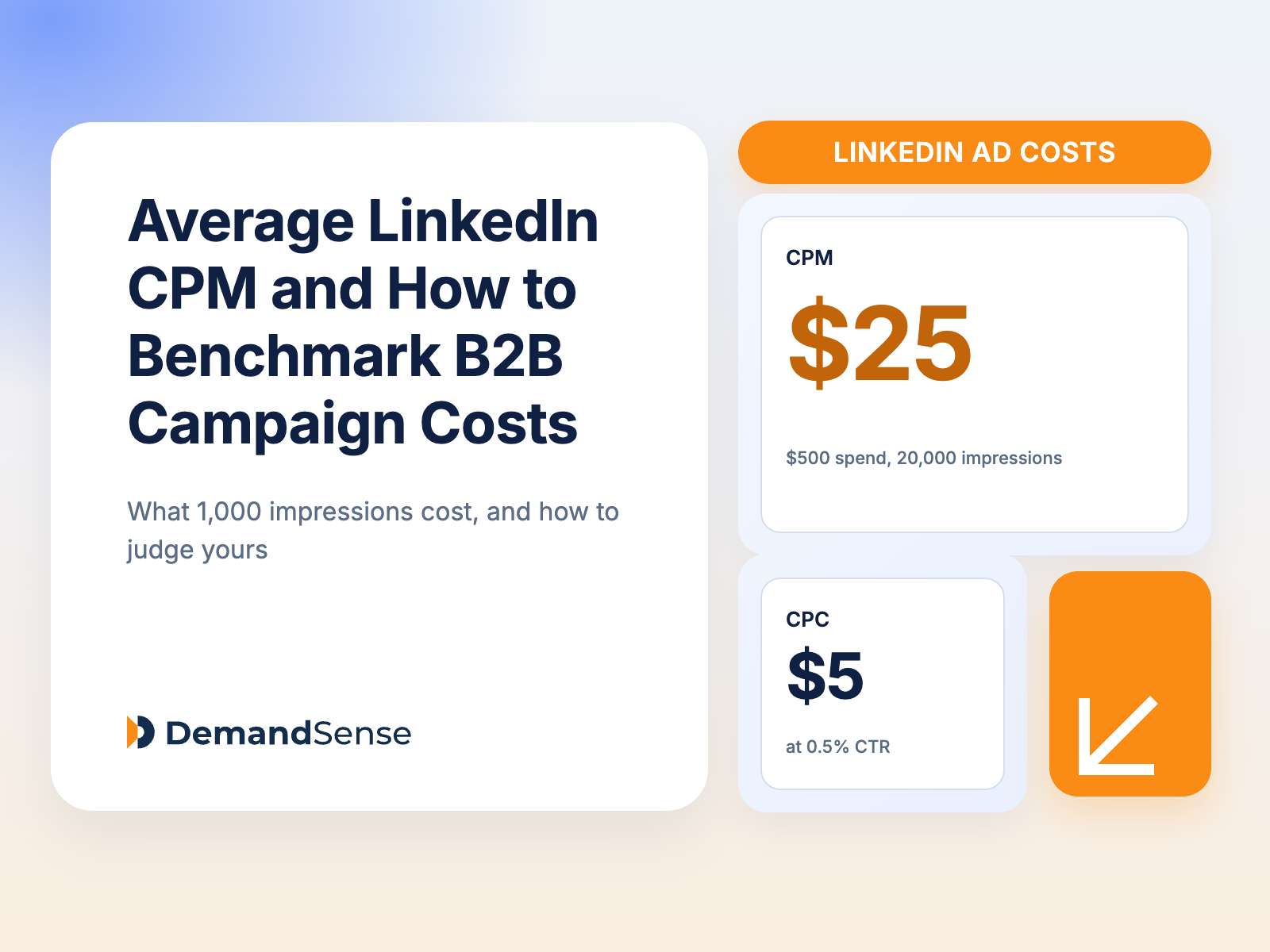
The median LinkedIn CPM in 2026 from our own data, why it moves with format, audience and industry, and how to benchmark your B2B campaigns against it.
LinkedIn’s defaults are built to spend your budget, not protect it. Here’s how much a B2B programme actually needs, how to split it across the funnel, and how to work backwards from a revenue goal instead of guessing at a monthly number.
A niche professional audience plus high competition plus high CPCs equals high LinkedIn ad costs. LinkedIn ads are more expensive than Google ads and Meta ads, but most of the time marketers spend more on ads than they should because they fall into common pitfalls like leaving maximum delivery bidding, audience expansion, and the audience network on by default — especially marketers just starting out.
The platform takes great pleasure in spending your budget to completion, so to get a good return on ad spend, you need to manage your LinkedIn advertising budget well. In this article, we will explore what a realistic LinkedIn ads budget should be, how to manage costs effectively so as not to overspend, and the common mistakes that are costing you your budget. Take a look.
Running LinkedIn ads without a proper plan can waste your budget. Here are some tips to keep in mind when building your ad budget so as to avoid overspending:
A LinkedIn ads budget is the total amount advertisers need to run their LinkedIn ads campaign. There’s no fixed LinkedIn budget for B2B campaigns, as the platform runs on an auction system — costs can go up or down depending on your campaign objectives, target audience, ad format, and the relevancy score of your ad set.
Campaign objectives
The goals you set for your campaigns determine how much you will pay to reach your target audience — lead generation campaigns are more expensive than awareness and consideration campaigns because of the high competition.
Bidding strategy
As you select your ad set, you also get to select the bidding strategy and the budget type for your campaign.
Ad relevancy score
LinkedIn rewards messaging that resonates with your target audience — if your ads have a higher CTR, your ad costs reduce, but if your CTR starts dropping, the costs go up.
Target audience
Some audiences are more expensive to reach than others because of the tough competition. Advertisers are willing to bid higher for high-value clients like the ones in the healthcare and finance industries due to the high customer lifetime value (LTV) that comes with the deals.
Ad format
Ad formats cost very different amounts, but not for the reason most people assume. Sponsored Content is the most expensive format because it competes for space directly in the LinkedIn feed, where nearly every B2B advertiser is bidding — our own LinkedIn ads benchmarks put the platform-wide average CPC at $5.59, and feed formats sit at the upper end of that picture. Text and Dynamic ads are far cheaper, because they’re bought against low-value right-rail inventory that far fewer advertisers compete for. Their low engagement is a consequence of that placement, not the cause of the low price: Text ads average roughly a 0.025% CTR and Dynamic ads around 0.08%, both a fraction of what feed formats deliver. That makes them useful for cheap, persistent brand presence in front of target accounts — and a poor choice for lead generation.
Cost is also something you can engineer down rather than just absorb. One API analytics platform cut its LinkedIn ad costs by 57% without reducing spend, purely by changing how and when its budget was released into the auction.
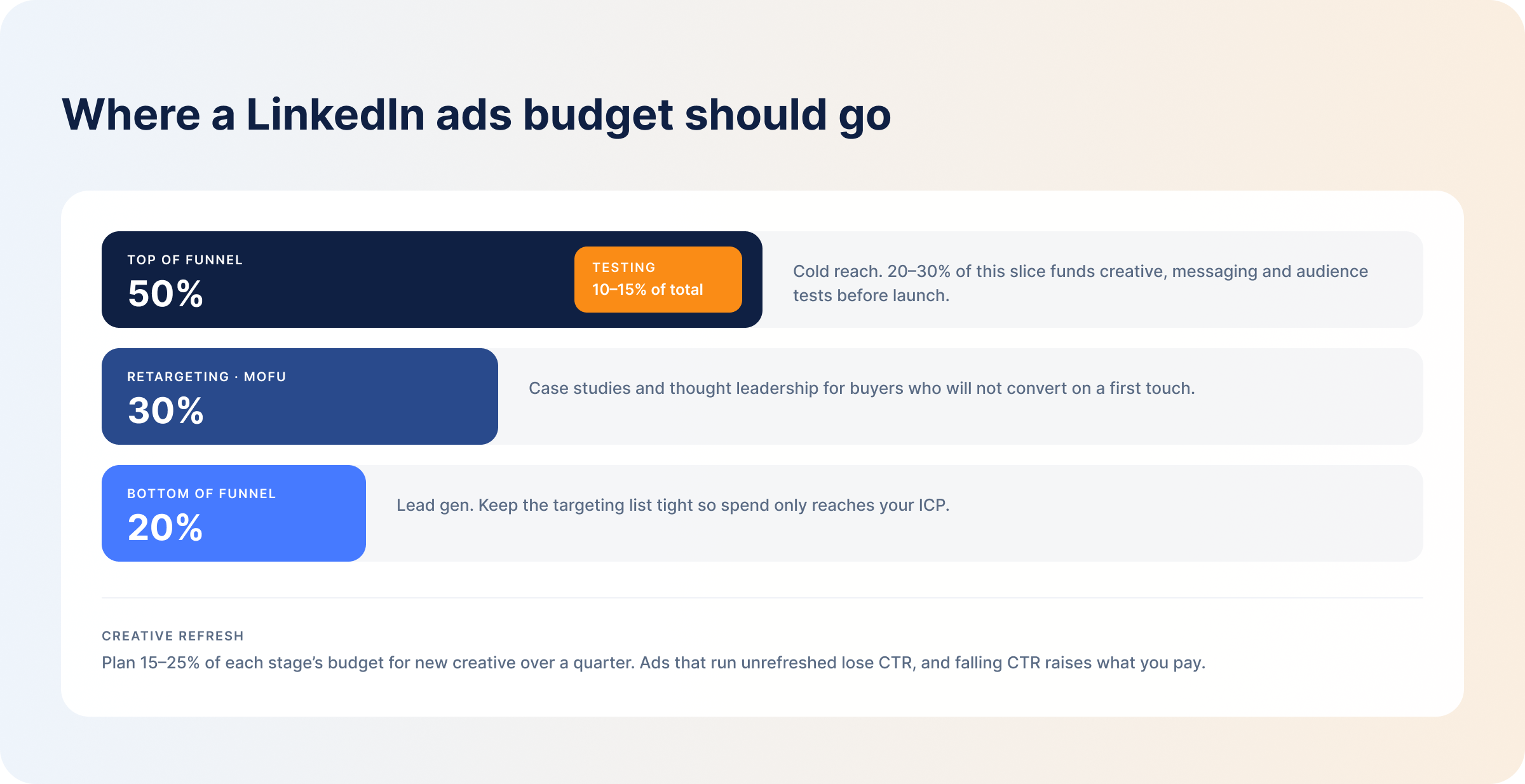
Allocate your budget based on the funnel stages — some stages need more funding than others. A workable default split for a B2B program looks like this:
Creative refresh is funded from within these three slices, not on top of them. Plan for 15%–25% of each stage’s budget to go toward new creative over a quarter, because after seeing the same ads over and over again, the audience stops clicking, CTR drops, and ad costs increase — leading to more budget waste, since you’ll be paying more to reach people who are already bored with your ads. Building a refresh cycle into the plan from the start is far cheaper than reacting to fatigue after it shows up in your CPCs, and it’s worth pairing with LinkedIn ad creative best practices so the replacements actually outperform what they replace.
While running the campaigns, you have to keep a close eye on how your budget is being spent. You can use the daily budget pacing option for long campaigns that have no specific end dates, or use the lifetime budget option when running campaigns with a set start and end date.
However, these two options are still not enough to prevent ad budget waste, since the algorithm can splurge up to 50% of your budget on “high-intent days” and leave the other days dry. Sometimes the ads finish the weekly budget by Tuesday and you only find out on Friday when the weekly reports come in. You need more advanced budget pacing controls like ad scheduling, frequency capping, and monthly budget caps — which LinkedIn doesn’t have, but which are very crucial.
Sometimes ad scheduling alone is all you need to lower your ad spend.
Budgeting matters for B2B lead generation as it gives marketers control over where their budget goes — ensuring every dollar goes towards reaching their ICP and achieving campaign objectives. LinkedIn ads CPC is already high, and if you don’t plan your budget well, the platform will take over for you — and you will not like the results.
Advertisers can also plan their campaigns well with a clear budget structure. For example, if you have a monthly ad budget of $3,000, you divide that by 30 days to get a daily budget of $100. To gather meaningful campaign data, you need at least three to four clicks per ad per day, so at a $100 daily budget and a CPC in the $5–$7 range, you should only run about four ads. Anything more than that and you’ll be waiting months for the ads to collect data — time you don’t have. However, instead of starting with the budget amount, it’s more advisable to start by setting revenue goals, then work backwards to calculate the budget.
How much you spend on LinkedIn campaigns depends entirely on your campaign goals, deal size, sales cycles, and level of competition within your industry. Here are industry averages you can use to help you plan for your next campaign:
| Company size | Suggested monthly budget | Notes |
|---|---|---|
| Startups (1–100 employees) | $1,500–$3,000 | Test one to two audience segments before expanding targeting. |
| Mid-market (101–1,000 employees) | $5,000–$15,000 | Enough to test multiple audience segments and still fund retargeting and conversion campaigns. |
| Enterprise (1,000+ employees) | $20,000+ | Long sales cycles mean running multiple concurrent campaigns to nurture the audience across the buying committee. |
Now, spending more does not automatically guarantee better campaign results — a mid-market company can spend $3,000, generate more quality leads, and still beat competitors who spend $15,000. To budget smarter, start by setting campaign goals, then work backwards, and then use revenue attribution tools to monitor your campaigns and check performance beyond clicks and impressions to ensure your campaigns are reaching the right target audience.
Having well-crafted ad sets that address your buyers’ unique needs can also help you achieve your campaign goals without breaking the bank.
Here are some common pitfalls that advertisers fall into and what you can do to avoid wasting your campaign and ad set budgets:
Most marketers are competing for the attention of the same 5% of ready buyers, and if the audience has never heard of you, you will lose the bid and all of your budget will be wasted. Advertisers should put more of their LinkedIn advertising budget on awareness and retargeting campaigns to build trust with the audience first, before targeting them with form fills.
The LinkedIn Audience Network and audience expansion are both switched on when you build a campaign, and maximum delivery is the default bidding strategy. All three promise to help you reach more of your target audience, but in reality they work hard to spend your budget on ad sets even if that means expanding reach to users outside your ICP. Turn off the audience network and audience expansion, and switch to manual bidding — these LinkedIn ad optimization settings are the fastest single change most advertisers can make to their spend.
No matter how accurately you filter the target audience using the firmographic filters, and no matter how well you craft your ad creatives, you will never know whether you made the right choice or how well the target audience will respond to your ad sets until you test them. Testing gives you enough data to evaluate your messaging and ad format so you know what to improve and what to keep for the actual campaign.
Yes, pipeline and revenue from LinkedIn ads don’t come immediately, but when you make budget allocation decisions based on lead volume, you will end up funding the wrong campaigns — campaigns that appear to be performing poorly right now might be the ones that bring in more qualified leads in the long run. The LinkedIn Insight Tag gives you a starting point here, but know its limits: it powers Website Demographics, which reports aggregated, anonymized job titles, industries, and company sizes, and only once at least 300 LinkedIn members have visited. It will not tell you which companies came to your site. To get that, you need website visitor identification alongside your ad data, and your LinkedIn data connected to your CRM so you can see the campaigns that have real impact on your target accounts — and know where to add spend and where to cut.
The lag is built into B2B. A company closes 20 to 50 deals a year, which is two to four conversions a month for your LinkedIn campaigns to learn from, arriving months after the ads that caused them. Two things shorten it. The companies engaging with your ads are visible every week, so you can judge a campaign on which buyers are paying attention while it is still running. And DemandSense sends the outcome back: closed-won deals with their value, and qualified opportunities, go from your CRM to LinkedIn through the Conversions API on a daily sync, so Campaign Manager optimises toward buyers rather than form fills.
So when you feel like you are spending a lot of money on LinkedIn and still not getting the desired results, it means you need to clean up your campaign management strategy.
LinkedIn’s actual floor is $10 per day per campaign, and $100 for a new campaign’s lifetime budget. Run at that floor for a month and you land at roughly $300 — enough to switch a test on, but in reality far too small for most businesses to get actionable insights into their ad campaigns. Here’s a summary of the different budget levels and when you should use each:
| Budget level | Purpose | What it can show | Main limitation |
|---|---|---|---|
| At the platform floor ($300–$500/mo) | Testing the technical setup only. | Whether your LinkedIn Insight Tag, landing pages, and conversion tracking are firing correctly. | Nowhere near enough data to tell you whether your targeting is correct or too broad. |
| Small test budget ($1,500–$3,000) | Testing up to six creatives against one or two audience segments. | CTR and an approximate CPC for your segments. | Few creatives against a narrow audience means ad fatigue sets in quickly. |
| Structured testing budget ($5,000–$10,000) | Running across the full funnel to A/B test several ad variations. | CPL, and which creatives in your ad set are likely to perform. | Getting clean results means letting the algorithm spend on variants you can already see are losing. |
| Optimization budget ($15,000+) | Checking whether the audience can absorb the spend, and generating enough conversion data to train the algorithm toward high-intent buyers. | How long a click takes to become a sales-qualified opportunity in your CRM. | Requires a creative refresh every two to four weeks to hold off fatigue. |
Testing creatives can seem like a total waste of time and money, but it helps you find loopholes in your campaigns for you to fix before they waste your campaign budget during actual campaigns.
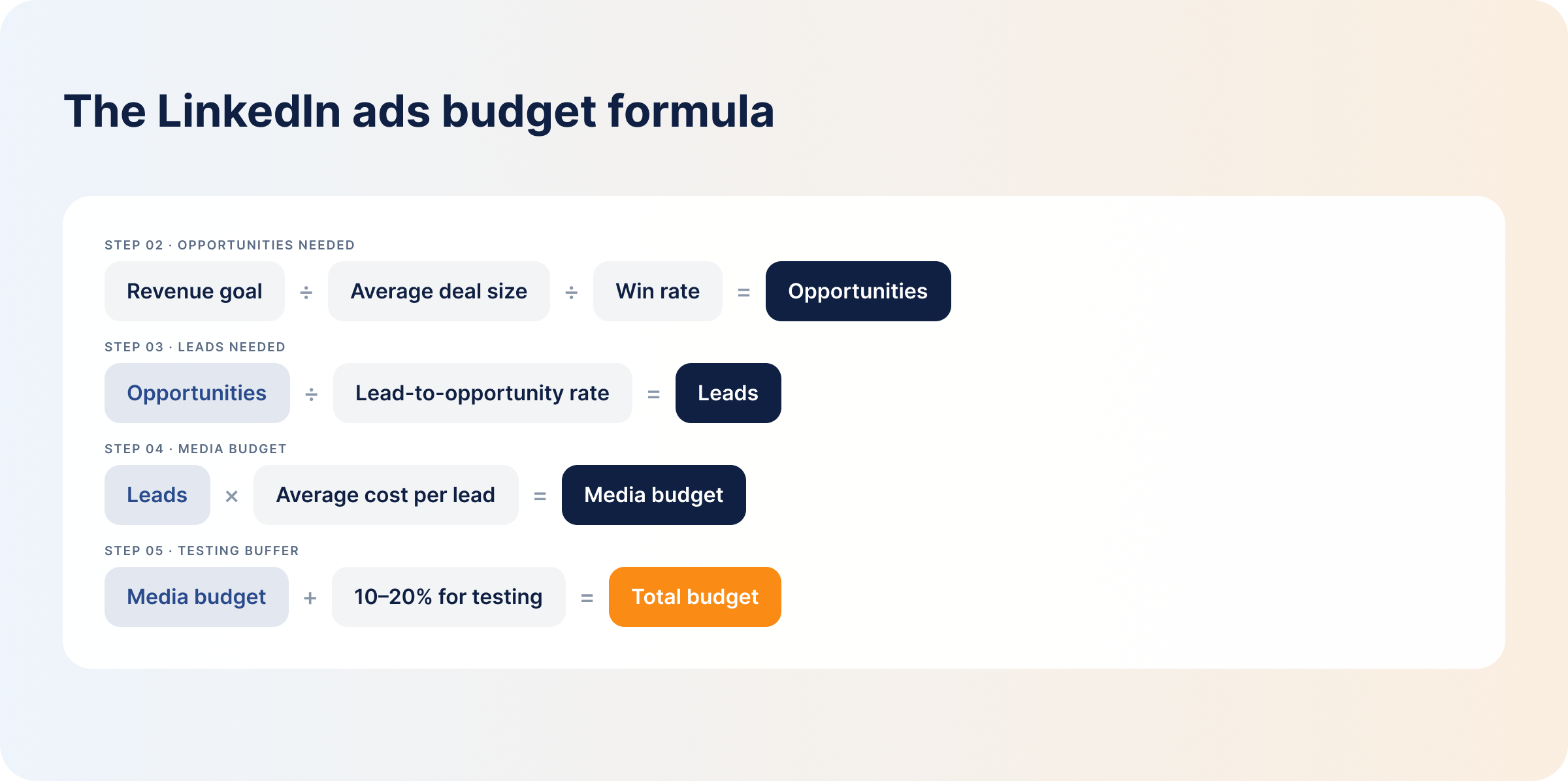
To calculate your LinkedIn ads budget:
#1 Set a Revenue or Pipeline Goal. What you hope to achieve determines how much you need to spend — set the goals, then work backwards.
#2 Estimate the Number of Opportunities Needed. These are the number of sales opportunities you’ll need to achieve your revenue goals:
Required Opportunities = Revenue Goal ÷ Average Deal Size ÷ Win Rate
#3 Estimate the Number of Leads Needed. The total number of leads you will need to find opportunities for your pipeline:
Required Leads = Required Opportunities ÷ Lead-to-Opportunity Conversion Rate
You can generate the same number of pipeline opportunities from fewer leads if your targeting is accurate and ad sets are relevant.
#4 Estimate the Required Media Budget. This will tell you how much you need to run the campaigns:
Media Budget = Required Leads × Average CPL
#5 Add a Testing Buffer. Use part of your budget to test your audience segments and ad creatives to ensure the setup is working well and that your targeting is accurate. Set aside 10%–20% of your campaign budget for testing.
#6 Check Whether the Audience Can Absorb the Budget. Your budget and your audience size should match. If you spend a huge budget on a small audience, your audience will experience ad fatigue fast as the algorithm tries to deplete your budget — and having a huge budget doesn’t necessarily guarantee success.
Say you need $600,000 in new pipeline from LinkedIn over the next two quarters. Your average deal size is $30,000 and your win rate is 25%.
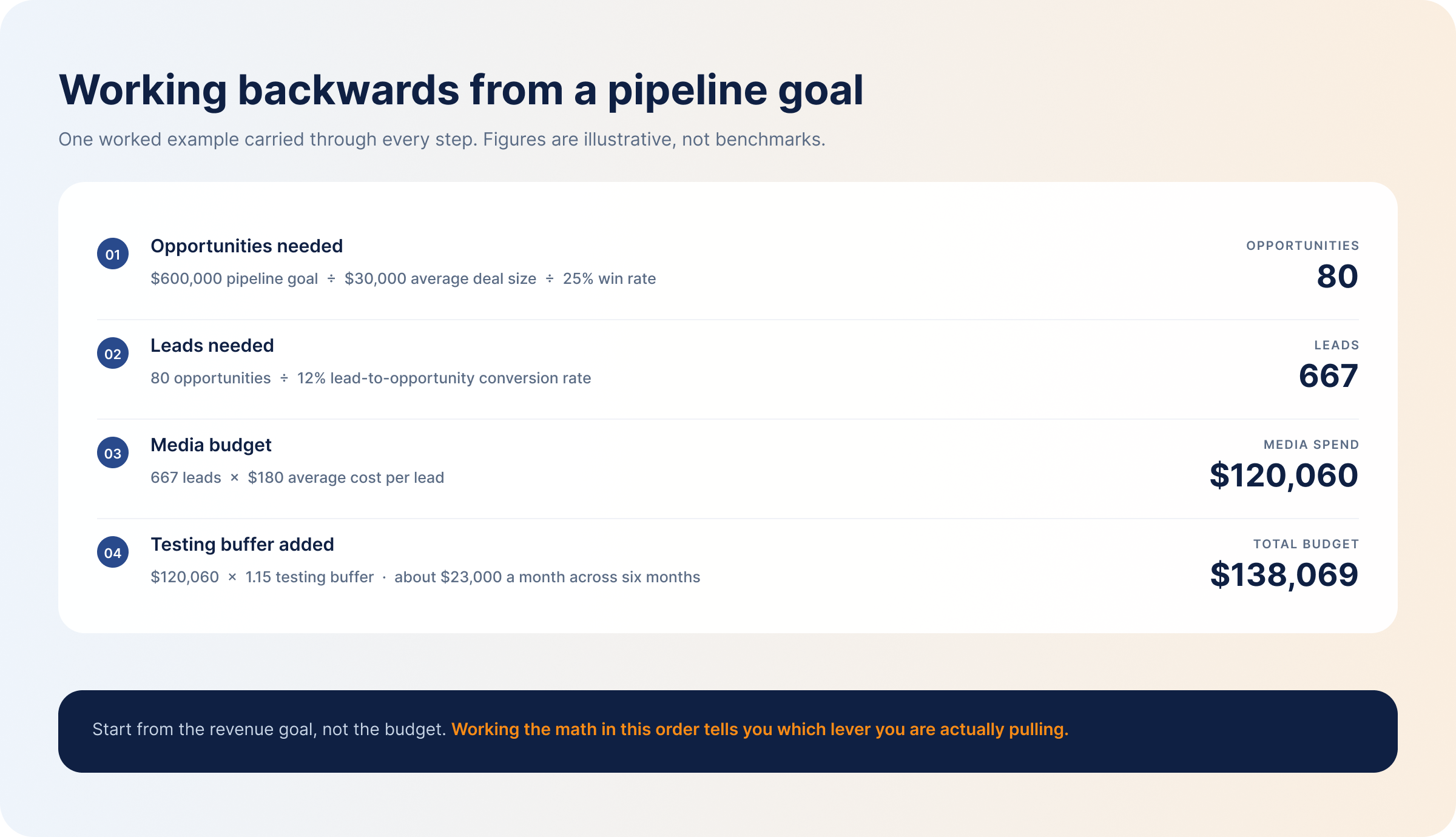
Then run the last check: at a $23,000 monthly budget, is your matched audience large enough to absorb it without hammering the same people every day? If your target list is 15,000 people, it isn’t — you’ll burn through creative in weeks. Either widen the ICP definition, stretch the timeline, or accept a lower pipeline number. Working the math in this order tells you which of those three levers you’re actually pulling, instead of finding out three months in.
You may not be able to escape the high cost of LinkedIn advertising, but you can take back control of how your ad budget is spent and achieve your campaign objectives — without spending more than is necessary — and make better budget allocation decisions with DemandSense.
The budget optimization feature has controls — ad scheduling, frequency capping, and audience tuning — that LinkedIn Campaign Manager does not have, enabling you to have better control over your ad spend without checking Campaign Manager every morning.
You simply set monthly budget caps, and the system automatically pauses the ads and alerts you of any discrepancies before the campaigns overspend your budget.
Additionally, you can monitor your campaign performance, identify high-performing campaigns to focus your budget on, and figure out what you need to do to improve low-performing campaigns.
“What caused the spike in my CPC?”
The DemandSense MCP server is open on both plans, so you can put a question like this to Claude or ChatGPT in plain English and get an answer about your engagement, target audience, ROAS, or pipeline from your own data.
Try DemandSense on your own campaigns, free for 30 days — no card needed.
LinkedIn’s platform minimum is $10 per day per campaign, or a $100 lifetime budget on a new campaign. Realistically, though, spending less than $1,500 a month may not even get you through the learning phase. The average recommended budget for startups is $1,500 to $3,000 per month; mid-market is $5,000 to $15,000, while enterprise teams need at least $20,000, based on data from real ad campaigns.
Use a daily budget on campaigns with no fixed end dates — long campaigns — and a lifetime budget on campaigns with fixed start and end dates.
Wait at least two weeks for the algorithm to gather enough optimization data — wait longer if you are targeting a small audience size — before making adjustments. Monitor CTR, impressions, and clicks while you wait to ensure the campaigns are working well.
Give campaigns at least the first two weeks to exit the learning phase, then adjust them gradually based on your KPIs (CPC, CPL, frequency, conversion, and engagement rate).
Increase your budget for peak buying seasons when the audience is most active and looking to buy, such as during industry conference cycles. Off-season is a different calculation: CPCs and CPLs drop because competition thins out, so the same money buys more reach. Rather than cutting spend outright, shift it — move budget out of BOFU lead gen, which underperforms when nobody is buying, and into cheap top-of-funnel awareness and retargeting that builds the audience you’ll convert when the season turns.
LinkedIn Ads cost more than Facebook Ads because of their niche, professional audience. LinkedIn also has firmographic filters that marketers can use to narrow their audience and only reach the accounts they want — unlike Facebook, where your ads can reach anybody, including people who have no interest in your product. The competition is also high, racking up costs.
Filed under
Written by
Content Lead, DemandSense
Kristina is a journalist by training with seven years of writing for B2B companies and more than a hundred marketing pages behind her. She leads content at DemandSense and edits everything published on this blog.
All articles by Kristina Haidai →LinkedIn Ads
The median LinkedIn CPM in 2026 from our own data, why it moves with format, audience and industry, and how to benchmark your B2B campaigns against it.
LinkedIn Ads
Tools & Comparisons
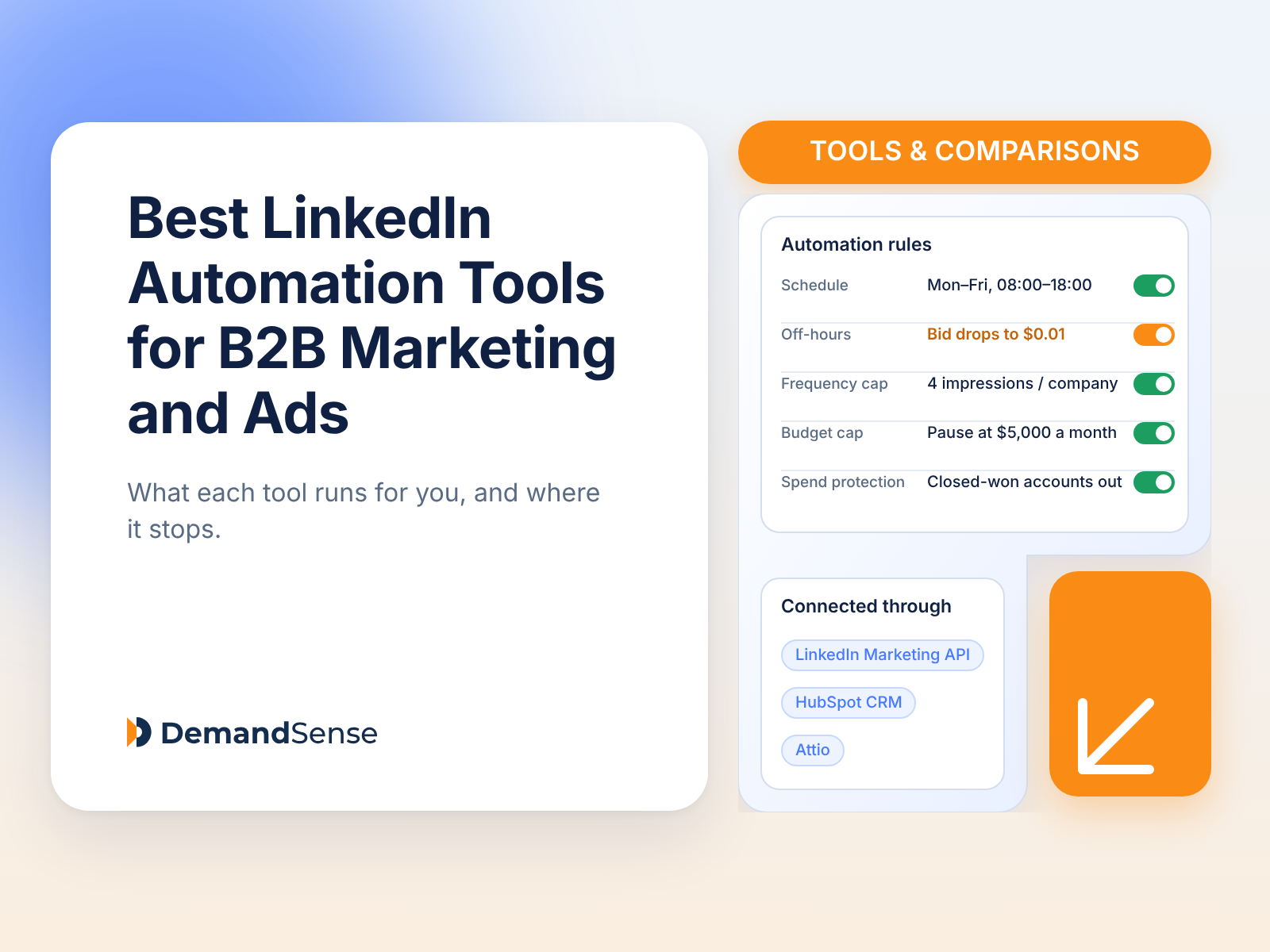
Compare LinkedIn automation tools for B2B marketing and ads: what each automates, how it connects to LinkedIn, which CRMs it supports, and what it costs.
LinkedIn Ads
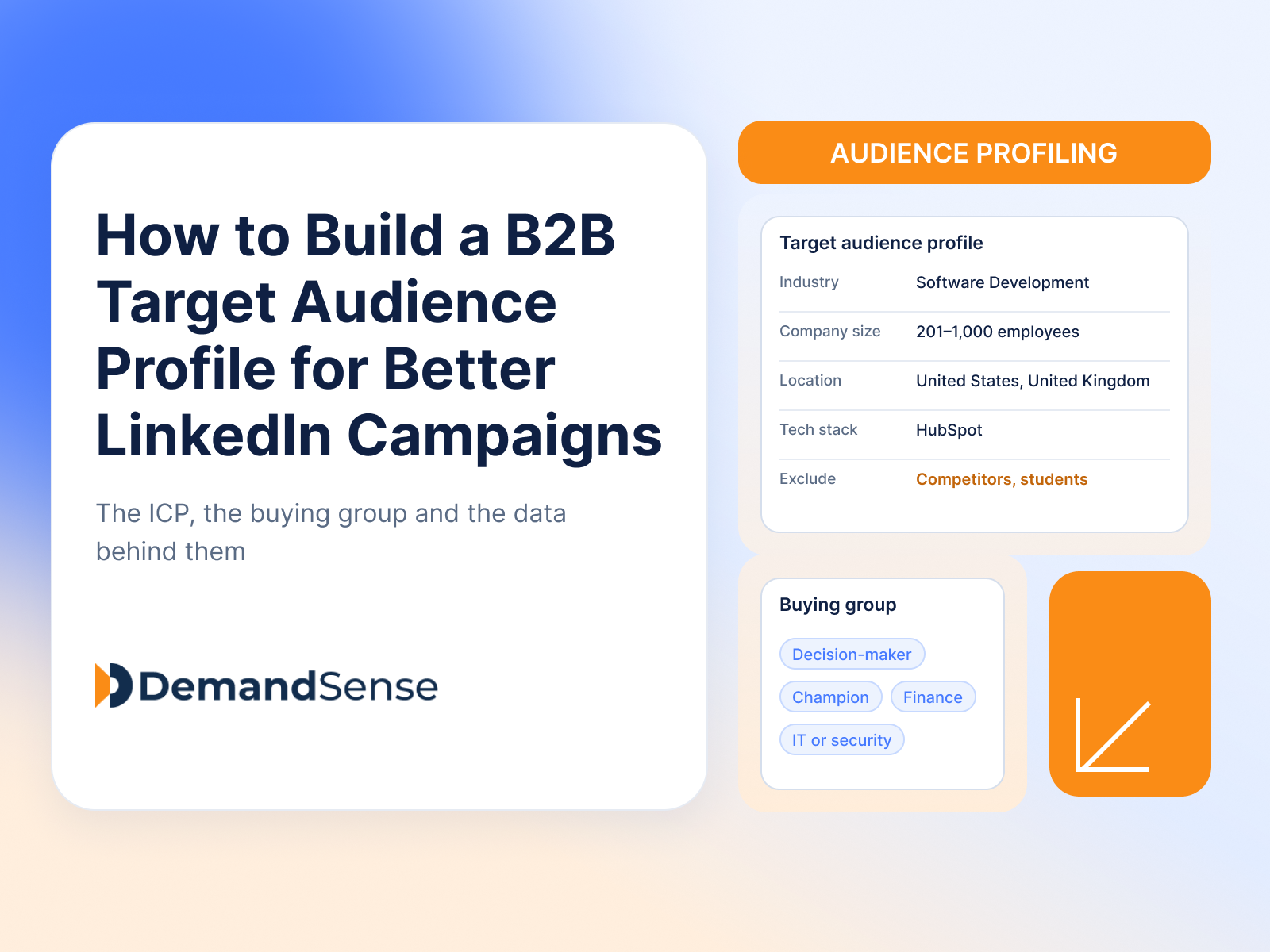
How to build a B2B target audience profile for LinkedIn Ads: the ICP, the buying group, the data that defines them, and how to turn it into campaigns.
Get expert insights and strategies delivered to your inbox weekly.
