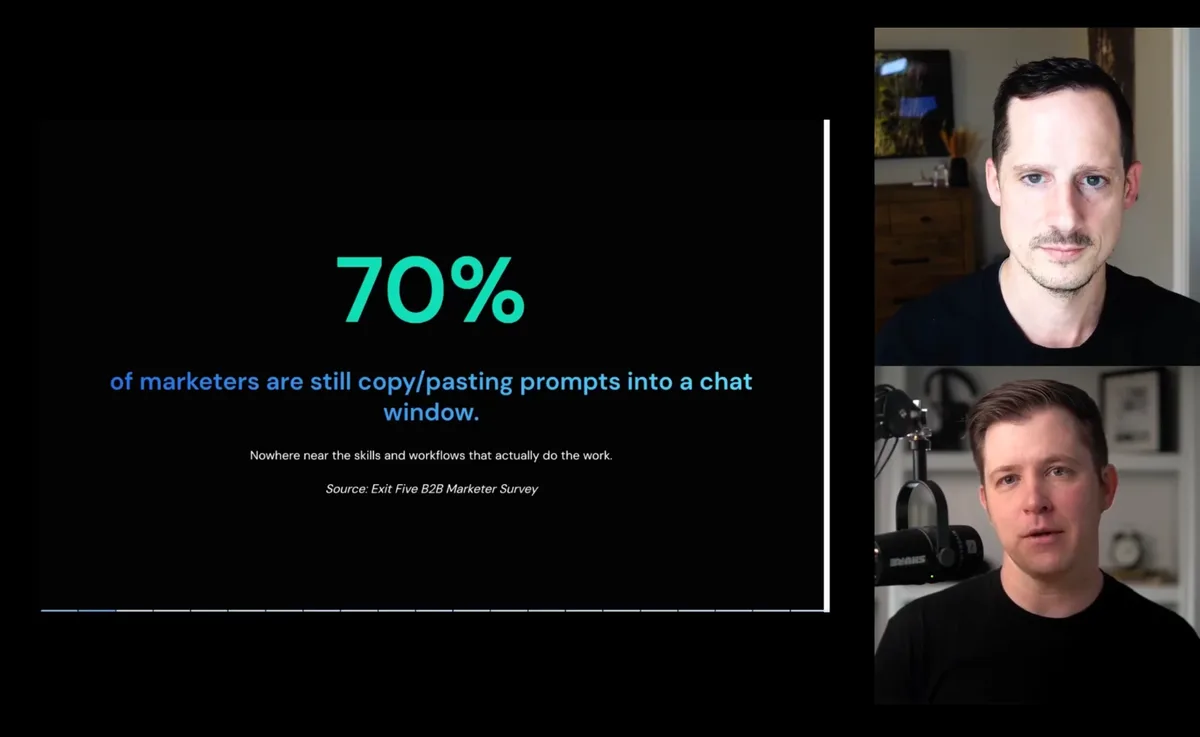
3 Claude Skills to Optimize Your LinkedIn Ads
Justin Rowe (Impactable) & Logan Lyles (DemandShift)Justin shares the three Claude skills his team uses on LinkedIn Ads, and how to set them up so they actually work.
DemandSense Community
Finally, a free Slack community for marketers running LinkedIn Ads. A safe place to swap what's working with peers running campaigns like yours, and to bring the problems you're stuck on to experts who run LinkedIn Ads for top B2B companies, with millions in spend between them.
The kind of questions that come up in #ask-anything
The quickest way to get better at LinkedIn Ads is to compare notes with people running campaigns just like yours.
The problem is there's nowhere to find them.
Marketing Slacks? LinkedIn Ads is one topic out of fifty.
LinkedIn feeds? Mostly wins.
Other communities are great, but none of them are just for LinkedIn Ads.
That's why we built the DemandSense Community. One workspace for LinkedIn Ads, where peers and experts share the real numbers.
Ask when you're stuck. Share when something works.
Bring the campaign problem that's had you stuck for weeks. Someone in the room has probably solved it in another account.
Vetted experts answer member questions too. They're the same people whose LinkedIn Ads posts you already save.
It's a private place for the questions you can't post on LinkedIn or in your company Slack. Ad creative before launch, or a budget plan before your CEO sees it: this is where to ask.
Ran a test that worked, or one that flopped and you can't figure out why? Post it, and people running similar budgets will tell you what they'd try next.
Members post what they're testing with AI and new ad formats, so you see what's working before it shows up in your feed.
On the DemandShift webinar, an expert walks through the LinkedIn Ads playbook working for them right now.
Questions we run out of time for carry on in a members-only Slack thread.
The Claude skills and workflows LinkedIn Ads experts run on their own accounts every week.
Each one has already been tested on live campaigns, so you don't spend a week finding out it doesn't work.
Members get them first, before anything goes public. Built one that works? Share it, and it goes in with your name on it.
We run LinkedIn Ads tests on our own budget and write up what we learn. Members see the results before anything is published.
DemandSense releases work the same way. Benchmark reports and free tools land in the community before they go public.
They post what's working for them on LinkedIn. In the community, you can ask them about it directly.
 Justin RoweCMO @ Impactable | B2B LinkedIn Ads Partners | ABM + Signals | Obsessed with Account and People Signals.5h •Your LinkedIn Ads attribution isnt wrong exactly...Its only ever seeing the last thing that happened.
Somebody gets hit with your LinkedIn ads for months. Reads the site. Thinks about it.
Then one day they google your name and fill in a form.
 Reactions:82 comments (opens the post on LinkedIn in a new tab)
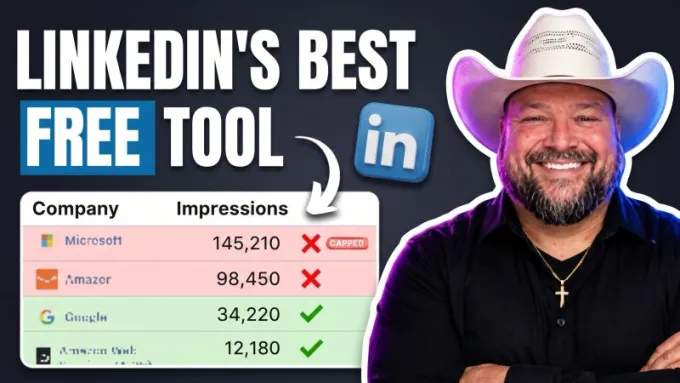
 Joshua StoutFounder @ Beyond The Funnel | LinkedIn Certified Marketing Expert™ | B2B LinkedIn Ads Strategist | Demand Gen & ABM Specialist1d •LinkedIn will happily spend your entire budget reaching the same handful of companies while ignoring the rest of your target account list.
And the worst part?
You could run those campaigns for months without realizing it.
 Reactions:187 comments (opens the post on LinkedIn in a new tab)
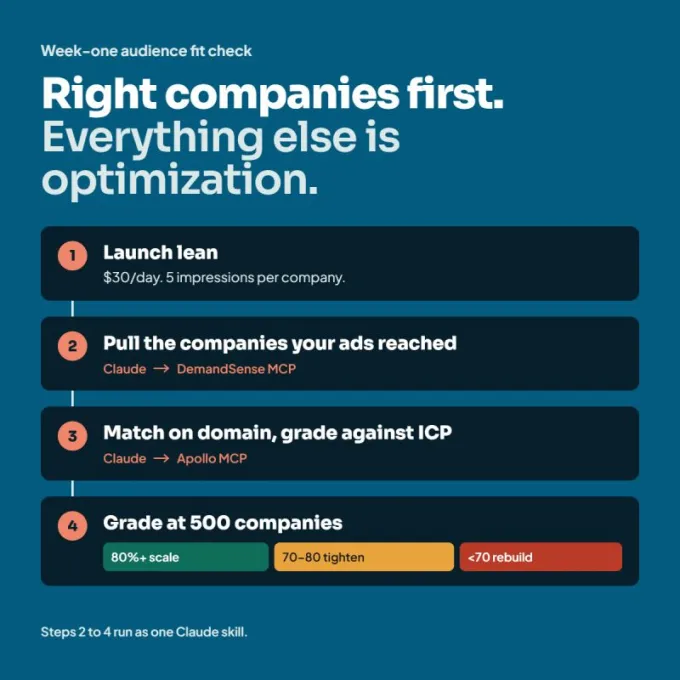
 Jonathan BelliveauFounder @ GrowthMotiv | Signal-First Demand and Activation for B2B/SaaS | Fifteen-plus years and nine figures deployed across Google, Meta, LinkedIn, and Programmatic1w • Edited •Week one of a LinkedIn Ads campaign can't tell you if it works. It can tell you if it never will.
Creative, bidding, offer, landing page. None of it matters if your ads are being shown to companies that could never buy from you. Get the companies right first. Everything else is optimization.
 Reactions:119 comments (opens the post on LinkedIn in a new tab)
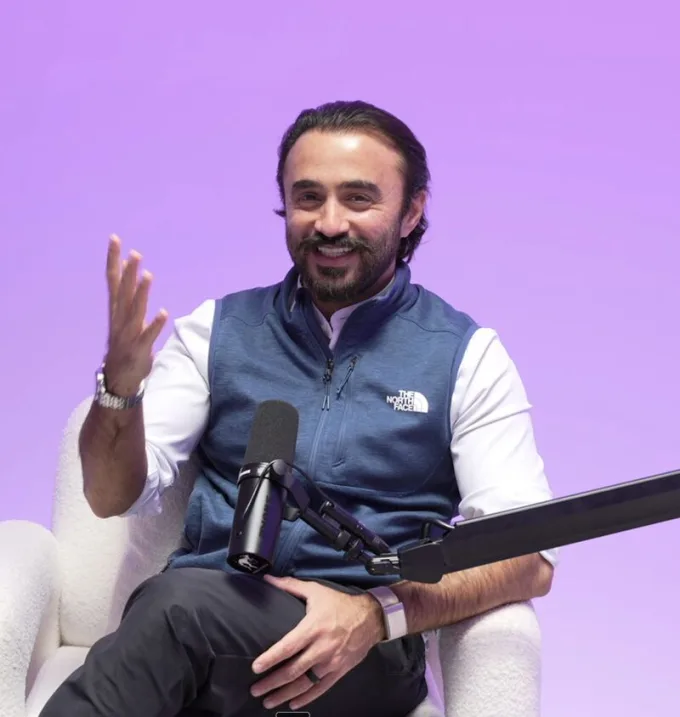
 Moby HayatGrowing B2B companies with LinkedIn ads + Meta ads ⚡ Immigrant 🇺🇸🇵🇰3w • Edited •3 serious marketers recently told me they HATE looking at ad accounts.
Made me realize I'm a weirdo.
Because I really LIKE looking at ad accounts 👀
 Reactions:20 (opens the post on LinkedIn in a new tab)
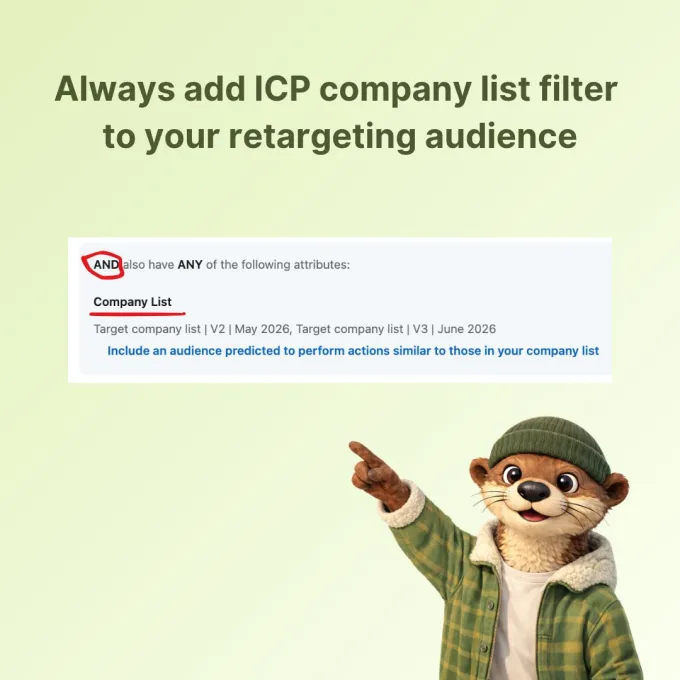
 Ivars KrutainisFounder @ Otter I LinkedIn ads for B2B SaaS and other animals4d •Retargeting audiences are the most valuable audiences you can have on LinkedIn.
Website visitors. Company page visitors. Ad engagers.
This is what’s called a warm audience. You want to allocate good chunk of your budget going after this audience.
But there is a catch (there always is).
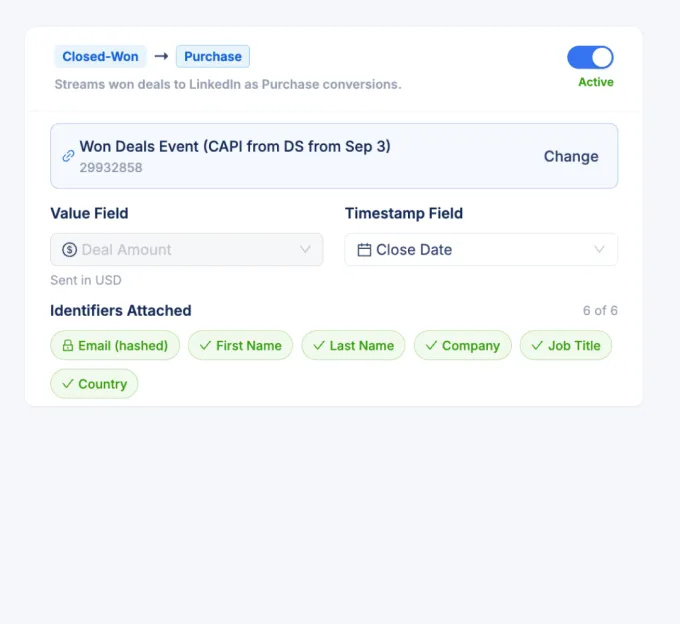
 Reactions:2011 comments (opens the post on LinkedIn in a new tab)Justin RoweCMO @ Impactable | B2B LinkedIn Ads Partners | ABM + Signals | Obsessed with Account and People Signals.1mo •LinkedIn only optimises toward events it can actually see.
Sounds obvious. Then you work out what it means for a B2B account with a four month sales cycle.
Somebody clicks an ad in May. Fills in the form. Becomes an MQL in June, a real opportunity in July, closes in September.
 Reactions:2615 comments (opens the post on LinkedIn in a new tab)
Sessions
Past LinkedIn Ads workshops, free to watch now. Next up on Nov 11: LinkedIn Thought Leader Ads with Justin Rowe.
Justin shares the three Claude skills his team uses on LinkedIn Ads, and how to set them up so they actually work.
Justin builds an account-based LinkedIn Ads report live, so the next time someone asks if LinkedIn is working, you answer with named accounts and pipeline.
Joshua shows the Companies tab in Campaign Manager: which companies your ads actually reach, and how to cut spend on the bad-fit ones.
Yes. Joining costs nothing, and nobody will ask for a credit card number (ever).
No. Product news stays in one channel, #demandsense. If you want to try the product, just ask our team.
Yes. If you manage LinkedIn Ads for clients, you'll get value from this community.
No. Anyone can join. It's built for B2B marketing teams spending a few thousand a month on LinkedIn. The experts are hand-picked; members aren't screened.
No. Read along until you have something to ask. Most people start sharing once they see others do it.
Ten minutes when you have them. The Friday roundup catches you up on the most important updates every week.
You join the waitlist with your email and a short survey, so we can welcome you properly. Doors open Nov 11. Slack invites go out from that day, in the order people joined the waitlist.
Free to join. Get on the waitlist and your Slack invite arrives when doors open on Nov 11.
Hosted by DemandSense with DemandShift.
