Sync LinkedIn ads with your CRM and connect campaigns to real deals
DemandSense automatically brings LinkedIn engagement, website activity and CRM records into one company record, so you know which companies are interested and why, even before they convert.
Full access. No credit card.
Works with
- HubSpot
- Salesforce
- Attio
Spot interested accounts early
See which companies show interest before they ever become a lead or deal.
See who engaged without clicking
Company engagement still shows up even when someone never clicks your ad.
Walk into reviews with proof
Show engaged companies, the campaigns that influenced them and their connected deals.
Every LinkedIn review still starts with proving what the spend actually delivered
You open Campaign Manager, pull the latest deals and start checking companies one by one. By the time you're done, you still can't clearly see what LinkedIn actually influenced.
- Manually match CRM deals to LinkedIn activity
- LinkedIn-influenced deals can still show as Direct
- Companies that engage without clicking stay invisible
- Reviews still depend on cost per click and cost per lead
We had the biggest sale in the company's history, and DemandSense helped us connect it back to LinkedIn, tracking the customer journey from initial ad exposure through to a closed-won deal. I'll meet with the CFO, CRO, COO, and CEO and this report is the type of thing that helps prove out the ROI of the investment we are making
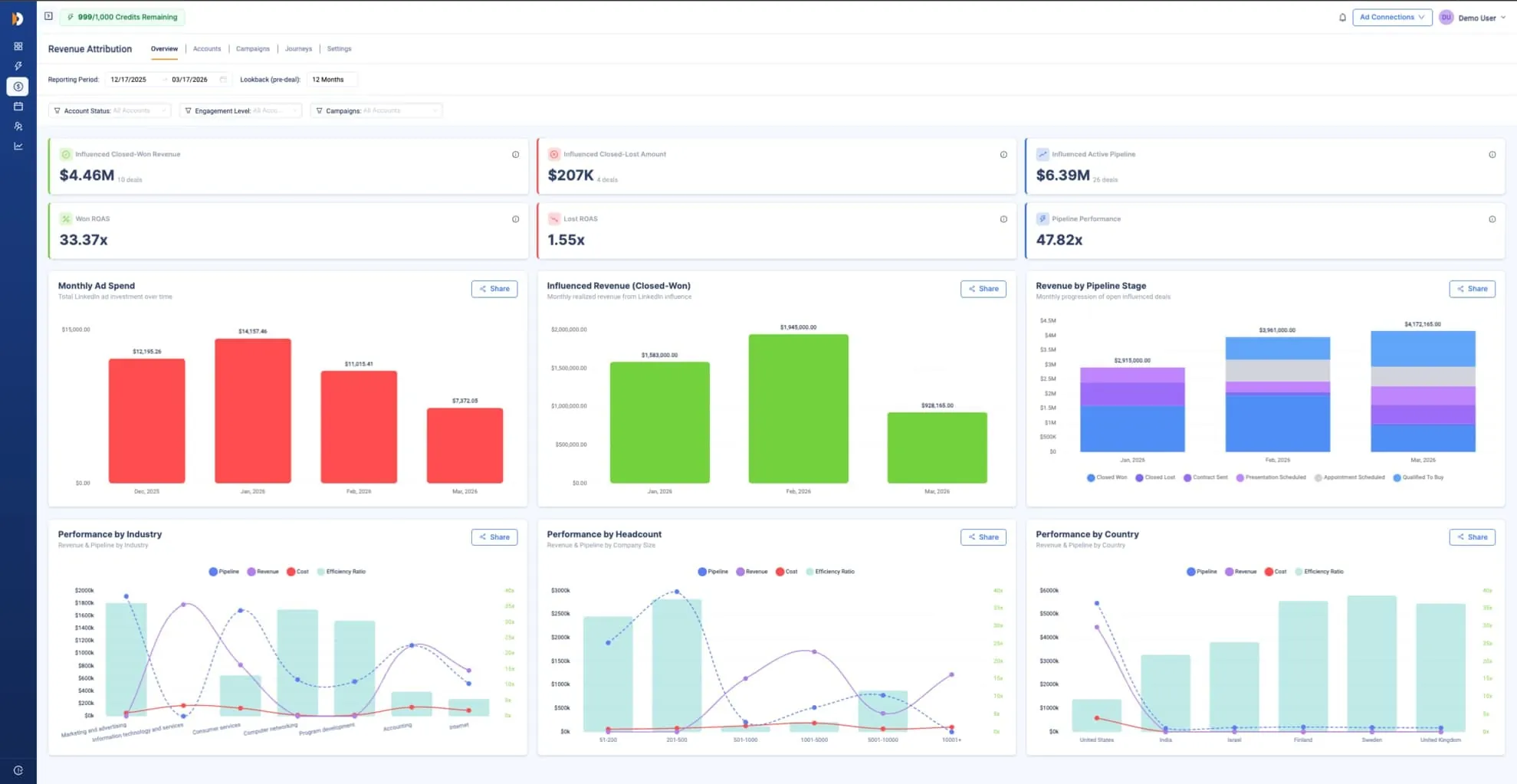
See LinkedIn-influenced deals, even those attributed to Direct
DemandSense matches the company behind the ad activity, website visit and deal, so the connection survives when someone converts on a different page.
Know exactly which accounts your LinkedIn ads influence in your CRM
DemandSense automatically matches LinkedIn activity, website visits and CRM records by company, so you can see what happened before a deal, even when nobody clicked.
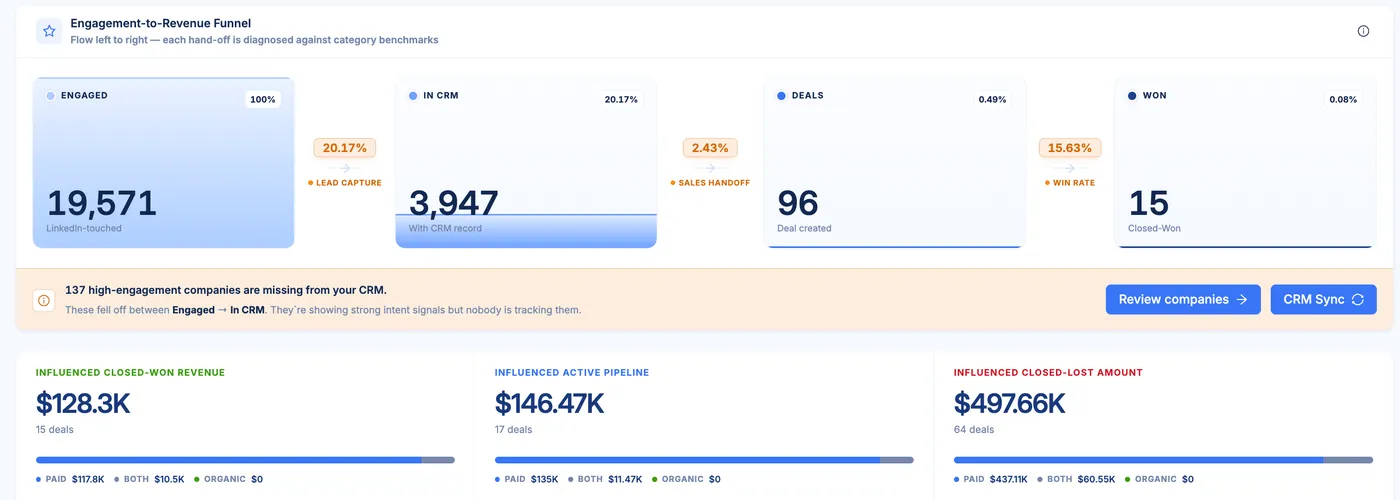
See every account your LinkedIn Ads touched, even when they never clicked
It matches LinkedIn engagement to the same company records you already have, so the activity doesn't disappear just because there was no click.
What you see
Companies that engaged with your LinkedIn ads but would never show up in a click-based report.
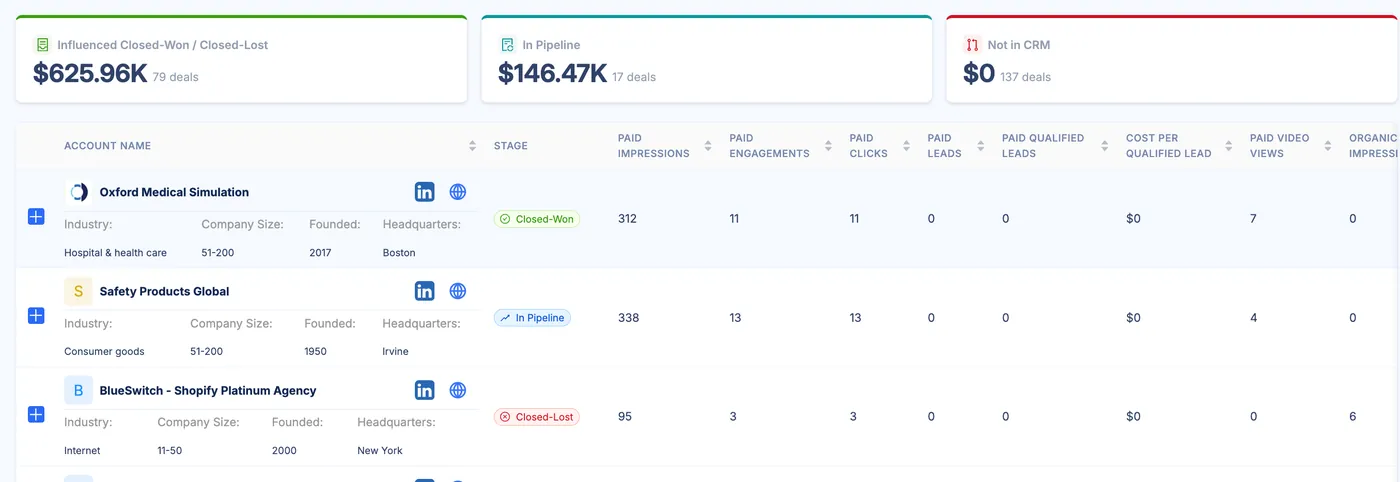
Show the accounts, campaigns and deals behind your LinkedIn spend
See which companies were influenced, which campaigns influenced them and the deals tied to those accounts, based on attribution rules you set.
What you can prove
Exactly which named accounts and deals were influenced by LinkedIn, instead of falling back on cost per click and cost per lead.
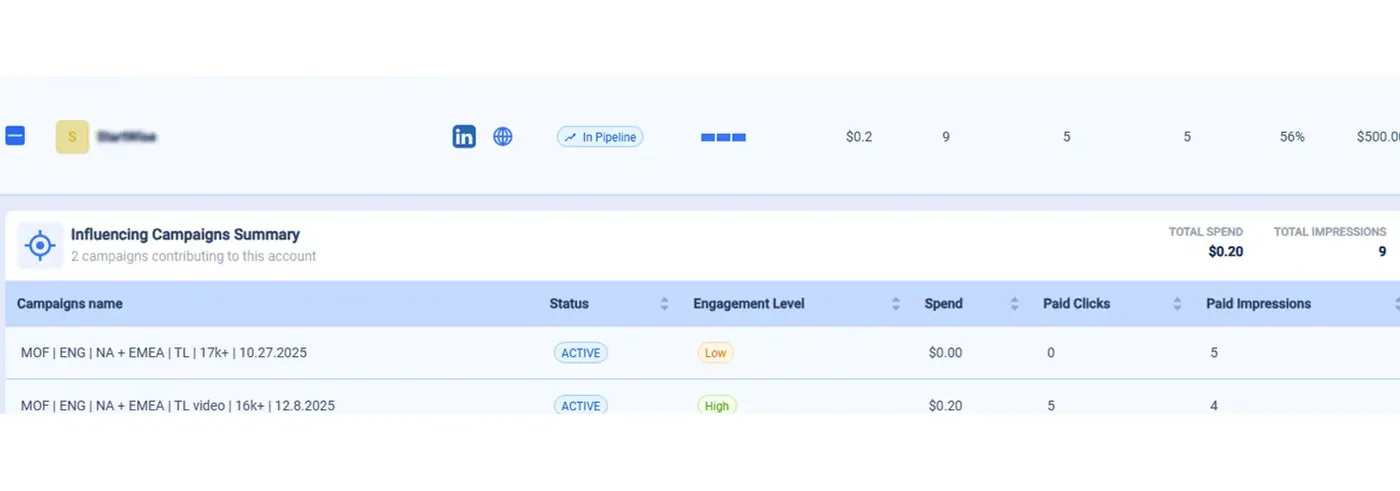
Know which campaigns are landing weeks before pipeline catches up
See which companies are paying attention while the campaign is still live, then watch that early signal connect to a deal when it appears later.
What you know earlier
Which campaigns are working with the right accounts before you have to wait months for closed deals.
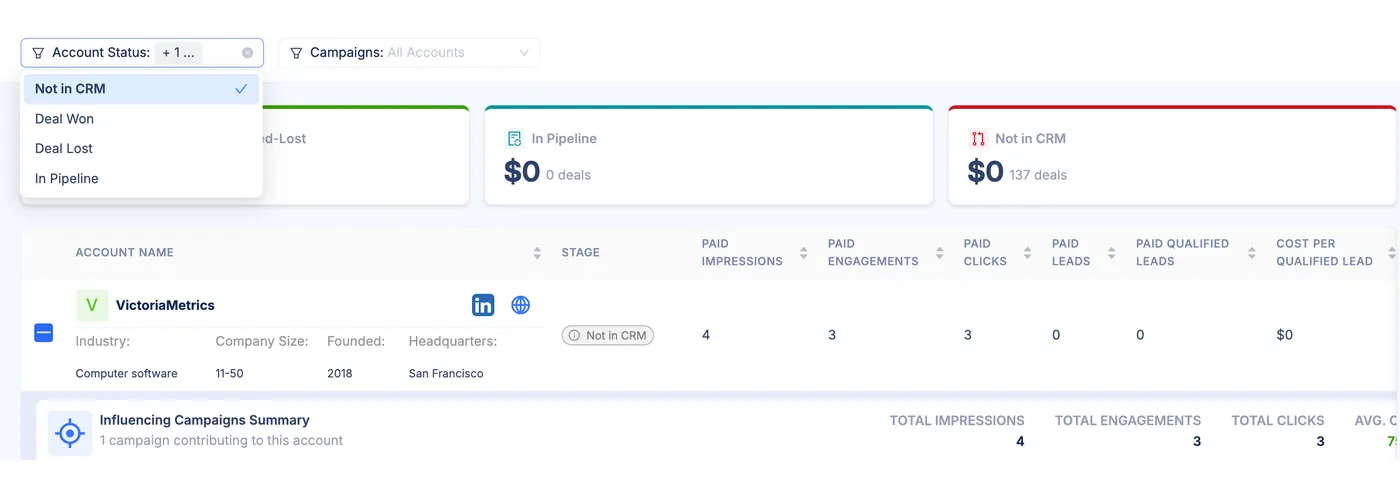
Give sales the companies already showing interest in your LinkedIn ads
Show them the accounts that have already reached meaningful engagement, with the LinkedIn activity tied directly to each company.
What sales get
Named accounts already showing interest before they ever become a lead or deal.
When connecting DemandSense to LinkedIn and CRM, marketers see:
6×
more visible companies engaged
More of the companies responding to LinkedIn become visible beyond direct clicks.
65%
more CRM leads traceable to LinkedIn
Connect more of the leads already in your CRM back to LinkedIn activity.
55%
more closed-won deals connected to campaigns
See more of the deals LinkedIn influenced tied back to the campaigns behind them.
Get it all connected and review-ready
Set it up once, then when someone asks what LinkedIn delivered, you have the influenced accounts, campaign activity and deals ready to show.
Connect your CRM
Pull in the company and deal records DemandSense will match against ad activity.
Connect LinkedIn
Add paid and organic company activity so each account starts filling in automatically.
Set your attribution rules
Pick a preset or define your own thresholds for what counts as influenced.
Read the accounts and deals
Open the report and see influenced companies, campaigns and the deals tied to them.
Full access. No credit card.
Match LinkedIn engagement to deals
DemandSense matches LinkedIn activity, website visits and CRM records automatically at the company level.
Track engagement without clicks
See companies that engaged with your LinkedIn ads even when they never clicked.
Know which ads work early
See which accounts are engaging while campaigns are still running, before deals appear.
Define an influenced account
Use a preset or set your own thresholds for what counts as influenced.
Walk into your next LinkedIn review with the accounts and deals behind the spend
You've probably known LinkedIn was doing more than cost per click and cost per lead could show. Now you can prove it, without spending the day pulling reports together by hand.
- Which accounts actually engaged with your ads
- Which campaigns influenced those accounts
- Which leads and deals were influenced by that activity
Full access. No credit card.
