••
Insights & Resources
Expert strategies, case studies, and best practices for B2B marketing teams.
Expert strategies, case studies, and best practices for B2B marketing teams.
LinkedIn Ads
A sponsored message lands in the LinkedIn inbox under a real person’s name, and you pay for it the moment it is delivered. LinkedIn sells two versions of that message, and both are current formats, whatever some top-ranking guides say about Message Ads being discontinued.
Conversation Ads and Message Ads are the two LinkedIn Sponsored Messaging formats. Both arrive in a member’s inbox from a named sender and are billed on a cost per send basis. Here is how they differ:
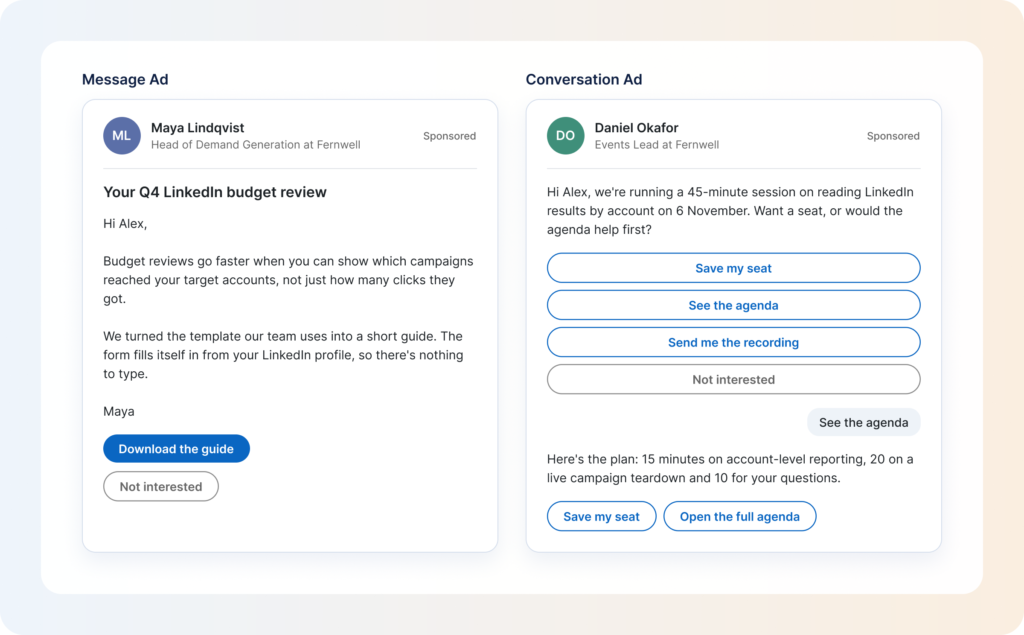
A Conversation Ad shows up in a member’s LinkedIn inbox as a message from a named person, with a row of buttons under it. The member picks one, and what comes next depends on the choice: a follow-up message, a landing page or a Lead Gen Form. It works like a choose-your-own-path flow.
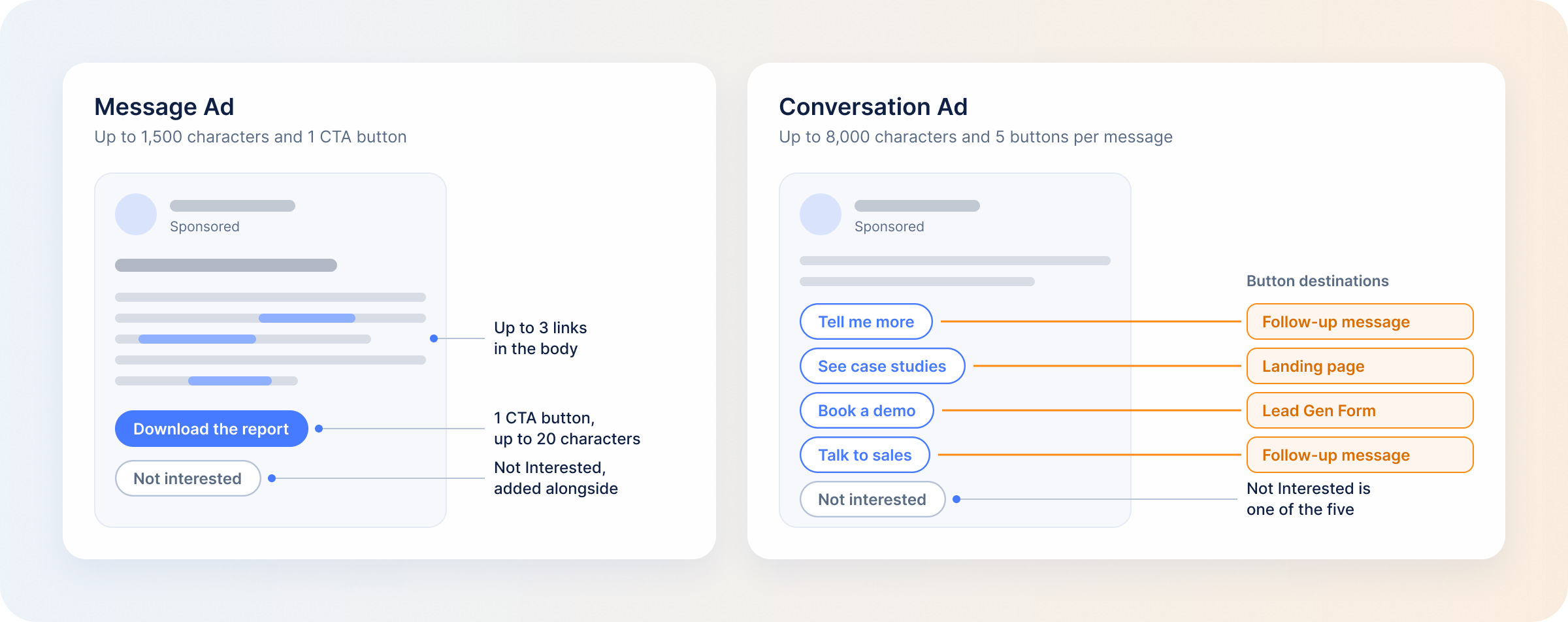
For the marketer, one ad can carry more than one offer. A member who isn’t ready for “Book a demo” can still pick “See case studies” and stay in the conversation. Members who open the conversation or click any button can also be retargeted later as a LinkedIn custom audience.
You pay per send. LinkedIn delivers the message when the member is active and charges on delivery, so a message that lands and gets ignored costs the same as one that gets a click.
From LinkedIn’s conversation ad specifications:
A Message Ad is the single-message version: a subject line, up to 1,500 characters of text and one CTA button, sent from a named sender. The message body can also carry up to three hyperlinks, so “one CTA” describes the button, and the ad can still point to more than one place.
There is no branching. The member either clicks or doesn’t, and that is the strength of the format. When you have one clear ask, nothing competes with it.
From LinkedIn’s message ad specifications:
Two details apply to both formats and are easy to miss when you set up an ad set:
Here’s how the two Sponsored Messaging formats compare:
| Conversation Ads | Message Ads | |
|---|---|---|
| Message structure | Branching: an intro message with several choices and follow-up messages | Single message |
| CTA buttons | 5 per message (25 characters max), 50 per conversation | One (20 characters max) |
| Body length | 8,000 characters | 1,500 characters |
| Objectives available | Brand awareness, website visits, lead generation, website conversions, engagement | Website visits, lead generation, website conversions |
| Billing | Cost per send | Cost per send |
| Retargeting from engagement | Yes | No |
| Not Interested CTA | Required, and one of the five intro-message buttons | Required, added alongside your CTA |
| EEA and Switzerland reach | Members who opted in | Members who opted in |
Two rows decide most choices. The first is objectives: a brand awareness or engagement campaign can only use Conversation Ads, because Message Ads don’t run on either. The second is retargeting: only Conversation Ads build an audience from the ad itself. People who act on a Message Ad can still be reached through a Lead Gen Form or website audience.
Both formats can target the EEA and Switzerland, but only members who chose Sponsored Messaging in LinkedIn’s consent prompt, introduced in August 2024, can receive them. Your reach there depends on an opt-in rate LinkedIn doesn’t show you.
There is no published benchmark that answers this. The open rates and cost-per-send figures that circulate online come from individual agency accounts and describe someone else’s audience.
The more useful question is which format suits the job. Branching suits a message with more than one plausible next step, runs on more objectives and leaves you an audience to retarget. A single message suits one ask the reader already understands. The fair test further down shows how to settle it in your own account.
| Use case | Better fit | Why | Where the other format can fall short |
|---|---|---|---|
| Event or webinar invitation | Conversation Ad | Buttons such as “Register” and “View event details” cover different levels of interest. | A Message Ad leaves a member who wants details first with nowhere to go. |
| Gated content or report download | Message Ad | One offer, one action. A single CTA to a Lead Gen Form is all it needs. | A Conversation Ad adds choices the offer doesn’t need. |
| Demo or sales conversation request | Conversation Ad | A demo is a big ask. A softer option such as “Watch video” keeps members who aren’t ready. | A Message Ad is demo or nothing, and you pay for the send either way. |
| Re-engaging a known account list | Conversation Ad | Follow-up messages depend on the button clicked, and members who engage become a retargeting audience. | Message Ads don’t build an engagement audience, so the follow-up depends on who reached your site or a form. |
| A single time-bound offer | Message Ad | One deadline and one button. | Several options dilute the urgency. |
Treat these as starting points and test both. A Message Ad with a Lead Gen Form can work for a webinar if the message itself explains why the session is worth attending. And when the campaign objective is brand awareness or engagement, the objective list settles it.
LinkedIn Campaign Manager reports the delivery side of both formats. The Sponsored Messaging metrics fall into a few groups:
If you compare with older reports, note that since July 2024 sends and opens no longer count as impressions and clicks, and LinkedIn no longer reports CPM or CPC for Sponsored Messaging ad sets.
Conversation Ads get one more view. The Flowchart option in the Ads tab lays out the conversation and shows how many clicks each button received. You can see which branch members took and, by comparing one layer with the next, where the conversation loses people.
All of this describes the ad and the people who touched it. The questions that decide next quarter’s budget come after the click: whether the accounts that engaged fit your ICP, whether they came to your site afterwards, and whether a deal followed.
You pay on delivery, so an open rate on its own says little about whether the money worked. Of all the LinkedIn ad metrics you could track, these five tell you more:
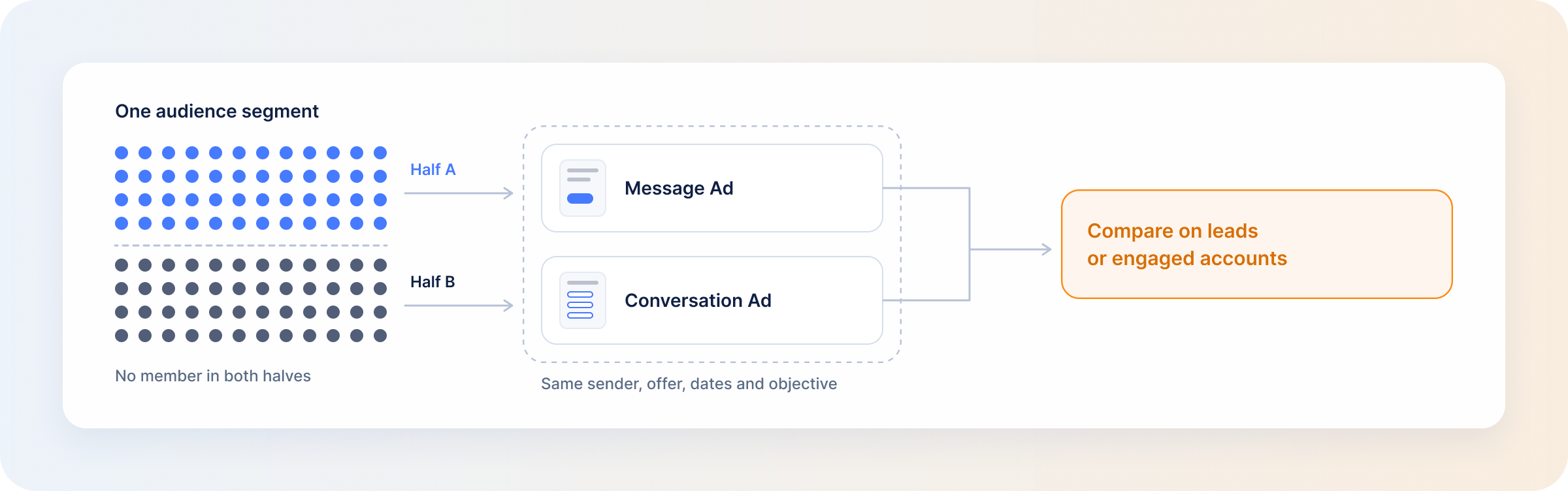
A format test only tells you something if the format is the one thing that changes:
Campaign Manager tells you a message was opened or clicked. DemandSense shows what the account did next:
Try it on your own campaigns, free for 30 days at demandsense.com, no card needed.
Yes. Message Ads are a current format with live setup and specification pages, and they run on the website visits, lead generation and website conversions objectives. The confusion comes from a 2023 retirement announcement that was reversed and still sits in an old developer document.
For Conversation Ads, yes. You can build a LinkedIn retargeting audience from members who opened a conversation or clicked any CTA, with a lookback of 30 to 365 days. The audience needs at least 300 member accounts before you can target it. Message Ads have no engagement audience of their own, so reach their responders through a Lead Gen Form or website audience instead.
It does. The message arrives from a person, so the recipient decides partly on who is asking. The practical limit is approval: a sender has to be approved before you can send from them, so a new face takes time to set up.
Both are billed per send, so the pricing mechanic is the same. What differs is what a send can do. A Conversation Ad send can run on more objectives, offer several paths and feed a retargeting audience. A Message Ad send carries one offer.
The member can delete or archive the ad, and LinkedIn then shows them fewer ads from that ad set. The button is mandatory on both formats. On a Conversation Ad it takes one of the five intro-message slots, so you are really designing four.
Book a personalized demo and discover how we can transform your B2B marketing.
See a quick demo video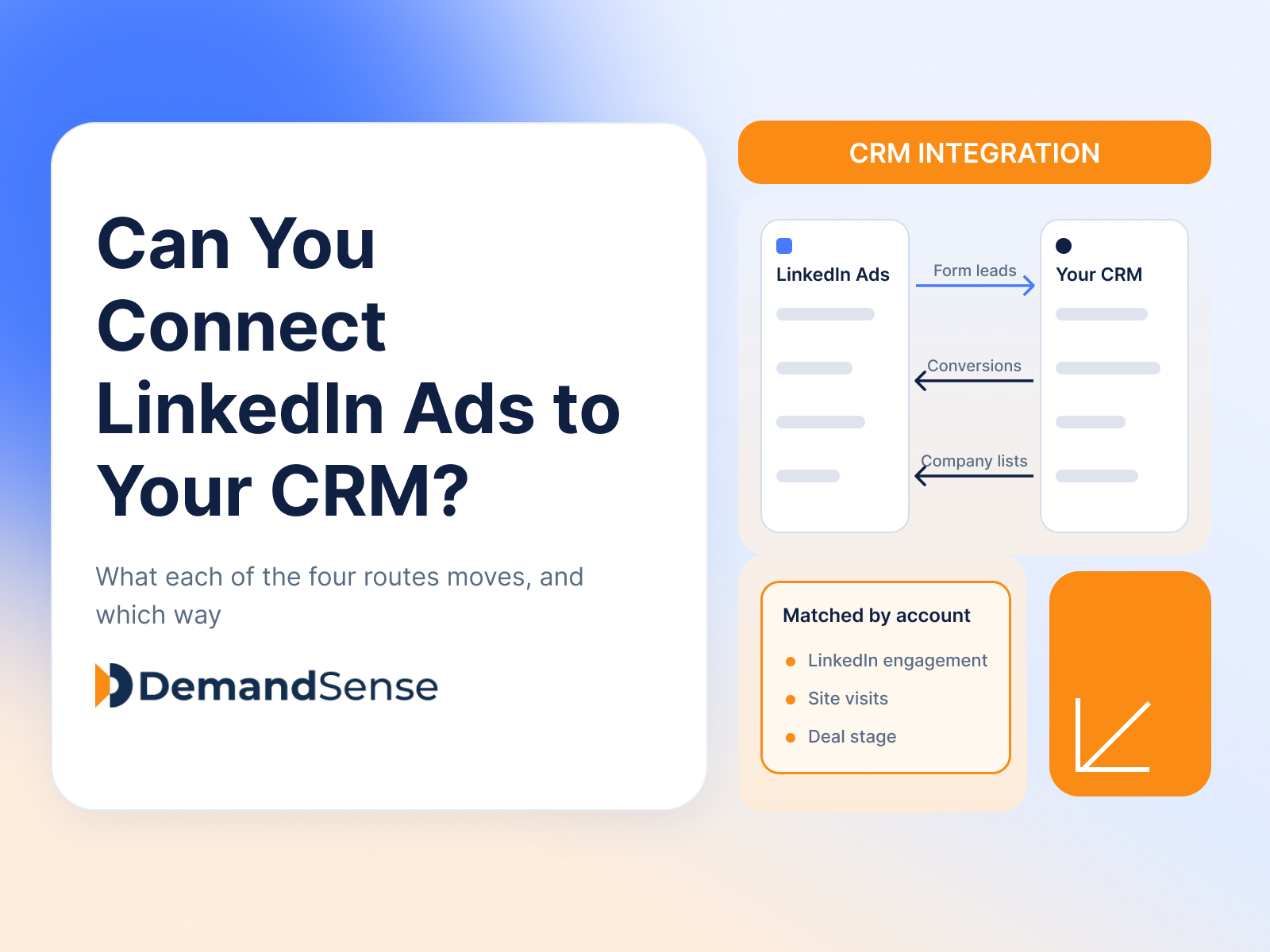
LinkedIn Ads
Revenue Attribution & Measurement
Yes, in four ways. See what CRM Sync, Lead Gen Form integrations, the Conversions API and connectors each move between LinkedIn Ads and your CRM.
LinkedIn Ads
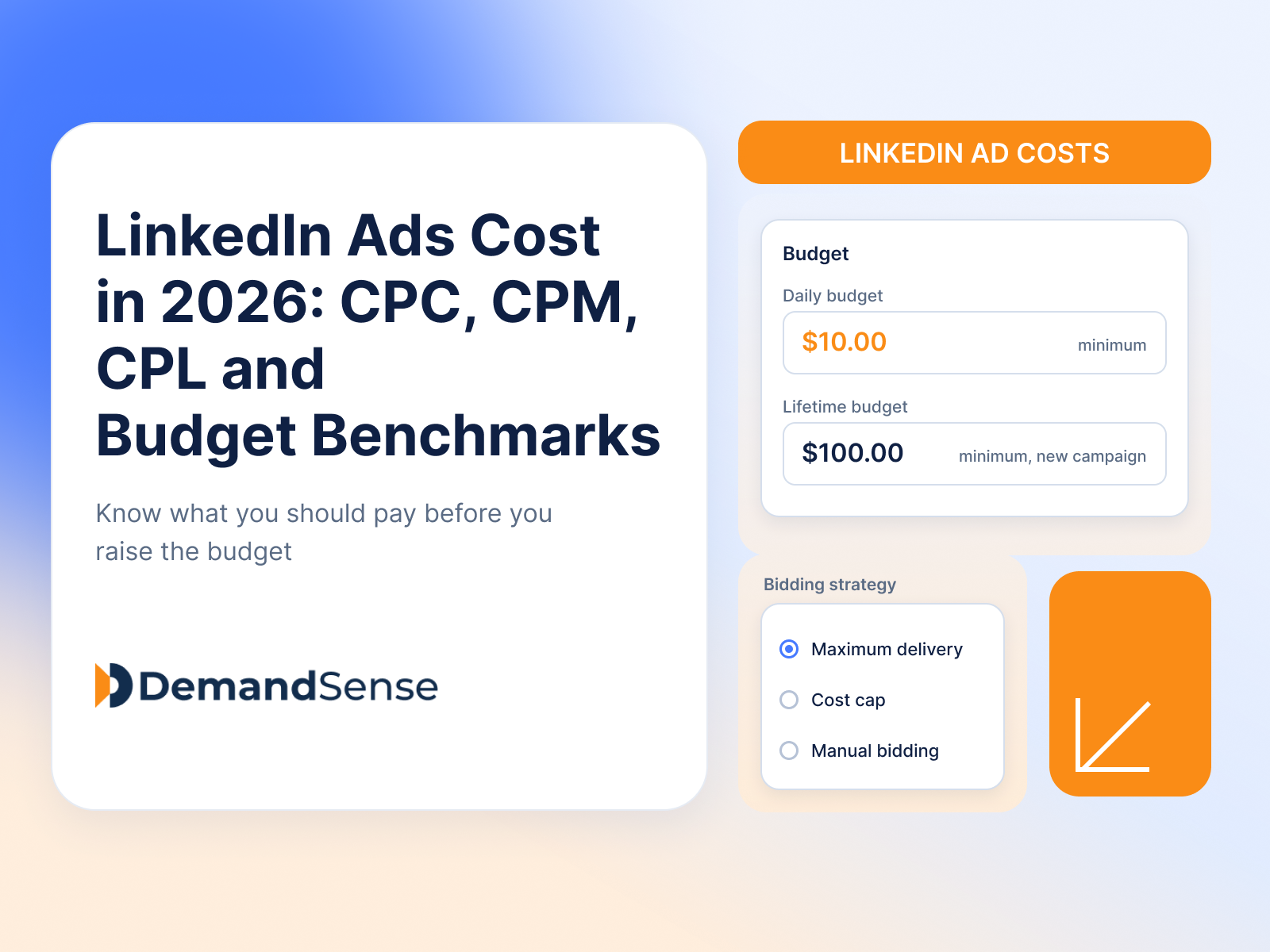
See how much LinkedIn ads cost in 2026: CPC, CPM, CPL and minimum budgets. Real B2B benchmarks and ways to lower your LinkedIn advertising costs.
LinkedIn Ads
Tools & Comparisons
DemandSense vs Linklo on scheduling, exposure control, A/B testing, visitor identification and price — two tools that overlap on delivery and split after it.
Get expert insights and strategies delivered to your inbox weekly.