LinkedIn Ads
LinkedIn Targeting: Ad, Audience and ABM Targeting Guide
A complete guide to LinkedIn targeting: every ad targeting option, retargeting and matched audiences, ABM targeting, and how to keep audiences converting.
LinkedIn Ads
LinkedIn Matched Audiences let you target people and companies you already know: your website visitors, your CRM contacts, your target account list. Building one takes a few minutes. The trouble usually starts after the upload, when a contact list comes back with a low match rate, or a website audience sits gray under 300 members for weeks.
This guide covers each type of Matched Audience, how LinkedIn calculates match rate, and the setup choices that decide whether an audience is usable. It assumes you already run campaigns, so it skips the basics of LinkedIn ads optimization.
Matched Audiences is LinkedIn’s name for targeting built from your own data. LinkedIn targeting by attribute (job title, industry, company size, skills) describes the kind of person you want to reach. A Matched Audience names them: these companies, these contacts, the people who visited this page. Some marketers call them LinkedIn custom audiences, borrowing Meta’s term, but in Campaign Manager the feature is Matched Audiences.
According to LinkedIn’s setup guide, you can create one in three ways:
Whatever the source, LinkedIn matches it against member accounts (or LinkedIn Pages, for company lists), and only the matched part becomes your audience. Members who’ve opted out of ad targeting aren’t included, and in the EEA and Switzerland LinkedIn only matches members who’ve opted in. Every Matched Audience needs at least 300 matched member accounts before an ad set can use it.
Each type matches against something different, which is why the same set of accounts can produce very different audience sizes depending on how you bring it in.
| Type | What LinkedIn matches | Limits to know | Best for |
|---|---|---|---|
| Website retargeting | Visitors to tagged pages who are LinkedIn members | Builds from the day you create it, with no earlier traffic | Retargeting product, pricing and demo-page visitors |
| Contact list | Member accounts with a verified email that matches your list | 300 to 300,000 rows, 20 MB max | CRM leads, event lists, open opportunities |
| Company list | LinkedIn Pages, then the members who work there | 300 to 300,000 companies, 20 MB max; 1,000+ recommended | ABM target account lists |
| Partner integration | Segments sent from your CRM or data provider | 48 hours or less on average, up to a week for large lists | Lists that need to stay current |
| Predictive audience | Members LinkedIn predicts will act like your source | Source needs 300+ members; refreshes daily | Reaching new people similar to a proven audience |
Website audiences come from the LinkedIn Insight Tag. Once it’s on your site, LinkedIn builds the audience from visitors who are LinkedIn members, filtered by the pages they visited and how long ago.
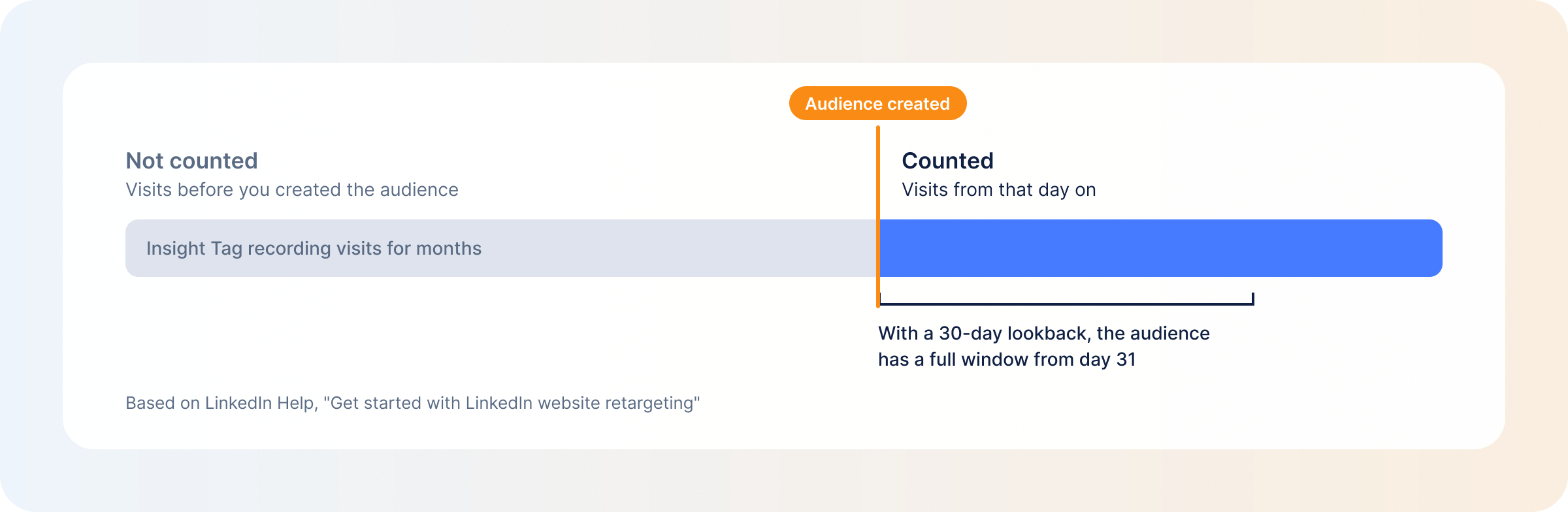
The audience starts building on the day you create it and doesn’t include earlier traffic, even if the tag has been on your site for a year, so create the website audiences you’ll need well before the campaign. Only the share of traffic LinkedIn can match to members counts, and LinkedIn suggests giving a new website audience 90 days to build up.
Website audiences are the core of LinkedIn retargeting: demo-page visitors who didn’t book, pricing-page visitors, readers of one specific product page.
A contact list is a CSV of people, matched mainly by email address. LinkedIn also accepts first and last name (more accurate with the company name added) and mobile device IDs. Emails can be plain or hashed with SHA-256.
One detail explains most low contact match rates: LinkedIn matches only against verified email addresses on member accounts. Plenty of members verified a personal address when they signed up, while your CRM holds their work email. That’s why LinkedIn recommends uploading at least 10,000 personal or professional emails to end up with 300 verified matches, and why it helps to include both addresses for a contact when you have them.
Contact lists also can’t be combined with member interests and traits in the same ad set. Layer them with job function or seniority instead.
A company list matches your accounts to LinkedIn Pages, then reaches the members who work at those companies. That makes it the backbone of account-based marketing on LinkedIn. Each row needs at least one of company name, website, email domain, LinkedIn Page URL or stock symbol, and the more fields you fill in, the better the match.
The Page URL is the field that matters most. LinkedIn’s troubleshooting guide calls it the most efficient way to match, as long as the URL ends in the company’s name (linkedin.com/company/name) and not a number ID. A company name on its own is the least reliable input, because several businesses can share a name and LinkedIn has to pick one.
LinkedIn recommends 1,000 or more companies, and the file needs at least 300 rows to upload, so a list of 80 tier-one accounts won’t upload by itself. Tier it inside a larger company list, or use company-name targeting for the smallest tier. You can also save accounts already engaging with you as a static or dynamic list from Companies (Plan → Companies).
If your account list lives in a CRM, a marketing partner integration can send it to Campaign Manager instead of a CSV, and keep sending updates as the CRM changes. Processing averages 48 hours or less, but a large list can take up to a week and may arrive in portions.
Expect the audience count to come in below the segment size, since one member can have several verified emails and two CRM rows can be the same person.
LinkedIn discontinued lookalike audiences on February 29, 2024, and predictive audiences replaced them. You pick one source type (a contact list, company list, conversion, Lead Gen Form or retargeting audience) with at least 300 members, and LinkedIn’s model finds members predicted to act like the people in it.
Predictive audiences refresh daily, so they follow your source as it changes. You set the size with a slider, and once the audience shows Ready it can take up to five days to reach that size. A company or contact list seed can end up inside the result, so exclude the list if you only want new people. LinkedIn’s guidance is to match the source to the objective: Lead Gen Form submissions for lead gen campaigns, conversions for website conversion campaigns, closed-won contacts when you want more people like your customers.
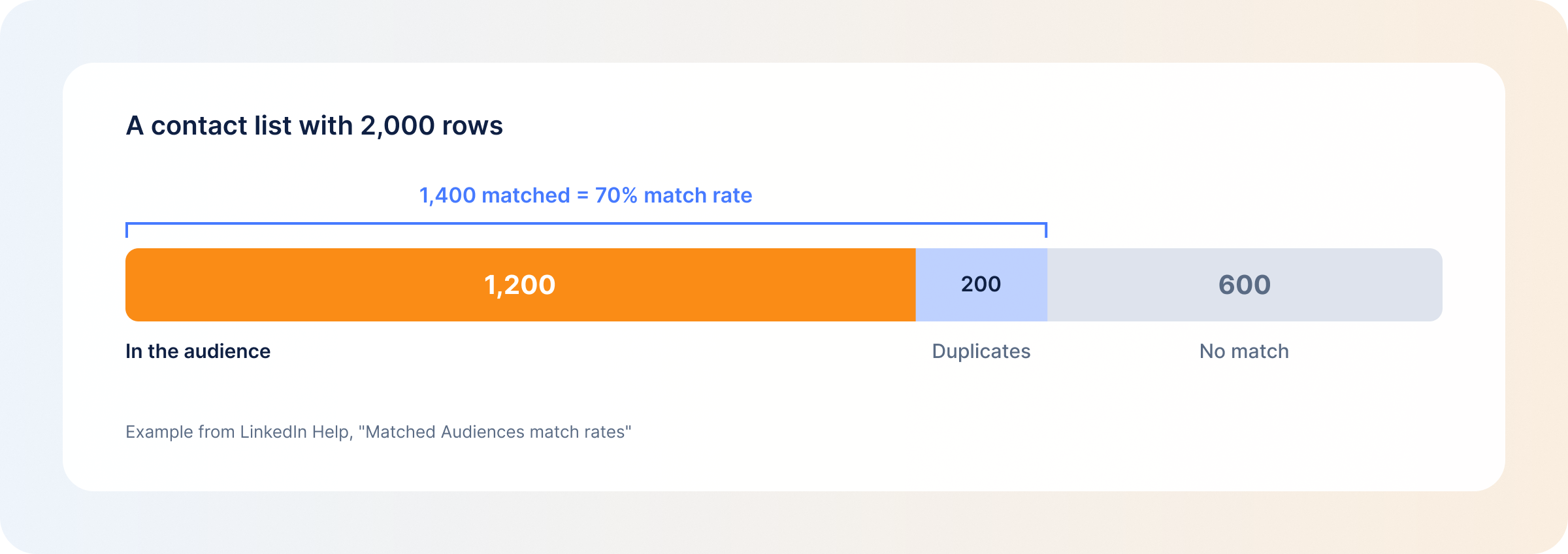
Match rate is the share of entries in your source data that matched to member accounts, or to LinkedIn Pages for company lists, within the past seven days. It’s calculated on the last list you uploaded or updated, and it sits in the Match rate column on your Audiences page.
LinkedIn doesn’t publish a typical match rate, so there’s no benchmark to hold yours against. What you can do is read the two numbers on the Audiences page together:
They often disagree. LinkedIn’s own example: a 2,000-row list where 1,400 rows match, but 200 of those are duplicates, leaves an audience of 1,200.
One display rule is worth knowing before you start troubleshooting: if fewer than 300 member accounts matched, the match rate shows as <5% whatever the real figure is, the audience count shows < 300 members, and the list name turns gray.
Most low match rates trace back to the file:
For company lists, LinkedIn suggests going through the companies that didn’t match, adding their Page URLs, and re-uploading.
Website audiences don’t need a file. They need the Insight Tag on every page you want to retarget from.
To install the tag, go to Measure → Signals manager → Insight Tag in Campaign Manager. You can install it yourself, send it to a developer or use a tag manager. The code goes right before the closing body tag in your site’s global footer. LinkedIn validates the domain once a tagged page is visited, which takes anywhere from a few minutes to 24 hours.
Then build the audience:
– Starts with for every page under a path, including URLs with dynamic parameters
– Equals for one exact page
– Contains for pages with a keyword in the URL
When you enter URLs, leave out http:// and https://, and include “www” only if visitors see it in the address bar.
The status should change to Sending signal within 24 hours. No signal usually means the tag isn’t on the pages your rule points to. If the audience is stuck under 300, switch an Equals rule to Starts with, choose a longer lookback window, or add several website audiences to the same ad set, since segments of the same type add up.
A Matched Audience is only as good as the list behind it. A CRM export holds everyone you’ve ever spoken to: churned customers, deals lost two years ago, contacts who have since changed jobs. Upload it as it is and LinkedIn will faithfully match a lot of people who aren’t buying.
A sharper input is a list of accounts showing intent right now, like companies visiting your pricing and product pages or coming back more than once in a week.
Website visitor identification is how you get that list. DemandSense shows which companies and people are on your site and how each one fits your ICP, and those accounts make a sharper Matched Audience seed than a full CRM export. Add B2B intent data from outside your site, and your company list reflects what accounts are doing this month.
Book a personalized demo and discover how we can transform your B2B marketing.
See a quick demo videoLinkedIn Ads
A complete guide to LinkedIn targeting: every ad targeting option, retargeting and matched audiences, ABM targeting, and how to keep audiences converting.
LinkedIn Ads
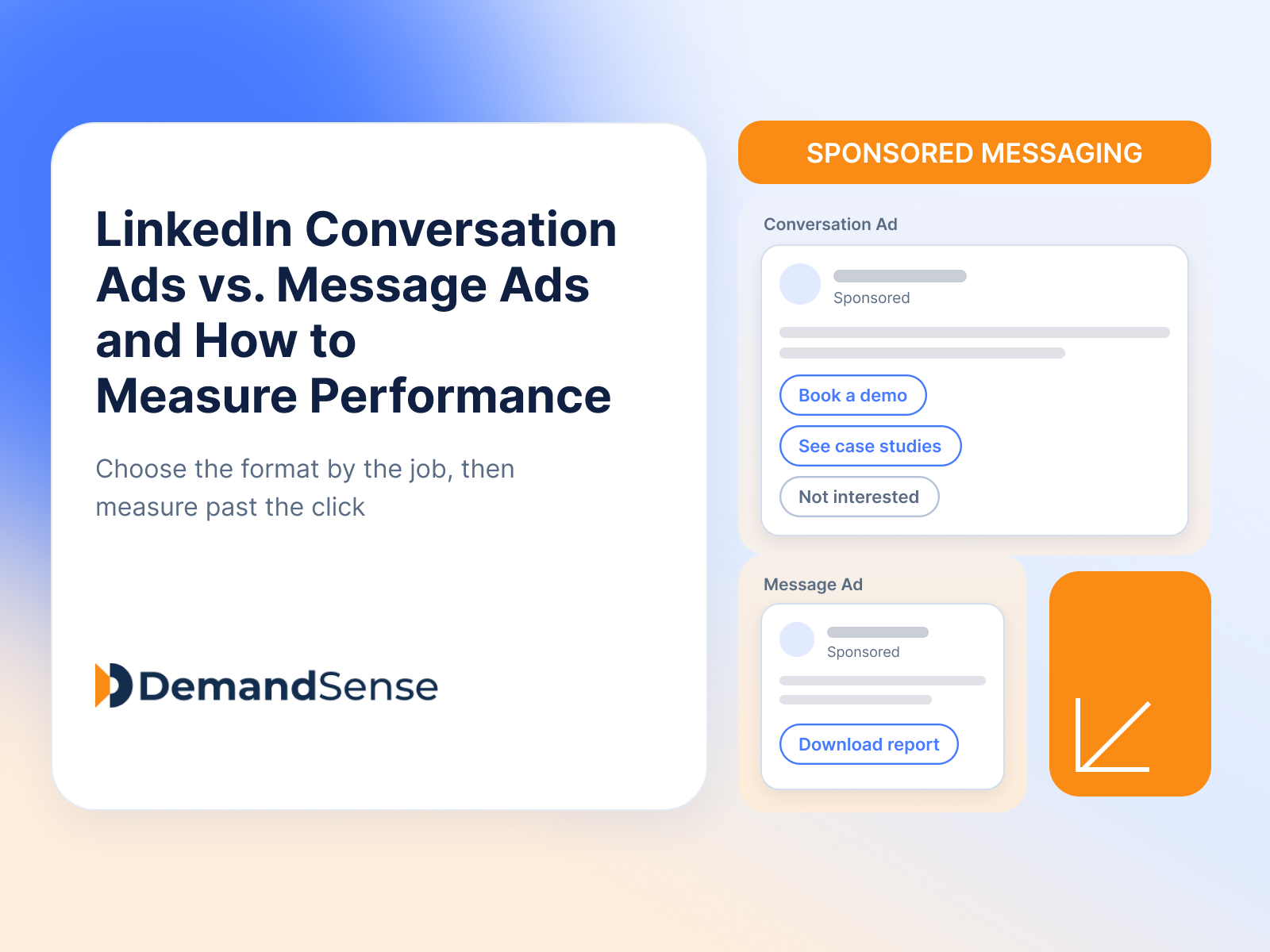
Compare LinkedIn Conversation Ads and Message Ads: how each format works, which fits your campaign, and how to measure them beyond opens and clicks.
LinkedIn Ads
Revenue Attribution & Measurement
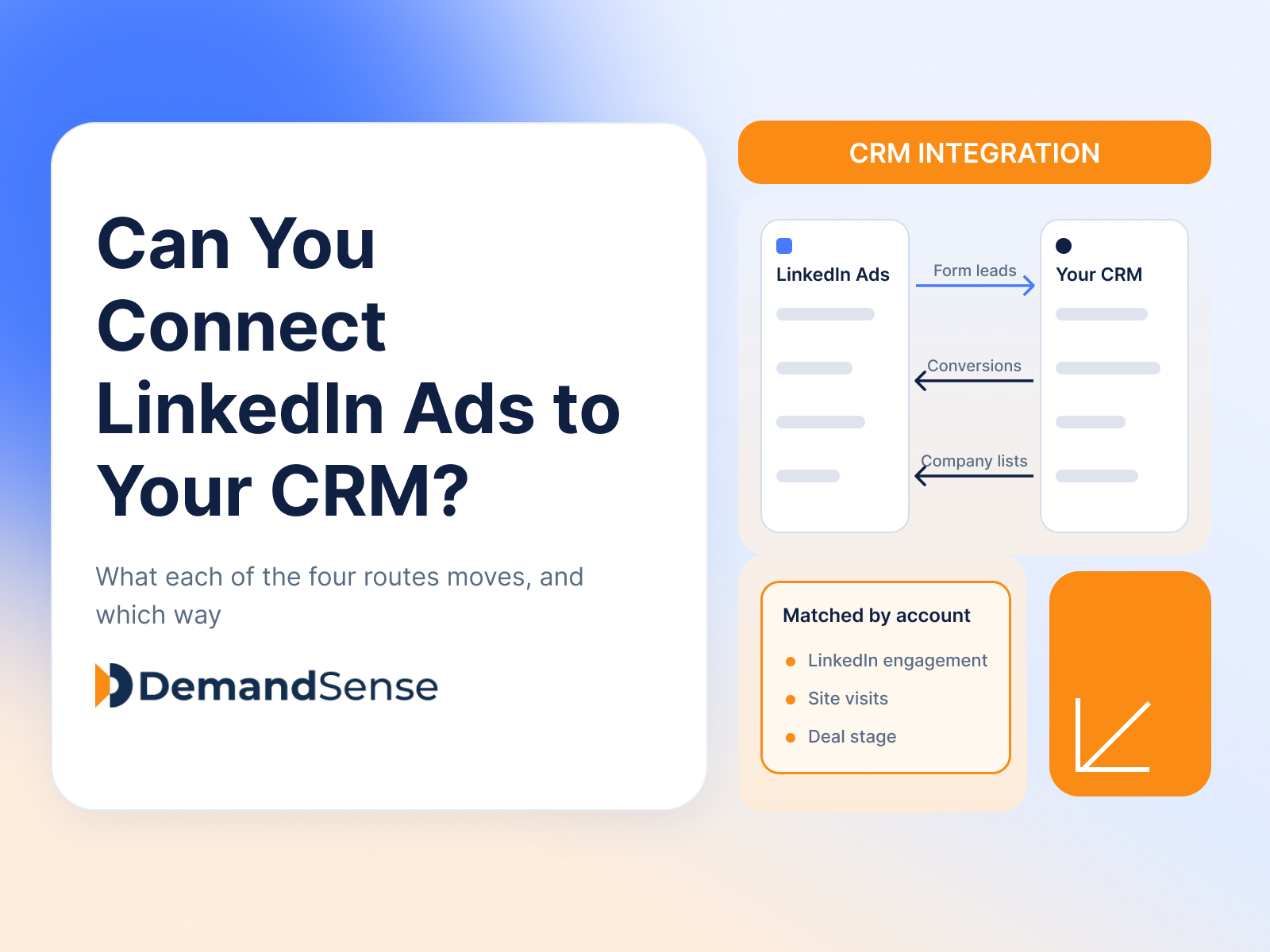
Yes, in four ways. See what CRM Sync, Lead Gen Form integrations, the Conversions API and connectors each move between LinkedIn Ads and your CRM.
Get expert insights and strategies delivered to your inbox weekly.
