••
Insights & Resources
Expert strategies, case studies, and best practices for B2B marketing teams.
Expert strategies, case studies, and best practices for B2B marketing teams.
LinkedIn Ads
Revenue Attribution & Measurement
Most ABM strategy content you see out there is written for a marketing organization running email sequences, direct mail, event invites, and paid social all at once. That’s not what most B2B teams have. What they have is a named account list, a LinkedIn Ads budget, and a vague sense that ABM should mean something more disciplined than boosting a few posts to a lookalike audience.
This guide is written for that team. If you’re running ABM across five channels and need a strategy that spans all of them, an all-purpose guide will serve you better. But if LinkedIn is carrying most of your ABM program, this article is for you.
Here is a working checklist for your account-based marketing strategy. Each step gets a fuller breakdown later in the article.
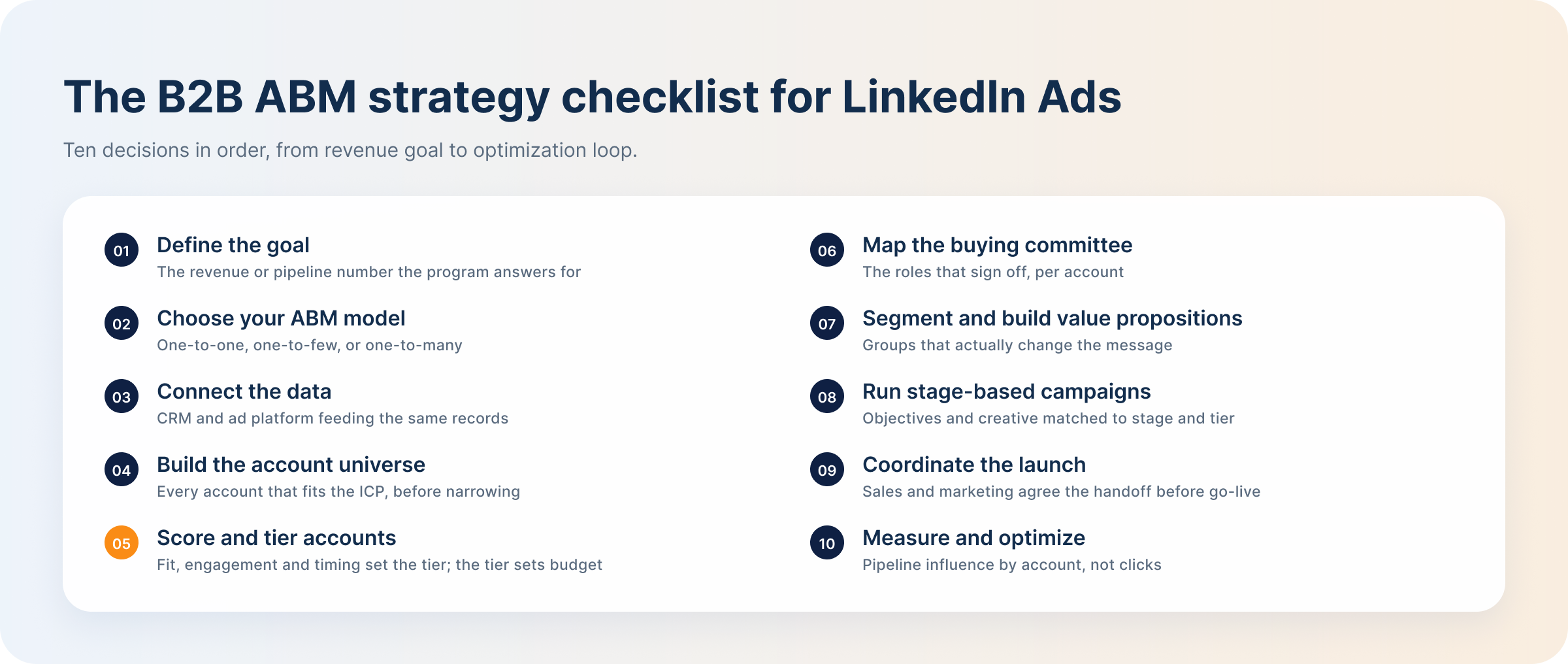
Account-based marketing is the go-to-market strategy that treats a defined set of target accounts, not individual leads, as the unit of marketing and sales effort. Instead of casting a wide net and qualifying whoever responds, ABM starts with a list of companies worth pursuing and coordinates messaging, campaigns, and outreach around each one.
It matters because B2B purchases are rarely decided by one person. A mid-market software deal can involve six to ten stakeholders across procurement, IT, finance, and the end-user team, each with different priorities and different objections. A lead-based approach might capture one of those stakeholders, but ABM is built to reach the group.
Most ad platforms make you choose between reaching a company and reaching a role. LinkedIn lets you target both at once, which is what makes it a genuine ABM channel rather than a broad-reach channel that happens to run B2B ads. Here are the benefits of using LinkedIn ads for B2B ABM strategy:
LinkedIn CPCs run well above Meta or Google search for most B2B categories, and that gap is precisely why account selection matters more here than on cheaper channels. Spend against the wrong accounts is expensive in a way it isn’t elsewhere, which is the case for tiering rigorously rather than running one flat campaign against a broad list.
Every ABM program should start with a number. Decide what revenue or pipeline outcome the program is accountable for this year, then work backwards. If the goal is $2M in new pipeline and your average deal size is $40,000, you need roughly 50 deals in motion, which sets a rough floor on how many accounts need to be in your target list at any given stage. Average deal size also caps what you can defensibly spend per account. A $15,000 deal can’t justify the same LinkedIn spend as a $150,000 one, even if both accounts look equally qualified on paper.
That math needs a reference point for what a click actually costs. Across B2B advertisers in our 2026 benchmark data, the average LinkedIn CPC was $5.59 against a 0.52% average CTR, so it’s worth checking your own numbers against current LinkedIn Ads benchmarks before setting a cost-per-account target. Skipping this step is why so many ABM programs can name their target accounts but can’t say whether the program is working.
ABM comes in three models, and each one has a different LinkedIn consequence. One-to-one, a handful of named accounts each getting tailored campaigns, sounds ideal but often produces LinkedIn audiences too small to deliver efficiently or exit the platform’s learning phase. One-to-many, dozens or hundreds of accounts grouped by shared traits, gets you workable audience sizes but personalization thins out to segment-level messaging rather than account-level. One-to-few sits between the two and is where most LinkedIn ABM programs actually land, large enough to hit reasonable audience minimums, small enough to still customize by segment.
| ABM model | Account list | Personalization | LinkedIn consequence |
|---|---|---|---|
| One-to-one | A handful of named accounts | Fully tailored per account | Audiences often too small to deliver efficiently or exit the learning phase |
| One-to-few | Clusters of similar accounts | Customized per segment, with account-level touches | Clears audience minimums while keeping segment-specific messaging — where most LinkedIn ABM programs land |
| One-to-many | Dozens to hundreds of accounts grouped by shared traits | Segment-level messaging only | Workable audience sizes, but personalization thins out to shared traits |
The choice affects personalization depth and platform performance, and it should be made deliberately.
Every scoring model and attribution report later on assumes the CRM data underneath it is trustworthy. That means company records with verified domains, since domain matching is how LinkedIn’s Matched Audiences ties your account list to real LinkedIn company pages. It means every deal is linked to a company record, not sitting unattached. And it means closed-won and closed-lost stages are defined consistently, not interpreted differently by different reps. Attribution problems that surface months into a campaign, numbers that don’t reconcile, accounts that can’t be traced to pipeline, almost always trace back to a data foundation that wasn’t solid at the start.
Start with an ICP definition tight enough to actually exclude companies, not one so broad it describes half your market. Layer in pattern analysis from closed-won deals, since real conversion patterns often reveal criteria your stated ICP misses. Include expansion accounts already in your CRM, which tend to have shorter sales cycles than net-new prospects. The failure mode to watch for is list bloat: a target account list that keeps growing until it’s functionally indistinguishable from an open, unqualified audience. If tiering has to work overtime to compensate for a list that was never actually qualified, the problem started with ICP definition.
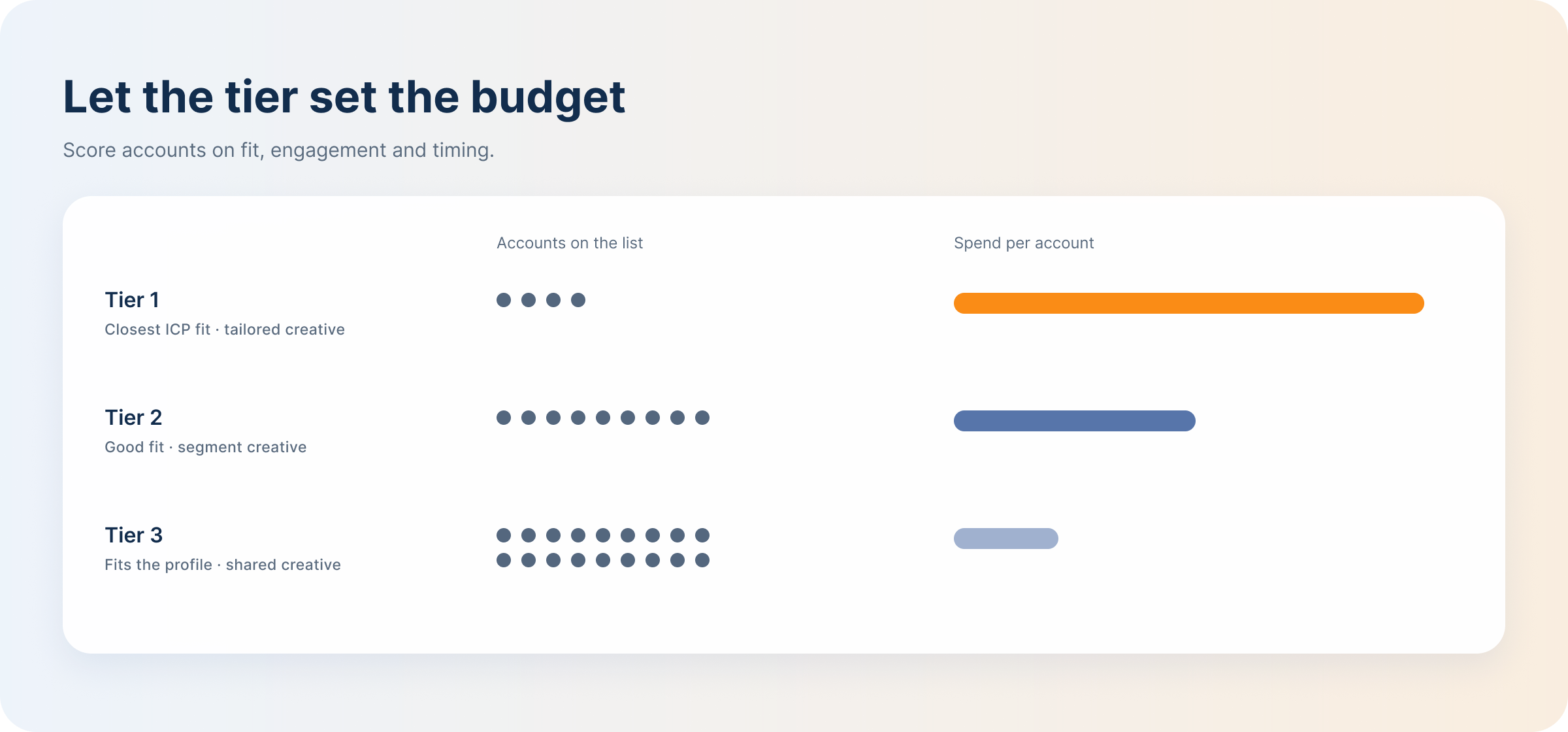
Score accounts on three weighted factors: fit (how closely the account matches your ICP, drawing on firmographic and technographic data), engagement (website visits, content downloads, and LinkedIn engagement with your company page or ads), and timing (intent signals, funding events, leadership changes, or active research behavior). Weight the three based on what your closed-won data shows actually predicted conversion, not an assumed split.
Sort scored accounts into three tiers, and let tier drive budget, not the other way around. Tier 1 gets the highest spend per account and the most tailored creative. Tier 3 gets pooled, lighter-touch campaigns. Splitting budget evenly across tiers wastes spend twice over: overspending on low-fit accounts that were never going to convert, and underspending on high-fit accounts that needed more weight to close.
Build a lightweight dossier for each priority account covering the buying committee, typically six to ten stakeholders across a champion, an economic buyer, and technical evaluators.
The strategic value of this mapping is that it converts directly into LinkedIn targeting: job function and seniority filters let you serve different messaging to different committee roles inside the same account, rather than one generic ad for the whole company.
Keep the dossier focused on role coverage rather than exhaustive research. Finding named individuals, tracking their specific activity, and building outreach sequences around them is execution detail that belongs to ABM prospecting, not strategy.
Segment your tiered accounts by a trait that actually changes the message: industry, company size, use case, or buying stage. The test for a real segment is whether the value proposition changes, not just the label.
A cybersecurity vendor targeting financial services accounts might lead with compliance and audit readiness, while the same product pitched to healthcare accounts leads with patient data protection, and to mid-market SaaS companies leads with speed of deployment.
If two segments’ ad copy could be swapped without anyone noticing, they were never really separate segments, and the extra campaign structure was wasted effort.
LinkedIn ABM campaigns should be organized by stage and tier simultaneously, not stage alone. An account’s tier determines how much budget and personalization it receives; its funnel stage determines what message and objective it needs right now.
A Tier 1 account and a Tier 3 account at the same funnel stage shouldn’t be running the same campaign, because they haven’t earned the same investment. This two-axis structure is the decision that matters at the strategy level.
The specific mechanics of executing it — which formats, which sequencing, which bid strategies — are covered in our guide to ABM prospecting for LinkedIn Ads.
Content should match both the funnel stage and the buying-committee role it’s aimed at: awareness-stage content for a technical evaluator might be a benchmark report, while decision-stage content for an economic buyer might be a case study with ROI figures. The trap is treating every segment, stage, and role combination as deserving its own bespoke asset, which turns a reasonable content plan into an unmanageable production backlog. Most teams that over-commit here do so by trying to personalize everything equally instead of concentrating creative effort where it has the most leverage. A more sustainable approach spends the bulk of creative resources on Tier 1 accounts and late-funnel stages, and leans on shared, templated content for lower tiers and earlier stages.
Launching an ABM program well means sales and marketing agree in advance on what triggers a handoff, typically a defined level of account engagement or a tier promotion, so leads don’t fall through the gap between an ad campaign and a sales conversation. What gets reported upward should be pipeline and revenue influence by tier and segment, since that’s the framing that connects the ABM program back to the goal set in step one.
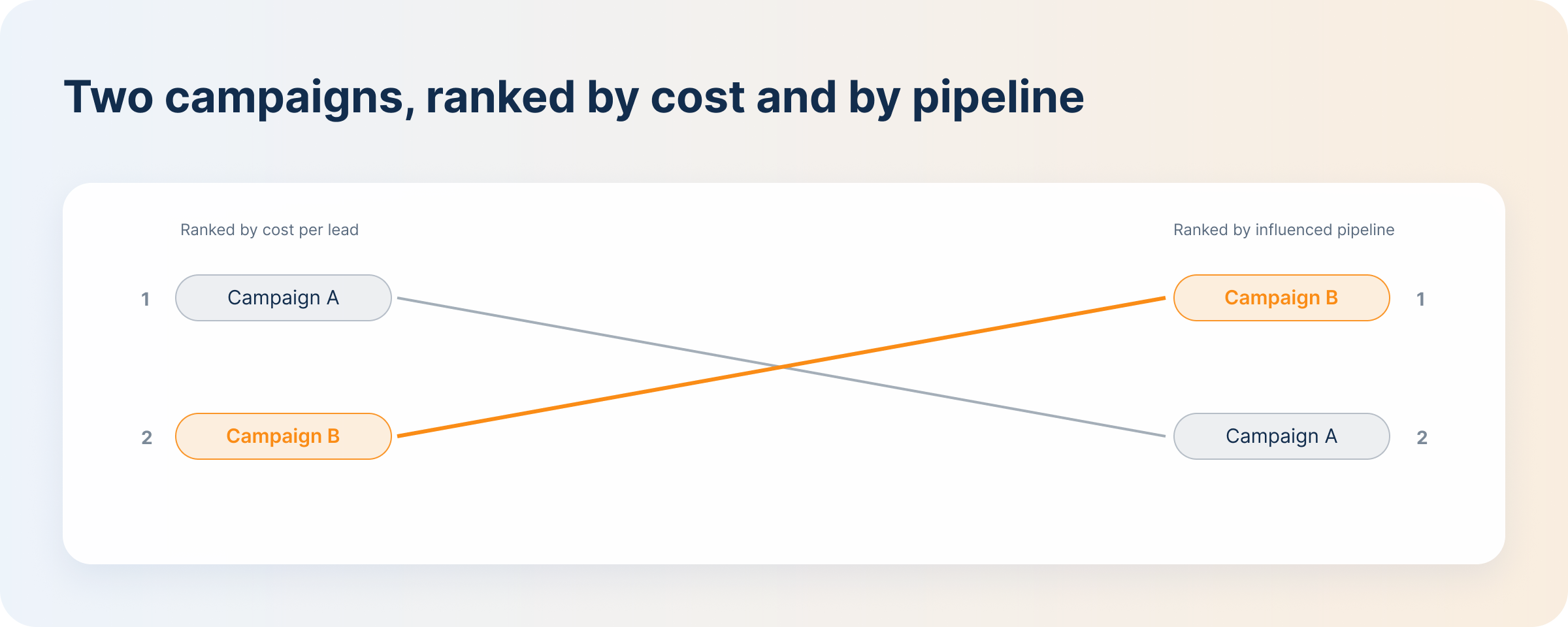
Efficiency metrics can’t carry that reporting on their own. A campaign can sit in the top decile on CPC and CPL and still produce nothing sales would recognize as pipeline, while a campaign that looks expensive per click quietly carries the accounts that end up closing. Judge campaigns on account-level ABM metrics — engaged accounts, stakeholder coverage, stage progression, influenced pipeline — before deciding which ones deserve budget.
From there, run optimization as an ongoing loop rather than a quarterly review: promote accounts showing strong engagement, pause ones going quiet, and remove accounts that never matched the profile in the first place. DemandSense is built for exactly this loop, tying LinkedIn engagement back to CRM and pipeline data so the tier-level view doesn’t require manual spreadsheet work.
None of the strategies in this article runs itself. At some point it needs a stack behind it, and that’s usually where things get confusing, since the ABM software category is genuinely crowded and most comparisons stack every tool into one undifferentiated list. A clearer way to think about it is by category, not by vendor. LinkedIn ABM rests on four distinct categories of tool, each covering a different part of the process, and gaps in any one of them tend to show up as blind spots later.
| Category | What it does for LinkedIn ABM | What it can’t do alone |
|---|---|---|
| LinkedIn Campaign Manager | Native platform for building Matched Audiences from account lists, layering job function and seniority targeting, and running the campaigns themselves. | Reports on platform-level metrics like clicks, impressions, and company engagement, not pipeline or revenue. Has no visibility into what happens to an account after the ad is served. |
| CRM | System of record for account and deal data: company details, deal stages, closed-won and closed-lost outcomes, and the historical patterns that inform ICP and scoring. | Doesn’t natively connect to LinkedIn ad delivery or engagement data, so linking ad spend to CRM outcomes requires integration work or a separate tool. |
| Intent and visitor identification | Surfaces companies showing buying signals, whether through third-party intent data or by identifying anonymous website visitors and matching them to a company. | Identifies interest, but doesn’t attribute that interest to specific ad campaigns or spend, and typically doesn’t tier or score accounts on its own. |
| LinkedIn ads attribution and intelligence | Connects LinkedIn ad engagement and spend to CRM pipeline and revenue at the account level, closing the gap between ad platform metrics and actual deal outcomes. | Depends on clean CRM data and an actual LinkedIn ad program already running; it measures and informs strategy, it doesn’t build campaigns or manage targeting itself. |
Scoring accounts, tiering them, and structuring campaigns by stage are strategic decisions. Knowing whether those decisions are working takes account-level visibility that Campaign Manager alone doesn’t give you. DemandSense functions as that account-based intelligence layer: instead of platform-wide metrics, it shows which specific target accounts are actually responding to your LinkedIn campaigns, with paid and organic LinkedIn activity in one view.
The Opportunity Gap list is particularly relevant to list hygiene: it surfaces accounts engaging with your LinkedIn ads that never made it into the CRM, closing a gap that otherwise goes unnoticed until someone asks why a known engaged account isn’t showing up in the pipeline.
Journey timelines lay out how that engagement built over time, and influenced pipeline and revenue reporting, broken out by campaign and segment, connects it to actual deal outcomes. You also decide what “influenced” means: three attribution presets — Awareness, Engagement, and Intent — set the bar, rather than the tool deciding for you. That reporting is powered by the same revenue attribution approach that underlies tier-level ROI measurement.
Spend Protection and Pipeline Sync are the two automations worth understanding specifically. Spend Protection stops you paying to advertise to accounts that have already closed, so a won deal doesn’t keep consuming budget that belongs on accounts still in play. Pipeline Sync keeps LinkedIn audiences aligned with CRM stage changes automatically, so the exclusions and stage moves described above don’t depend on someone remembering to edit a list. Both are direct answers to a target account list that degrades in accuracy the moment nobody’s watching it.
The loop also runs back to LinkedIn. Closed-won deals with their value, and qualified opportunities, go from your CRM to LinkedIn through the Conversions API on a daily sync, so Campaign Manager optimises toward buyers rather than form fills. And the MCP server, on every plan, lets you ask from Claude or ChatGPT which target accounts saw your ads, visited the site and still have no deal.
Try DemandSense on your own target accounts, free for 30 days — no card needed.
Yes, a small B2B team can run LinkedIn ABM without an enterprise RevOps stack. The real minimum is a CRM with clean, deduplicated company records, an active LinkedIn ads account, and a way to view engagement at the account level, which can be as basic as a shared spreadsheet updated from Campaign Manager exports. None of that requires enterprise software spend. What it does require is consistency: someone has to actually maintain the account list and check engagement regularly, which is a time cost more than a budget one.
Review the target list monthly at minimum, with exclusions handled continuously rather than in batches. New accounts enter the list as they start matching your ICP or show fresh intent signals. Accounts get removed as they close, whether won or lost, and as previously engaged accounts go quiet for an extended stretch. The exclusion side is the one that causes real damage if neglected, since continuing to spend against a closed-won account is pure waste — which is why automating exclusions off CRM stage changes removes most of the manual burden.
Stage changes should trigger campaign changes, not just a CRM update. An account moving into an opportunity stage should shift what it sees, from awareness-level content to messaging aimed at the specific stakeholders now active in the deal. Closed-won means immediate exclusion, since continuing to advertise to a customer wastes the budget that belongs on accounts still in play. Closed-lost usually means exclusion too, but with a defined re-entry window, often three to six months, since a lost deal today doesn’t mean the account is permanently disqualified, and re-engaging too early just repeats a pitch that already failed to land.
Common mistakes to avoid when running ABM campaigns on LinkedIn are:
Use criteria, not a fixed timeline. Pause or remove an account when there’s sustained non-engagement across the buying committee, not just one quiet stakeholder, since a single unresponsive contact doesn’t mean the account has gone cold. Remove accounts that get disqualified on fit once more information surfaces, even if they scored well initially. Closed-lost accounts should be removed unless a defined re-entry trigger applies. And accounts that are technically still active but show no realistic path to movement are worth removing simply because the budget they’re consuming would perform better reallocated to a tier that’s actually showing movement.
Book a personalized demo and discover how we can transform your B2B marketing.
See a quick demo video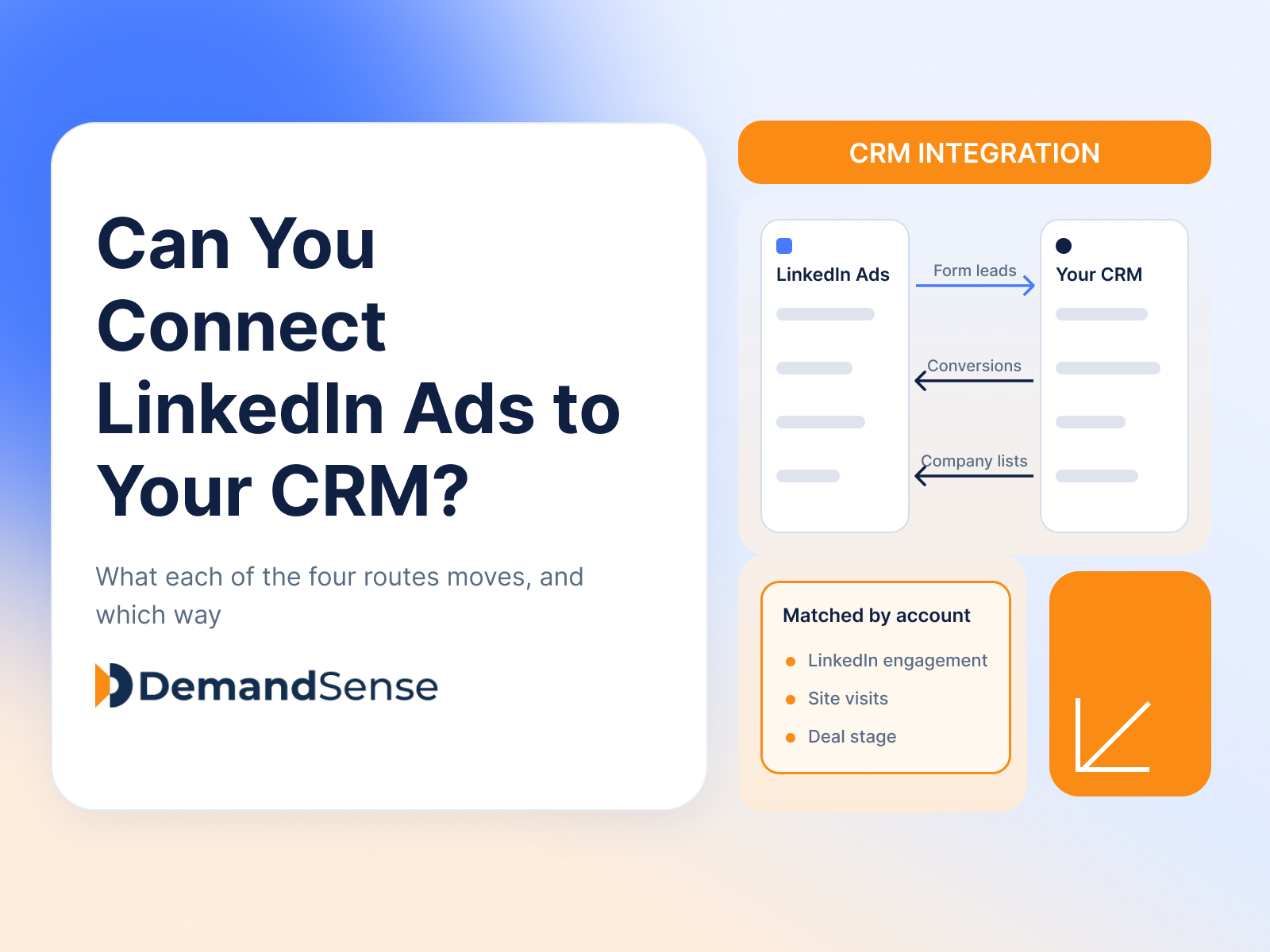
LinkedIn Ads
Revenue Attribution & Measurement
Yes, in four ways. See what CRM Sync, Lead Gen Form integrations, the Conversions API and connectors each move between LinkedIn Ads and your CRM.
LinkedIn Ads
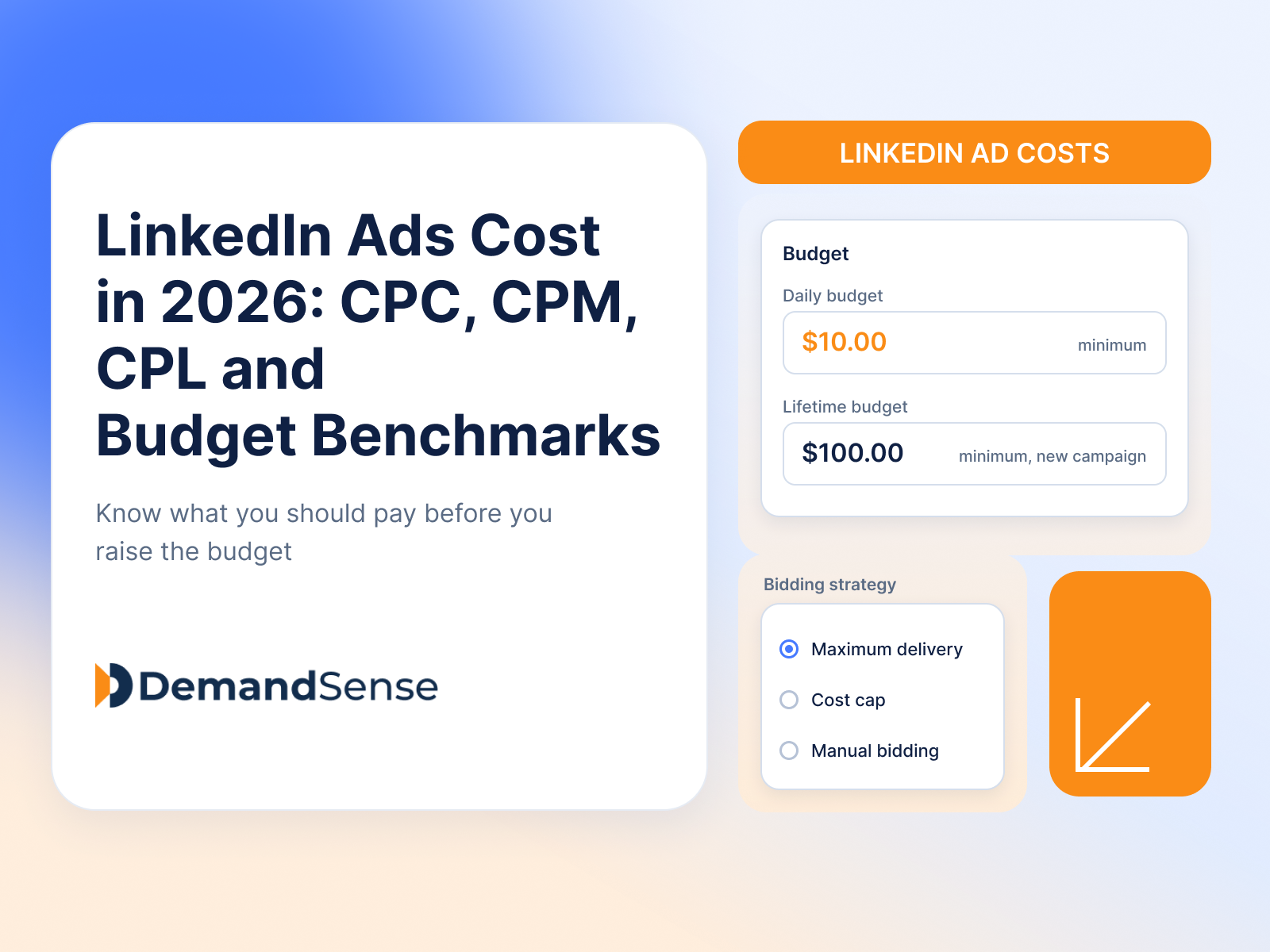
See how much LinkedIn ads cost in 2026: CPC, CPM, CPL and minimum budgets. Real B2B benchmarks and ways to lower your LinkedIn advertising costs.
LinkedIn Ads
Tools & Comparisons
DemandSense vs Linklo on scheduling, exposure control, A/B testing, visitor identification and price — two tools that overlap on delivery and split after it.
Get expert insights and strategies delivered to your inbox weekly.