LinkedIn Ads
How B2B Audience Data Improves LinkedIn Ad Targeting
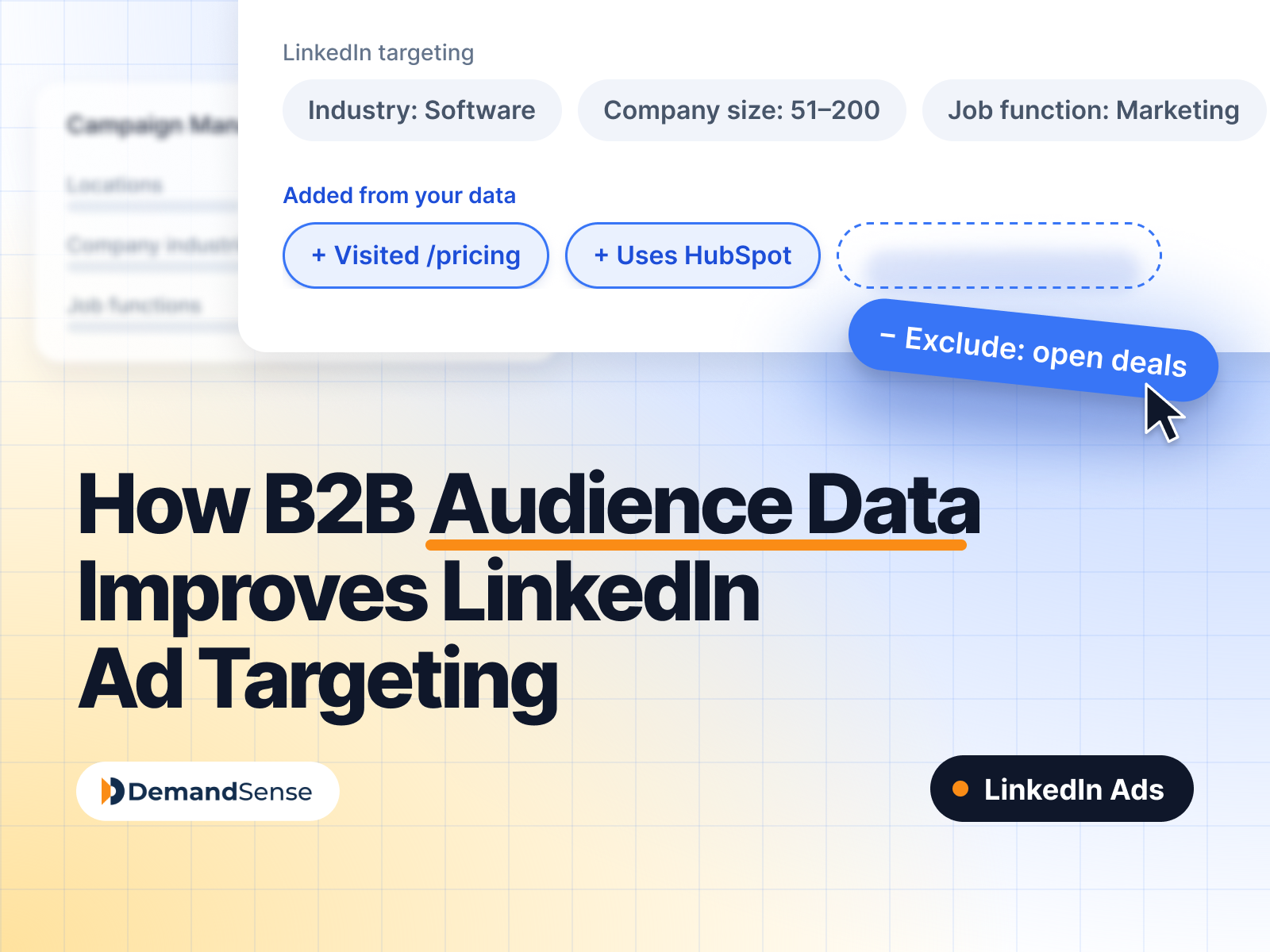
Improve your B2B LinkedIn ad targeting with audience data. Learn how intent data refines your B2B audience targeting for better campaign results.
Most buyers who see your LinkedIn ads never click. The LinkedIn Company Intelligence API shows which companies they work for, and here’s how to get it.
A LinkedIn campaign can reach most of a target account’s buying group and still show up in your reports as two clicks and a form fill. Most people who see a B2B ad never click it, and the person who clicks isn’t always the one who signs off on the purchase.
LinkedIn’s Company Intelligence API reports engagement by company instead. It counts what your ads and your Company Page posts got from each company’s employees, whether or not anyone clicked, and it feeds that into the attribution tools that have access to it.
Below we cover what the API returns, how it differs from Campaign Manager’s conversion tracking, what changed in the 2026 versions, the limits worth knowing before you read the numbers, and which tools give advertisers access, since you can’t connect to it directly.
Key takeaways
The LinkedIn Company Intelligence API is part of LinkedIn’s Marketing API. It returns company-level engagement with your brand on LinkedIn: for each company, the paid impressions, clicks, engagements and leads your ads got from its employees and the organic reach and engagement your Company Page posts got. LinkedIn launched it in September 2025 and has added fields in most API versions since.
Three things set it apart from the ad reporting most marketers know:
The name causes some confusion in search results, where it sits next to tools for looking up company profiles. LinkedIn’s developer docs file it under “account intelligence” (the endpoint is /accountIntelligence), and it reports only how companies engaged with your own ads and your own Page.
Here is every company-level field in the current version of the API, with the version that added it. LinkedIn releases a new API version each month, named by year and month (202603 is March 2026).
| Field | What It Reports | Available Since |
|---|---|---|
| companyName, companyPageUrl, companyWebsite | Who the company is, and the details tools use to match it to an account in your CRM | Launch |
| paidImpressions | Ad impressions served to the company’s members | Launch |
| paidClicks | Clicks on your ads | Launch |
| paidEngagements | Social actions on your ads, plus clicks to your landing page and to your Company Page | Launch |
| paidLeads | Leads from your ads | Launch |
| organicImpressions | Impressions of your Company Page content in the feed, on the Page and on product pages | Launch |
| organicEngagements | Engagement with your organic content | Launch |
| paidQualifiedLeads | Qualified leads, counted per conversion rule | 202603 (March 2026) |
| conversions | Conversions tracked through the Insight Tag or the Conversions API | 202603 (March 2026) |
| paidVideoViews | Views of your video ads | 202605 (May 2026) |
| companySize, industry, countryCode | Firmographics for segmenting the results | 202606 (June 2026) |
| costInLocalCurrencyPerPaidQualifiedLead | Cost per qualified lead, in the ad account’s currency | 202606 (June 2026) |
Results come back sorted by paid impressions, highest first, and a tool can page through every company in the result. LinkedIn’s docs set no upper limit on the number of companies returned.
The conversions field includes events sent through the LinkedIn Conversions API, so CRM stages you send to LinkedIn, such as qualified opportunities or closed-won deals, can show up at company level too.
The two answer different questions, and most teams will want both. Conversion tracking ties a specific click or view to a specific conversion. The Company Intelligence API shows which companies engaged with your brand, and how much, over a longer stretch of time.
| Campaign Manager Conversion Tracking | Company Intelligence API | |
|---|---|---|
| Question It Answers | Which ad clicks and views led to a tracked conversion? | Which companies engaged with your brand on LinkedIn, and how much? |
| Unit | A member’s action | A company |
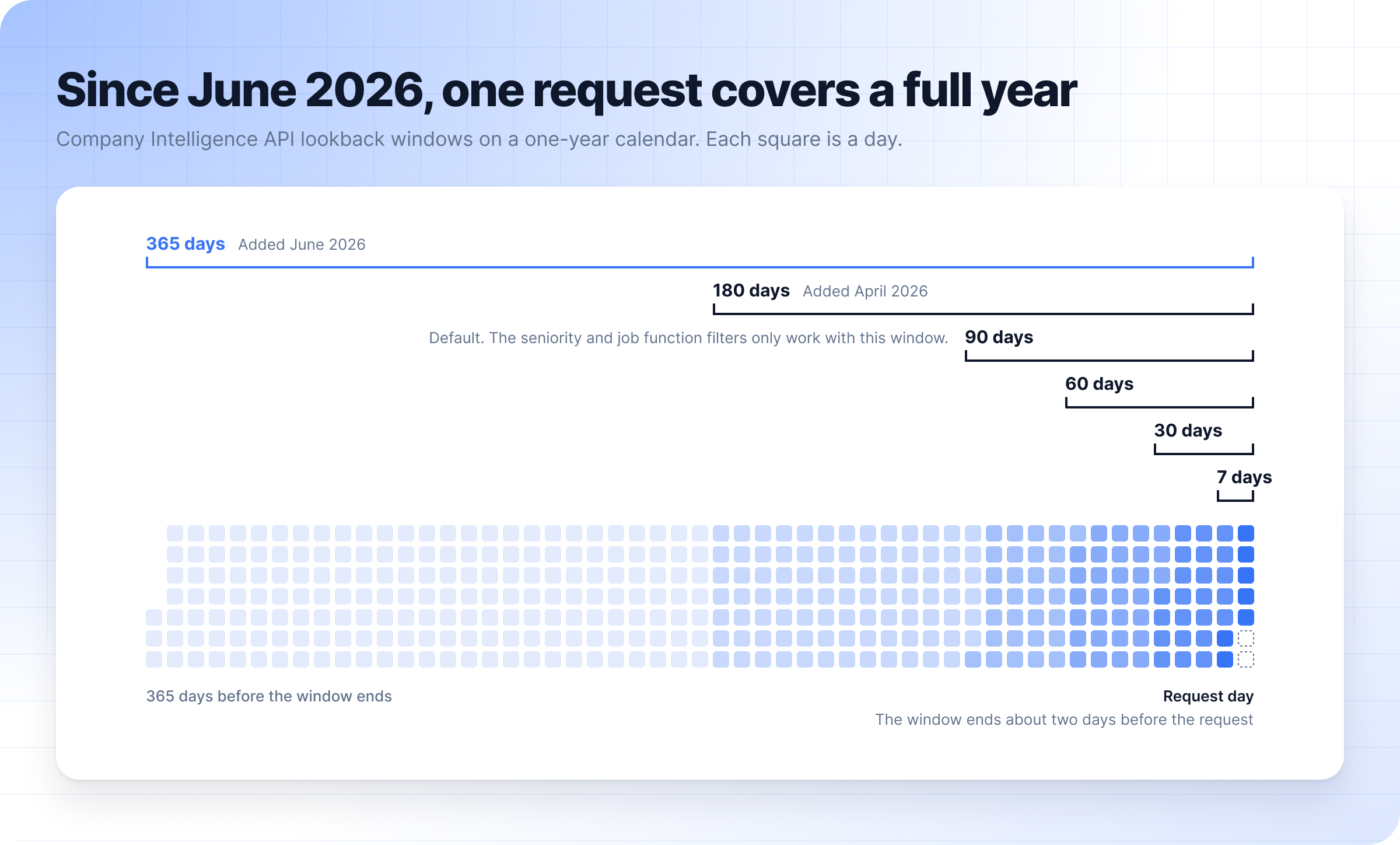
| Time Window | 30-day click and 7-day view by default; options from 1 to 90 days, and up to 365 days for some conversion types such as leads, qualified leads and purchases | A lookback of 7, 30, 60, 90 (default), 180 or 365 days |
| What It Takes to Show Up | A click or a view followed by a tracked conversion | Paid impressions alone are enough, above LinkedIn’s privacy thresholds |
| Activity Covered | Paid campaigns | Paid campaigns and Company Page content |
| Where You See It | Campaign Manager, for every advertiser | Inside a LinkedIn Marketing Partner’s product |
Campaign Manager also reports engagement for the companies on a list you upload, which is a good place to start if you run ABM campaigns. If you want to dig into conversion setup itself, start with LinkedIn Ads conversion tracking.
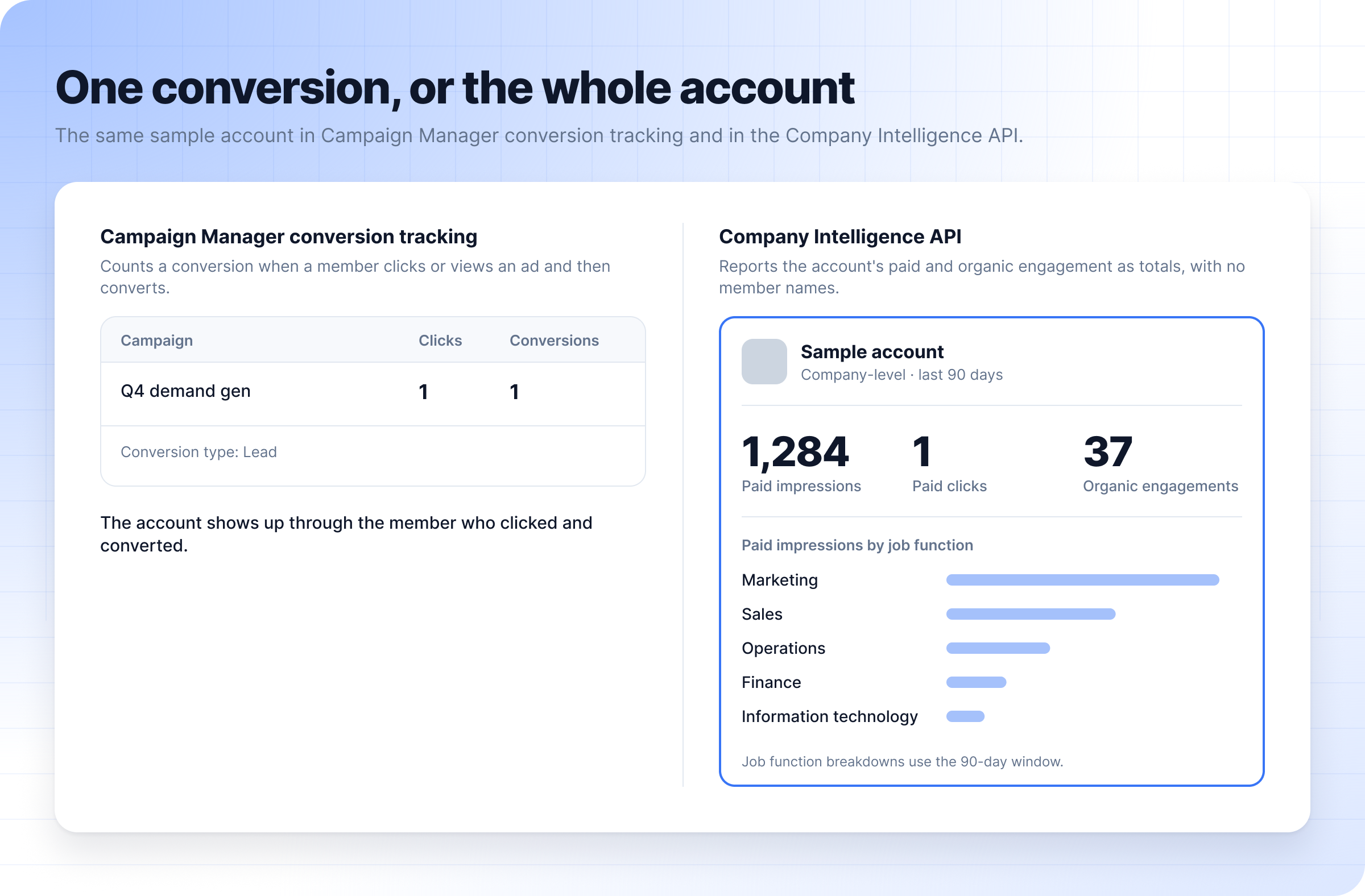
If you use a tool built on the API, these settings explain why its numbers can differ from what Campaign Manager shows.
B2B purchases are made by groups. Gartner puts a typical buying group for a complex B2B solution at six to ten decision makers, and much of their research happens long before anyone fills in a form. Conversion tracking catches the person who clicks and converts. The rest of the group sees the ads, reads the posts and shows up in the deal months later, without a trail back to the campaign.
Company-level data shifts the question from “who clicked?” to “which companies paid attention?” That’s the question account-based marketing asks anyway, and it fits the way account-based intelligence reads engagement per account rather than per lead.
LinkedIn tested the API with partners before launch. In its beta, partners using the API reported 287% more companies reached, 75.5% more attributed MQLs, 96% more attributed SQLs and 43% lower attributed cost per acquisition than with standard attribution. Your own difference will depend on how much of your audience engages without clicking. The case for counting impressions is laid out in our guide to LinkedIn impression attribution.
Company-level data fills in a lot, but a few of its rules change how you should read it.
paidQualifiedLeads.The Company Intelligence API is a private API. LinkedIn’s docs describe it as available only to previously approved developers, and LinkedIn isn’t accepting new applications. When it opened, access was for B2B marketing technology companies that support attribution and reporting and already had access to LinkedIn’s Advertising APIs.
For advertisers, that means the way to use the data is through a tool that already has access. You connect your ad account to the tool, and it reads the data with your permission, which needs a Viewer role or higher on the ad account. LinkedIn makes company-level attribution available through its Marketing Partners for B2B Attribution & Analytics.
LinkedIn Marketing Partners for B2B Attribution & Analytics, as of November 2026:
| Partner | What It Does |
|---|---|
| Channel99 | Attributes paid and organic social engagement to accounts in its Social Attribution product |
| DemandSense | Shows which LinkedIn campaigns influenced the deals in your CRM, paid and organic LinkedIn included, with each account’s path from the first ad to the closed deal |
| Dreamdata | Adds company-level LinkedIn engagement to its account journeys, attribution and audiences |
| Factors.ai | Uses it for account-level visibility, attribution and LinkedIn audience automation |
| Fibbler | Company insights on LinkedIn engagement, including engaged accounts with no deal in the CRM |
| Octane11 | Account-level LinkedIn visibility and reporting |
| RevSure | Marketing attribution, listed on LinkedIn’s B2B attribution partner page |
Channel99, Dreamdata, Factors.ai, Fibbler and Octane11 were the launch partners in September 2025. DemandSense joined the LinkedIn Marketing Partner Program® in October 2026. LinkedIn’s Marketing Partner directory lists the current partners in this category.
DemandSense integrates with the Company Intelligence API and is built for the marketer who runs LinkedIn Ads in a small B2B team. A team like that closes a few deals a month, often months after the ads that started them, so waiting for closed deals to judge a campaign means the budget is spent before the answer comes in. DemandSense shows the early signs while campaigns run, and its attribution confirms what worked once deals close.
Those early signs go beyond LinkedIn. DemandSense reads company-level LinkedIn engagement alongside the other signals a small B2B team has: the companies visiting your website and the pages they read (people too on US traffic), each scored against your ideal customer profile; the clicks you mark as Custom Signals; and how each account moves in your CRM, whether that’s HubSpot, Salesforce, Attio or Zoho.
Wider data can move attributed revenue in either direction. It credits LinkedIn for deals it influenced without a click, and it can show that a deal LinkedIn got credit for had little LinkedIn engagement behind it. Both corrections matter when you have to defend a LinkedIn budget.
“We had the biggest sale in the company’s history, and DemandSense helped us connect it back to LinkedIn, tracking the customer journey from initial ad exposure through to a closed-won deal.” Michael Dillon, Fractional CMO
You can read what changed when DemandSense joined the LinkedIn Marketing Partner Program®, or try DemandSense free for 30 days with every feature and no card.
No. It’s a private API for previously approved developers, and LinkedIn isn’t accepting new applications. Advertisers get the data through a LinkedIn Marketing Partner for B2B Attribution & Analytics, such as DemandSense, Dreamdata or Factors.ai, by connecting their ad account to that partner’s tool.
LinkedIn doesn’t publish a price for the API. Advertisers use it through a partner’s product, so what you pay depends on that tool’s pricing.
No. Every metric is a company total, and the API returns no member names. You can narrow results by seniority or job function to see which levels or functions engaged, still at company level.
Both. It returns organic impressions and engagement with your Company Page content alongside paid metrics. Organic metrics return zero when the results are filtered by campaign, campaign group or objective.
Up to 365 days. The lookback options are 7, 30, 60, 90, 180 and 365 days, with 90 as the default. The 365-day window was added in the June 2026 API version, and the window ends about two days before the request.
LinkedIn applies privacy thresholds to impressions, engagement and clicks and doesn’t publish them. When a company’s activity falls below the threshold, the API returns zero, so a zero doesn’t always mean the company never saw your ads.
No. Conversion tracking ties individual clicks and views to tracked conversions. The Company Intelligence API adds a company-level view of paid and organic engagement over a longer window. Most teams use both.
The API returns each company’s name, LinkedIn Page URL and website. Tools use those, most often the website domain, to match a company to the account in your CRM.
Filed under
Written by
President, DemandSense
Iurii is an entrepreneur with 15 years of experience. Ten of those years went into building a LinkedIn marketing agency into a leader in B2B lead generation: a Clutch Global Award winner and a top lead generation agency on Clutch, with 300+ clients, and acquired in 2024. He now runs DemandSense, the ultimate platform for LinkedIn Ads, bringing attribution, optimization and visitor intelligence into one place.
All articles by Iurii Znak →LinkedIn Ads
Improve your B2B LinkedIn ad targeting with audience data. Learn how intent data refines your B2B audience targeting for better campaign results.
LinkedIn Ads
Tools & Comparisons
DemandSense vs AdRadar compared by use case: LinkedIn ad scheduling, impression caps, exclusions, attribution, competitor ads, the Conversions API and pricing.
LinkedIn Ads
Revenue Attribution & Measurement
How to measure LinkedIn Ads ROI for B2B: what to track, which costs to count, how to tie ads to CRM revenue, and a worked ROI calculation.
Get expert insights and strategies delivered to your inbox weekly.
