Best LinkedIn Automation Tools for B2B Marketing and Ads
Compare LinkedIn automation tools for B2B marketing and ads: what each automates, how it connects to LinkedIn, which CRMs it supports, and what it costs.
Share:
The real work starts after you launch your LinkedIn ad campaigns: monitoring budget, audience, creative and performance, writing reports, all while still trying to figure out how to grow pipeline. Most of these LinkedIn tasks can be automated.
But LinkedIn has strict rules on what you can automate, which is something to keep in mind while evaluating LinkedIn automation tools in 2026. All the tools in this article are LinkedIn marketing automation tools that work through LinkedIn’s own APIs and partner integrations, which is the kind of automation LinkedIn allows.
Best LinkedIn Automation Tools: Quick Comparison
The 10 top LinkedIn automation tools, compared on what each one runs for you:
Tool
Best for
Automation type
Key features
Integrations
Starting price
Main limitation
DemandSense
LinkedIn-first B2B teams
Ads operations, conversions and attribution
Ad scheduling, budget and frequency caps, revenue attribution, Pipeline Sync, Spend Protection
HubSpot, Salesforce, Attio and other CRMs through webhooks
Base $89/mo; Plus from $149/mo, 30-day free trial
It doesn’t manage bids automatically, beyond dropping them off-hours, and its campaign controls work on LinkedIn only
Factors.ai
B2B teams who need multi-touch attribution
Ads operations, audience and CRM sync, conversions and attribution
Lite: free trial, no card, then $199/mo · Basic $6K/yr · Growth $20K/yr · Enterprise from $30K/yr; “typically” annual contracts
LinkedIn AdPilot is an add-on
Fibbler
Small B2B teams looking to prove the impact of their LinkedIn ads
Ads operations, conversions and attribution
Ad scheduling, monthly impression caps, audience exclusions, revenue attribution
HubSpot, Attio, Pipedrive; Salesforce and MCP from Unlimited
Growth $89/mo (1 user) · Unlimited $129/mo · Agency $159/mo; add-ons $59 per account per month; 30-day trial, no card
Google and Meta ads attribution are add-ons, and closed-won deals are not sent back to LinkedIn
ZenABM
Teams running ABM campaigns on LinkedIn
Ads operations, conversions and attribution
Campaign scheduling, bid agents, Budget Savers, Zena AI
HubSpot, Salesforce, Attio; MCP from Growth
Starter $69, Growth $199, Pro $499, Agency $599 per month, month-to-month ($59 / $159 / $399 / $479 per month on annual billing); 37-day trial
Cannot identify anonymous website visitors
Vector
ABM teams running campaigns across several ad networks
Audience and CRM sync
Account stories, account scoring and selection, Bid Agent
Salesforce, HubSpot; Slack; MCP for Claude and ChatGPT; API
From $36,000/yr on one annual contract, priced on usage, unlimited seats. No trial
Contact-level journeys refresh weekly, unless you pay for daily
Metadata
B2B teams running paid multi-channel campaigns
Ads operations, audience and CRM sync
LinkedIn Bid Agent, multi-channel campaign launch
Salesforce, HubSpot; MCP, and 12 ad channels
Not published; scoped on a demo. No trial
Pricing isn’t published and there’s no trial
Oktopost
B2B teams who need to create content at scale
Organic publishing and advocacy
Social listening, Advocacy Agent to draft employees’ posts, plans, approves and schedules company posts
Salesforce, Microsoft Dynamics 365, Sugar Market; HubSpot, Marketo, Eloqua, Pardot; Google Analytics, Power BI, Looker Studio, Slack, Teams, Zapier
Professional and Advanced, quote only, annual plans. Demo, no trial
Focused on organic posts and advocacy, not ad management
Supermetrics
B2B marketing analysts and reporting teams
Reporting
Multi-channel tracking, custom reports and dashboards
Destinations: Google Sheets, Excel, Looker Studio, Power BI; BigQuery, Snowflake and other warehouses (Enterprise); ChatGPT and Claude
Starter from $55/mo monthly ($44/mo annual) · Growth from $222/mo ($177/mo annual) · Enterprise quote; 14-day trial, no card
Limited to reporting; it doesn’t help with managing LinkedIn ads or optimization
HubSpot Marketing Hub
Teams already using HubSpot CRM
Audience and CRM sync, organic publishing, conversions and attribution
Lead Gen Form sync, LinkedIn audiences, ad-triggered workflows, Conversions API, post scheduling
HubSpot’s own CRM
Free plan · Starter from $20/mo per seat · Professional from $800/mo (3 seats, required $3,000 onboarding) · Enterprise from $3,600/mo (5 seats, required $7,000 onboarding)
Features like A/B testing (Professional) and multi-touch revenue attribution (Enterprise) need higher tiers
Linklo
B2B teams running LinkedIn ads and using HubSpot CRM
Ads operations
Ad scheduling, Company Flows, budget control, A/B testing
HubSpot only
Core $99/mo, two users, 30-day trial, no card; Enterprise custom
It sends budget alerts but doesn’t pause spend automatically
What Is a LinkedIn Automation Tool?
A LinkedIn automation tool is software that runs repeated LinkedIn activities for you, by rules or on a schedule, so you get your time back.
These LinkedIn tools for marketing fall into five main categories, based on what each tool automates:
Ads operations: schedules, budget caps, frequency caps, exclusions, bid changes
Audience and CRM sync: keeping LinkedIn audiences and CRM records aligned
Conversions and attribution: sending CRM outcomes back to LinkedIn, reading which accounts engaged
Reporting: pulling LinkedIn data into dashboards and sheets on a schedule
Organic publishing and advocacy: scheduling company posts and sharing them through employees
How Did We Compare These 10 LinkedIn Automation Tools?
We compared these automation tools for LinkedIn based on:
Which LinkedIn jobs they automate: ad delivery, attribution, reporting, audience sync or CRM workflows
How each one connects to LinkedIn (official integration vs. browser automation)
Guardrails: approvals, limits, and a record of what changed
Which CRMs each one connects to: HubSpot, Attio, Salesforce
Published pricing and a trial
The data here comes from each vendor’s product, help and pricing pages, and G2 ratings.
10 Best LinkedIn Automation Tools for B2B Teams
Let’s look at each tool in detail:
1. DemandSense
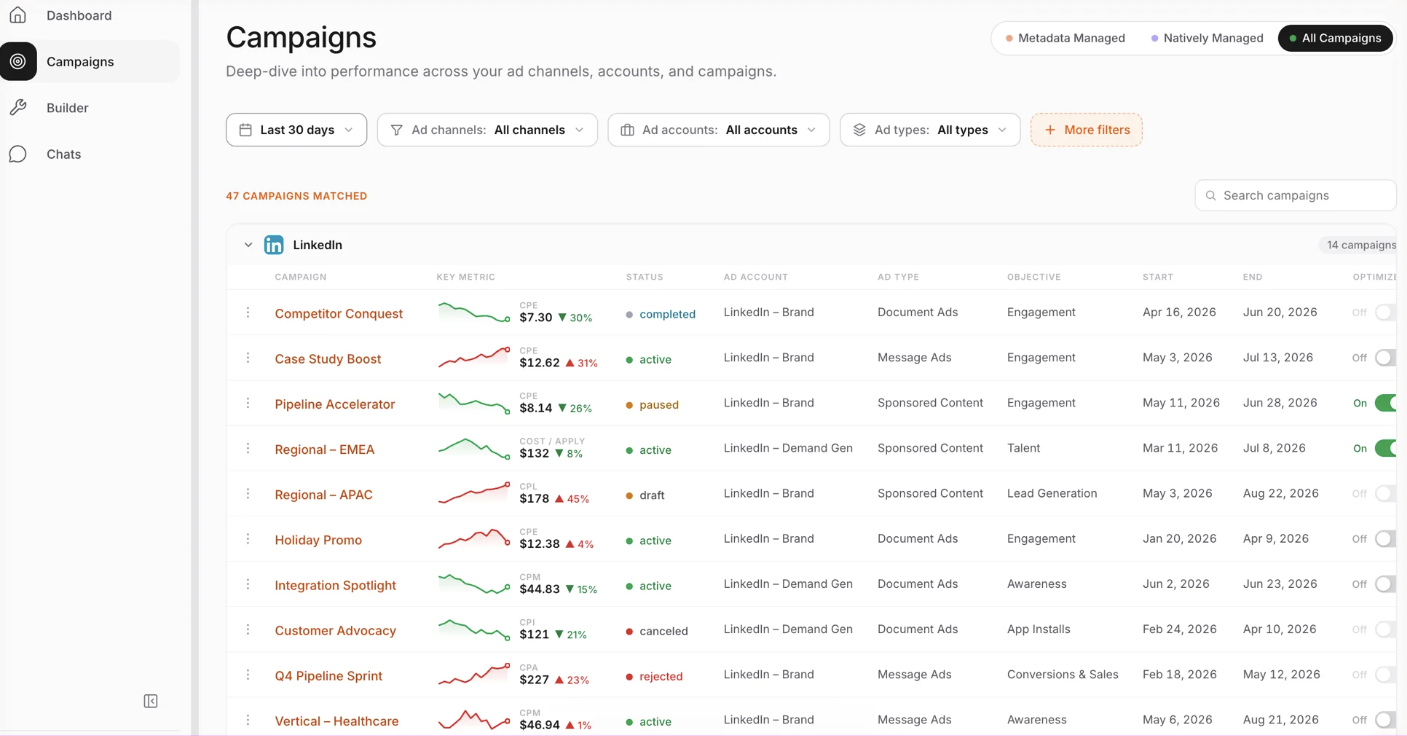
DemandSense is a platform for the marketer who runs LinkedIn Ads in a small B2B team. It puts three things in one place that usually live in three separate tools: attribution, optimization, and website visitor profiling. On top of that sits an MCP server.
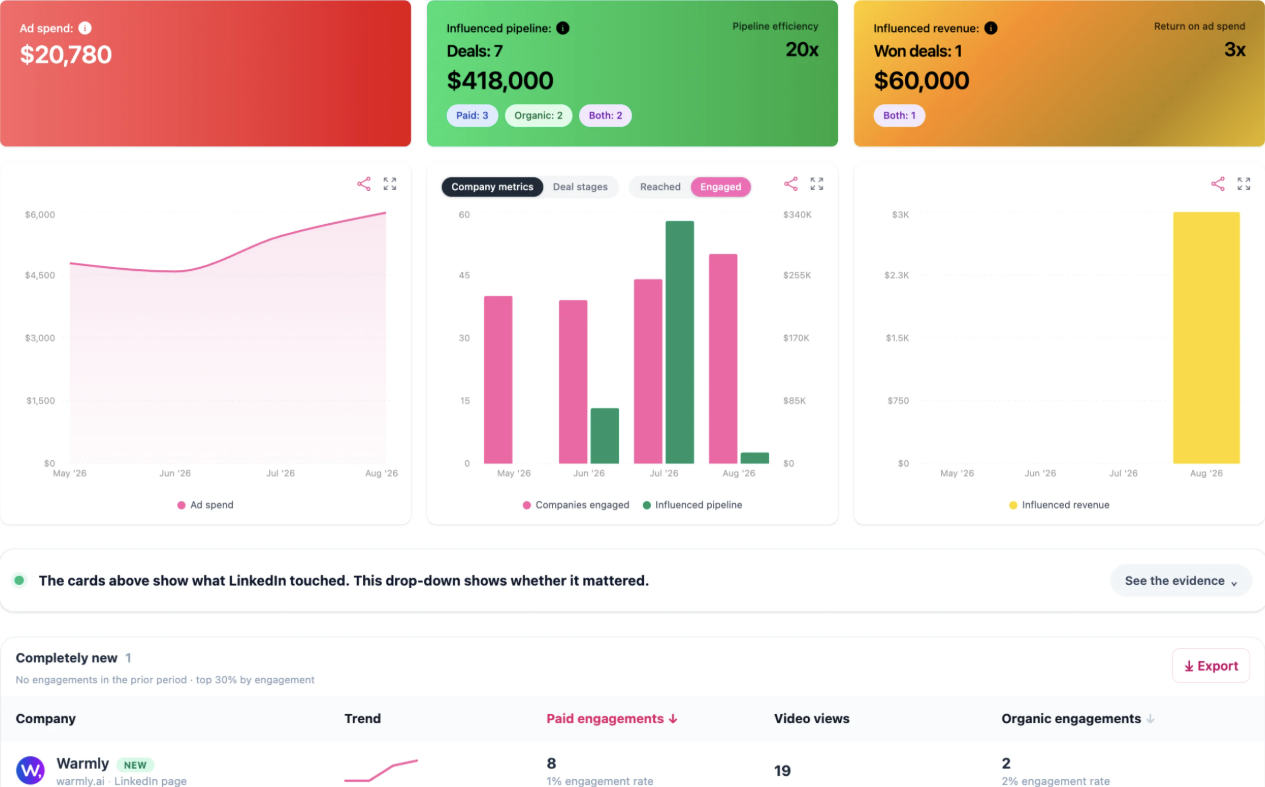
You set the rules, and DemandSense handles ad scheduling and frequency caps, keeps campaigns within budget and keeps your audiences in line with your CRM. Closed deals go back to LinkedIn as conversions, and every campaign is tied to pipeline and revenue, so budget decisions are made on complete data.
Best for: the marketer who runs LinkedIn Ads in a small B2B team and needs ads kept to accounts, budgets and pipeline.
Automation type: Ads operations, conversions and attribution.
Key features
Ad Scheduling: ads run only when your audience is active. Outside those hours, DemandSense pauses them or drops the bid to $0.01, so the ad set keeps its LinkedIn optimization history.
Frequency and Budget Caps: limits how often a company sees your ads, and campaigns pause when they hit the budget cap.
Audience Tuning: shows every company and job title your ads reached, so you can exclude the ones outside your ICP. Exclusions sync to LinkedIn weekly.
Spend Protection and Pipeline Sync: keep audiences in line with your CRM. Closed accounts come out of targeting, and accounts in active pipeline go in.
Conversions API: DemandSense connected LinkedIn’s Conversions API, so closed-won deals and qualified opportunities go back to LinkedIn once a day and ad delivery tunes toward accounts that buy.
MCP server: lets Claude and ChatGPT query your LinkedIn ads, website visitor and CRM data from plain English prompts.
Pricing: Base $89/mo, Plus from $149/mo, every feature on every plan, 30-day trial, no card. G2 5.0.
2. Factors.ai
Factors.ai is a multi-touch attribution platform that tracks accounts across platforms beyond LinkedIn, so teams can understand who is researching them. Its LinkedIn AdPilot pushes high-intent accounts to LinkedIn for targeting and controls how many impressions each account gets.
AdPilot is sold as an add-on, and contracts are typically annual.
Best for: small and mid-market B2B teams who run campaigns on LinkedIn alongside other platforms and need to track buyers across touchpoints and improve targeting.
Automation type: Ads operations, audience and CRM sync, conversions and attribution.
Key features
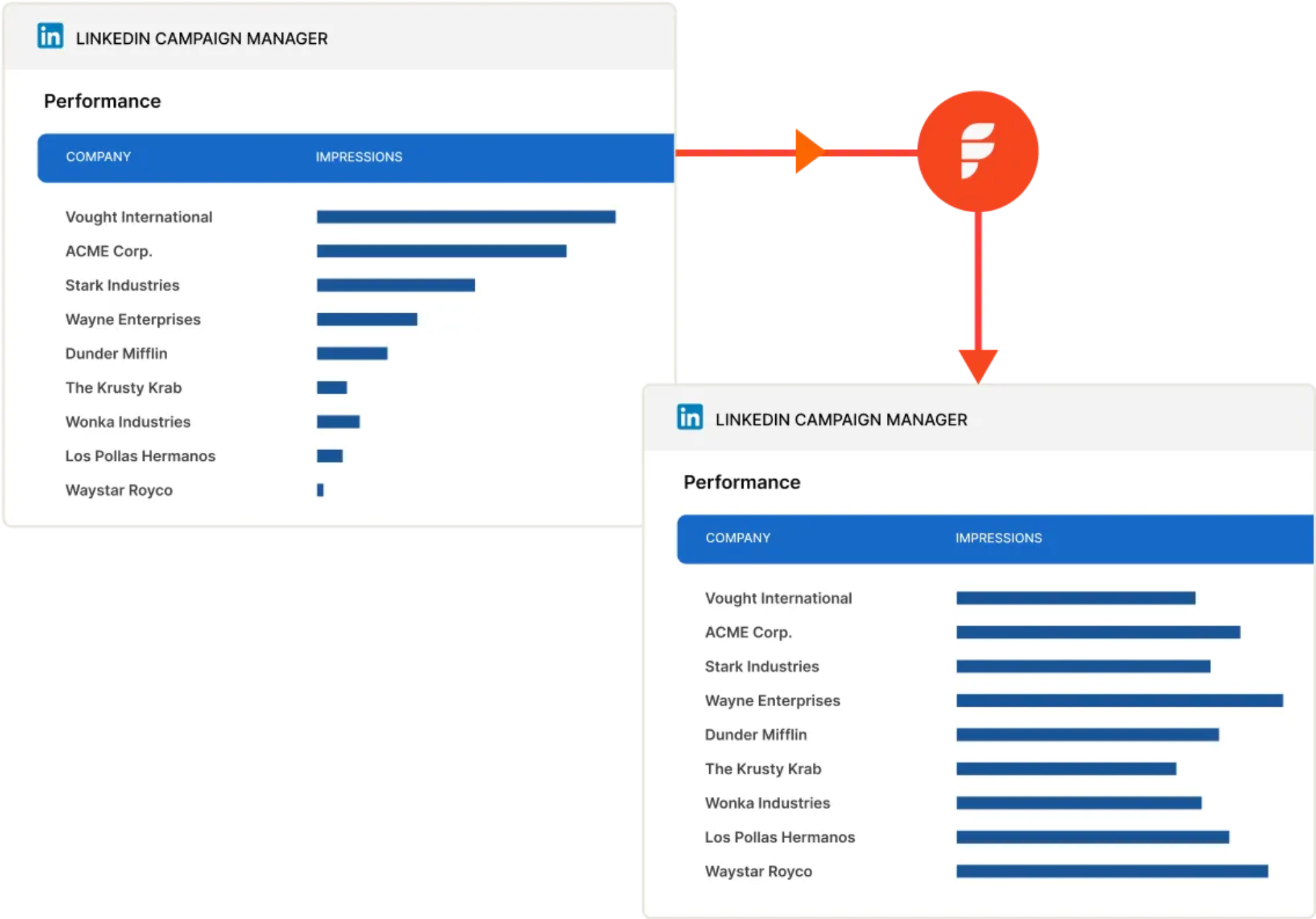
Impression and click control per account, with capped accounts excluded until the period ends.
Intent-based audiences kept updated and synced to LinkedIn.
A Conversions API connection for tracking online and offline conversions.
Pricing: Lite: free trial, no card, then $199/mo, Basic $6K/yr, Growth $20K/yr, Enterprise from $30K/yr; “typically” annual contracts. G2 4.5.
3. Fibbler
Fibbler tracks which companies engage with your LinkedIn ads and organic posts and connects them to deals in your CRM. Google Ads and Meta Ads attribution are sold as add-ons at $59 per account every month.
Fibbler’s MCP server and Salesforce integration are only available from the Unlimited plan.
Best for: marketers running LinkedIn ads in a small B2B team who need help proving their ads are driving revenue.
Automation type: Ads operations, conversions and attribution.
Key features
Ad scheduling to the hours your audience is active.
A monthly impression cap per company, which excludes the company for the rest of the month.
One-click job-title exclusions.
Pricing: Growth $89/mo (1 user), Unlimited $129/mo, Agency $159/mo; add-ons $59 per account per month; 30-day trial, no card. G2 4.9.
4. ZenABM
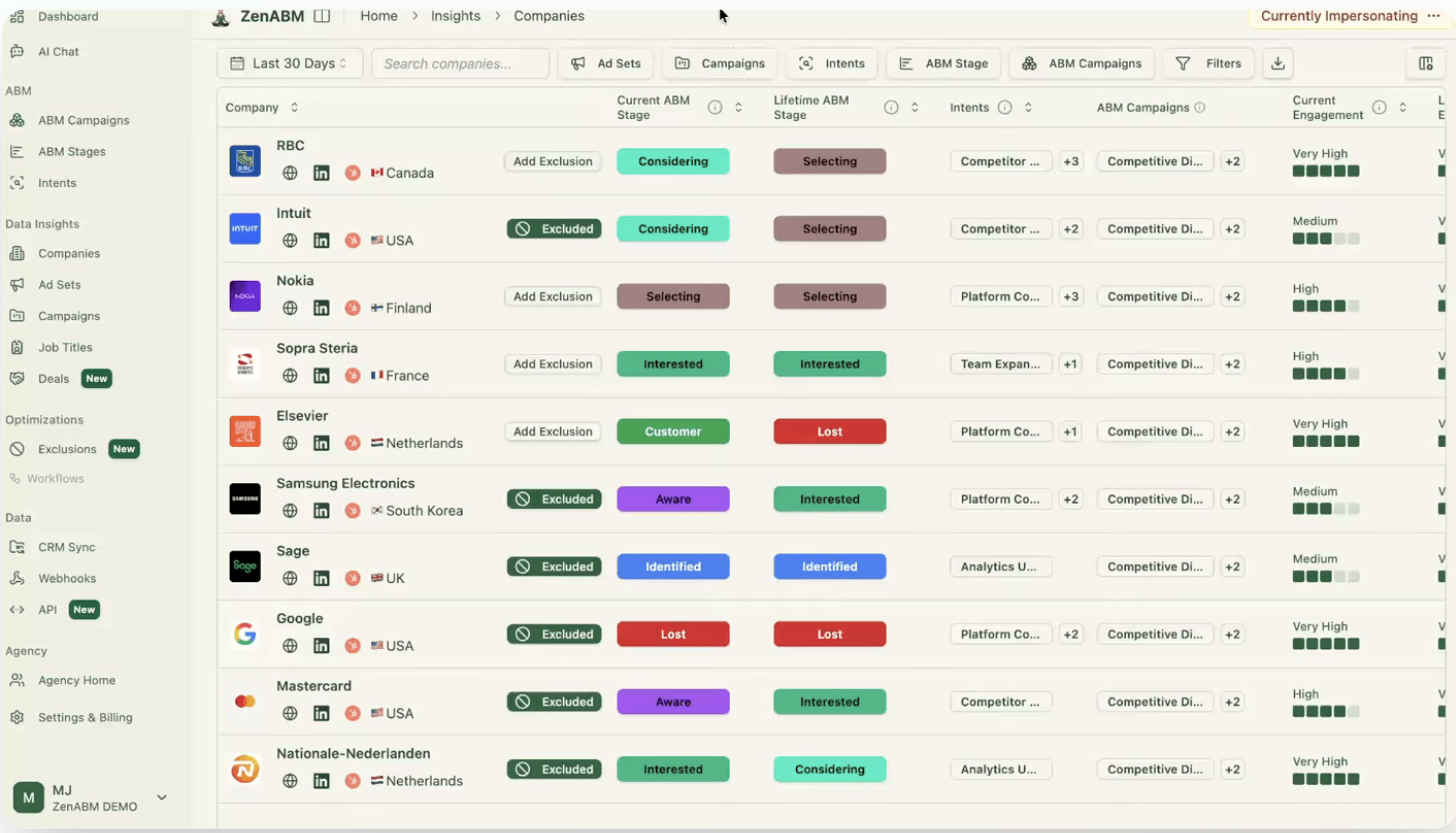
ZenABM tracks company-level engagement across LinkedIn, Google and Reddit, then connects that activity to pipeline and reports on ROAS. It doesn’t identify website visitors, so it only sees the companies that engage with your ads.
Zena, its AI assistant, answers questions about your LinkedIn ads and can build campaigns or suggest bid and budget changes, which wait for your approval.
Best for: B2B teams running ABM campaigns.
Automation type: Ads operations, conversions and attribution. Reporting for Google and Reddit Ads.
Key features
Campaign schedules (pauses ad sets outside your weekly hours and resumes them).
A bidding agent that proposes bid and budget changes, applied once you confirm.
Company, job title and industry exclusions pushed to LinkedIn daily (ZenABM says LinkedIn allows up to 200 per ad set).
Impression capping as a threshold you set, plus exclusions.
Budget Savers that keep Audience Expansion and the Audience Network off.
Pricing: Starter $69, Growth $199, Pro $499, Agency $599 per month, month-to-month; $59 / $159 / $399 / $479 per month on annual billing; 37-day trial. G2 5.0.
5. Vector
Vector is an ABM platform that builds contact-level audiences from site visits, ad clicks and CRM lists and pushes them to LinkedIn and other ad platforms. You write the ads; Vector builds the audiences.
Account journeys update weekly, unless you pay extra for daily updates.
Best for: ABM teams who want to turn website traffic into named leads and improve targeting.
Automation type: Audience and CRM sync.
Key features
Account stories for every open or closed deal in pipeline.
A Bid Agent that adjusts your LinkedIn ad bids up to every 15 minutes.
Slack alerts when tracked accounts show activity on your website.
Audience sync to ten ad networks.
Pricing: From $36,000/yr on one annual contract, priced on usage, unlimited seats. No trial. G2 4.9.
6. Metadata
Metadata is an autonomous B2B advertising platform that lets teams build, run and report on paid campaigns across 12 channels from one place. Its LinkedIn Bid Agent adjusts bids as conditions change, within the spend limits, CPC boundaries and pacing rules you set, and larger moves wait for your approval.
Best for: B2B teams running paid multi-channel campaigns.
Automation type: Ads operations, audience and CRM sync.
Key features
Builds LinkedIn audiences from firmographics, CRM segments or account lists and keeps them refreshed.
Agents draft campaigns.
Optimizers shift bids and budget and stop underperforming ads.
Pricing: Not published; scoped on a demo. No trial. G2 4.6.
7. Oktopost
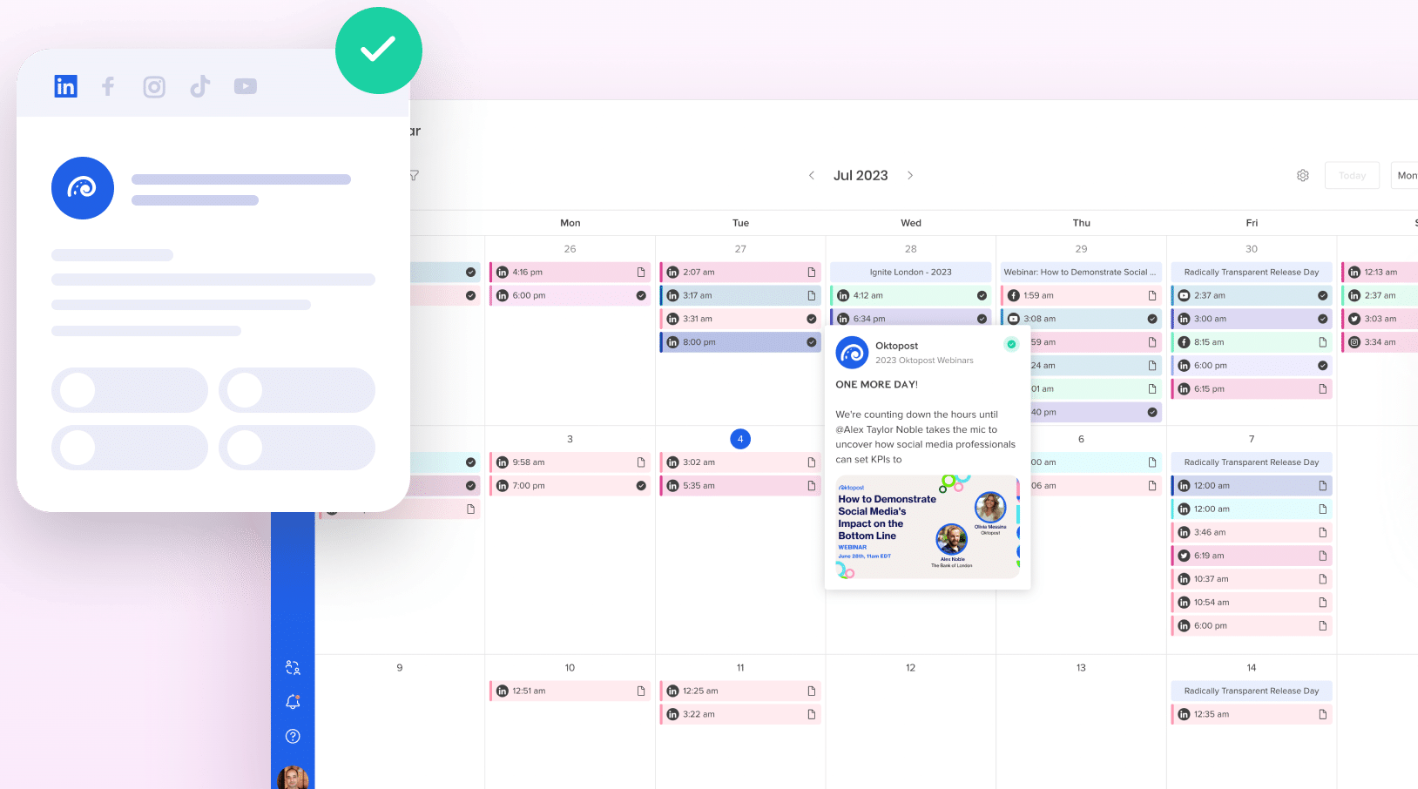
Oktopost is a B2B social media management and employee advocacy platform that ties posts and engagement to your CRM, so teams can see how social activity affects revenue. Marketers can also build audience segments from social engagement and retarget them through LinkedIn ads.
Best for: B2B teams looking to build their LinkedIn presence organically through company and employee posts.
Automation type: Organic publishing and advocacy.
Key features
Plans, approves and schedules company posts and other LinkedIn content.
Employee advocacy, including an Advocacy Agent that drafts posts in each employee’s voice from approved content, reviewed before anything is shared.
Ties posts, shares and clicks to CRM contacts.
Pricing: Professional and Advanced, quote only, annual plans. Demo, no trial. G2 4.4.
8. Supermetrics
Supermetrics is a reporting tool that automates data pulls from multiple sources into Google Sheets, Looker Studio, Power BI, data warehouses and AI assistants, so reports build themselves.
Best for: B2B marketing analysts and reporting teams with large volumes of marketing data to process.
Automation type: Reporting.
Key features
LinkedIn Ads connector pulls campaign and conversion data (spend, impressions, conversions, leads) on scheduled refreshes.
LinkedIn Company Pages connector pulls organic post performance and follower growth.
Multi-channel reporting covering paid search, paid social, display, email and organic in one view.
Pricing: Starter from $55/mo ($44/mo annual), Growth from $222/mo ($177/mo annual), Enterprise quote; 14-day trial, no card. G2 4.4.
9. HubSpot
HubSpot is best for teams already using HubSpot as their CRM. It connects your LinkedIn ads to deals in your CRM, but its features are spread across plans, and some of the most useful ones need Professional or above.
Best for: teams already using HubSpot CRM.
Automation type: Audience and CRM sync, conversions and attribution, and organic publishing on higher tiers.
Key features
All plans: Lead Gen Form sync into the CRM, LinkedIn campaign creation from HubSpot, and audiences synced to LinkedIn from website visitors and company segments.
Starter and up: simple ad-triggered workflows (one per form, up to 10 actions), and lifecycle-stage conversions sent through LinkedIn’s Conversions API.
Professional and up: full workflows with ad-interaction triggers, Breeze agents, and LinkedIn post publishing and scheduling.
Pricing: Free plan, Starter from $20/mo per seat, Professional from $800/mo (3 seats, required $3,000 onboarding), Enterprise from $3,600/mo (5 seats, required $7,000 onboarding). G2 4.4.
10. Linklo
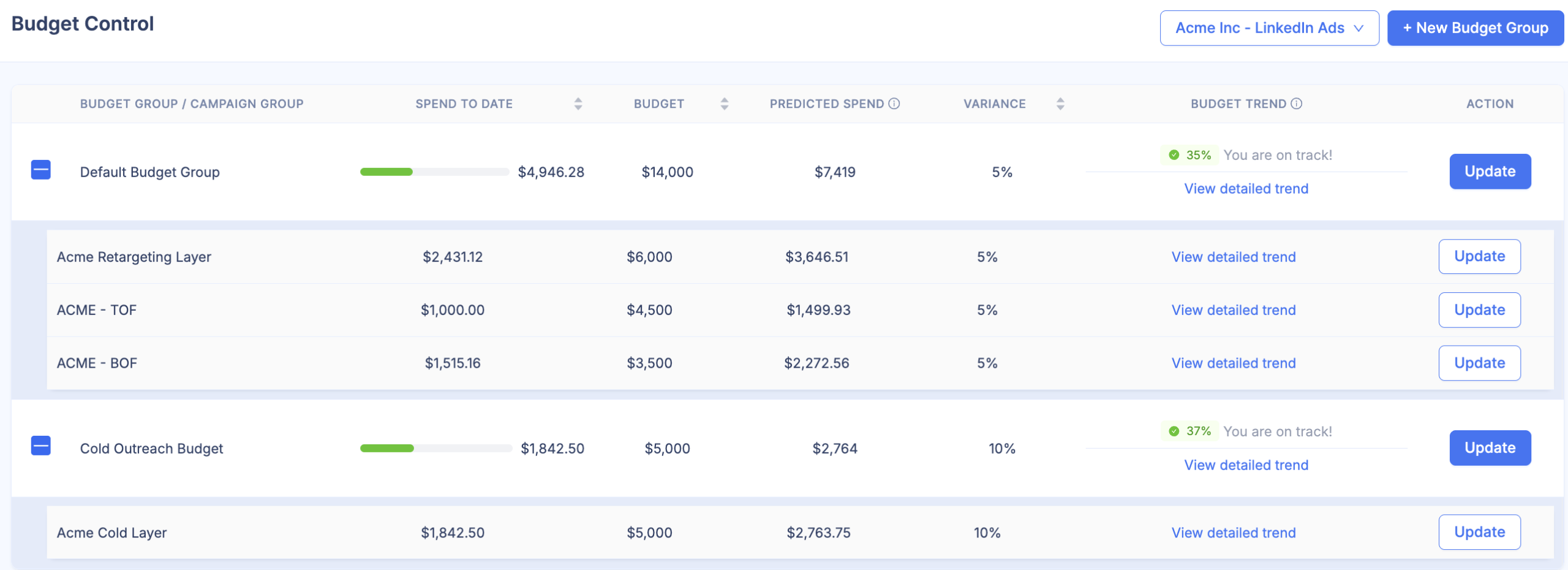
Linklo is a LinkedIn-only ad tool that helps marketers control how their ads run and prevent budget waste without babysitting campaigns.
It only works on LinkedIn and only integrates with HubSpot CRM, so it’s best for teams that use HubSpot and only advertise on LinkedIn.
Best for: B2B teams running LinkedIn ads with HubSpot CRM.
Automation type: Ads operations.
Key features
Scheduling: pauses and activates campaigns on schedules with their own time zones.
Company Flows: excludes companies or moves them to another campaign once they cross a rule.
Budget Control emails an alert at a threshold you set; pausing is up to you.
A/B testing for ads.
HubSpot impression sync.
Pricing: Core $99/mo, two users, 30-day trial, no card; Enterprise custom plans.
LinkedIn Automation Tools vs. LinkedIn Ads Automation Tools
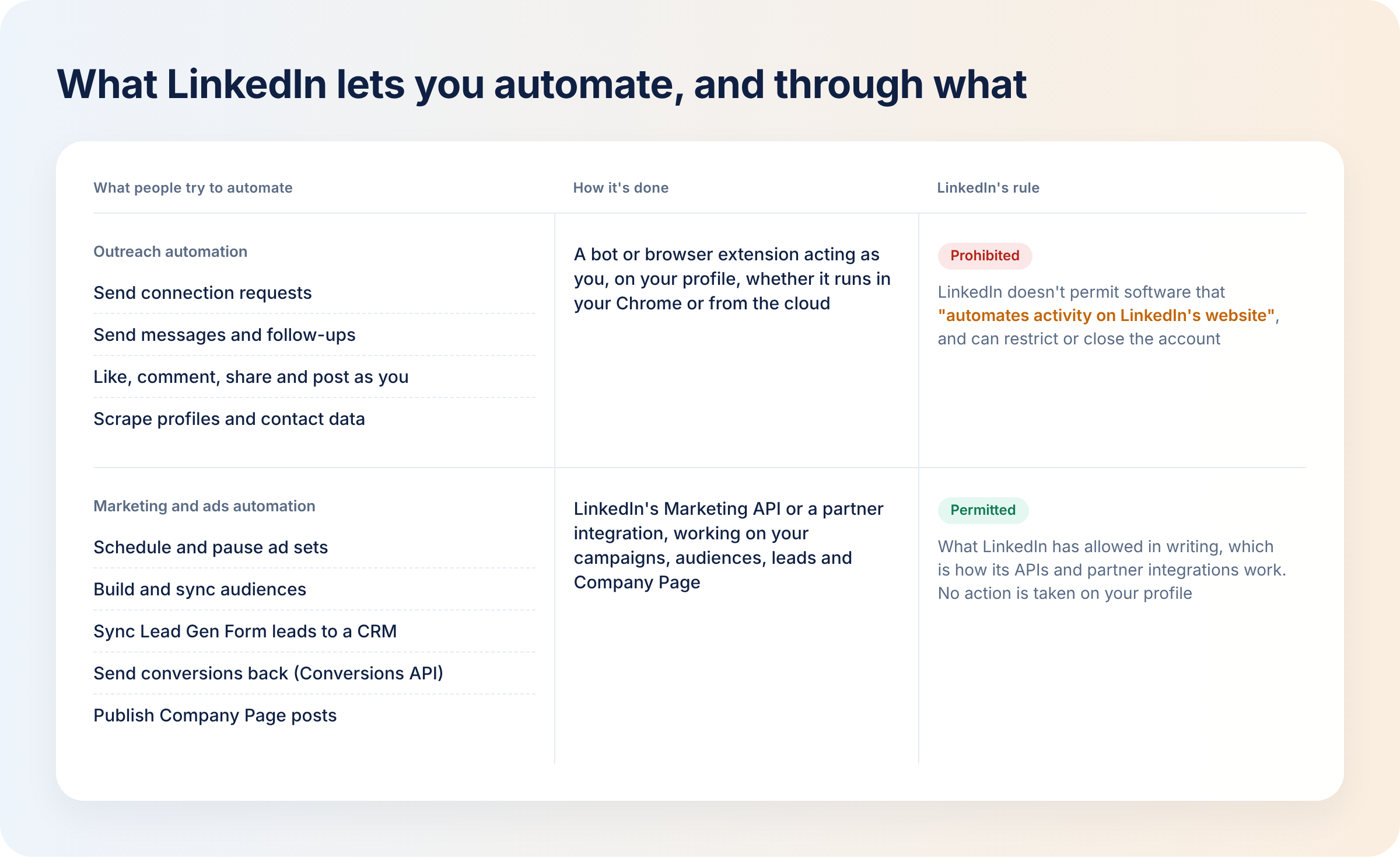
If you search for LinkedIn automation tools, you will mostly see popular LinkedIn outreach tools. But outreach tools are different from LinkedIn ads automation tools.
Outreach tools send connection requests, messages and follow-ups, visit profiles and pull contact data in sequences, often from LinkedIn Sales Navigator searches. They run either as a browser extension or from the cloud on your account. Browser extensions only work while you’re logged in, while cloud tools keep running around the clock.
But LinkedIn doesn’t permit third-party software, bots or browser extensions that scrape, modify the appearance of, or “automate activity on LinkedIn’s website”. Its User Agreement also rules out using bots to add contacts, send messages, or post, comment, like or share. And LinkedIn can restrict accounts that break these rules. It doesn’t publish safe LinkedIn limits for invitations or messages either.
If you want to use LinkedIn automation without putting your account at risk, LinkedIn ads automation and marketing workflow tools connect through LinkedIn’s own APIs and partner integrations instead. They work on your campaigns, audiences, data and company page, and don’t act as a person on your profile.
If the job is booking meetings through DMs, that’s a sales tool decision that’s outside this list.
AI-Powered LinkedIn Automation: AI-Driven Workflows, MCP, and Human Approval
AI-powered LinkedIn automation tools go beyond basic automation and reporting, and almost every tool on this list now has some AI built in. They come with three main capabilities:
Agents that propose changes: for example, the ZenABM and Metadata bid agents propose and adjust bids as conditions change. Oktopost’s Advocacy Agent uses approved content to draft posts in each employee’s voice.
MCP: an MCP server lets AI chatbots like Claude and ChatGPT query your LinkedIn ads data and build reports from plain English questions. Several tools on this list have MCP servers, including DemandSense, Factors.ai, Fibbler, ZenABM, Vector and Metadata. The DemandSense MCP server reads your LinkedIn ads, website visitor and CRM data, so the answers draw on all three.
Human approval and change logs: with human approval, AI agents propose changes but don’t act on them until you approve, like the ZenABM and Metadata bid agents. Change logs record every change and who made it. Set clear guardrails on what AI can change and what still needs approval.
How to Choose the Right LinkedIn Automation Tool for Your B2B Team
The best tool for your team depends on what you want to automate:
Ads running off-hours or past budget? ZenABM and Linklo pause campaigns outside the hours you set, and Fibbler schedules ads to the hours your audience is active. Linklo also emails you when spend hits a threshold. DemandSense pauses campaigns at a budget cap, and off-hours it can drop the bid to $0.01 instead of pausing, so the ad set keeps LinkedIn’s optimization history.
The same companies seeing your ads again and again? Factors.ai, DemandSense, Fibbler and Linklo. DemandSense’s Frequency Cap limits impressions and clicks at the company level and excludes a company from targeting once it hits the cap.
Bidding across many channels? Metadata. DemandSense narrows who those bids reach and when, on LinkedIn.
Need audience and CRM sync? HubSpot, Factors.ai, Vector or DemandSense. DemandSense’s Pipeline Sync pushes active pipeline accounts into LinkedIn audiences, while Spend Protection removes closed accounts from targeting.
Reporting without exports? Supermetrics; DemandSense and Fibbler for account-level reporting next to CRM deals.
Need help with the company page and employee posts? Oktopost and HubSpot (Professional and up).
How to Combine LinkedIn Automation Tools in a B2B Marketing Workflow
Most teams use multiple tools, one for each stage of their marketing workflow. Here’s an example of a stack:
Publish: Oktopost, or HubSpot on Professional and up, to plan, approve and schedule company posts.
Run ads on a schedule and with a budget cap: use DemandSense for both.
Sync audiences and leads to the CRM: HubSpot if you’re already using HubSpot CRM, or DemandSense for HubSpot, Salesforce or Attio.
Send outcomes back to LinkedIn: DemandSense Conversions API connection.
Report: Supermetrics or DemandSense.
Avoid overlapping tools, or you’ll end up with two tools changing the same campaign.
How DemandSense Automates the LinkedIn Ads Work That Touches Pipeline
Most LinkedIn automation software runs on what Campaign Manager sees: clicks, leads and spend, and only automates one job at a time.
DemandSense automates the LinkedIn Ads jobs that run against your accounts and your CRM: it keeps ads on schedule and on budget, caps how often one company sees them, and keeps audiences in line with the CRM.
DemandSense reads LinkedIn engagement, website visits and CRM data, so you can see which engaged accounts became pipeline and make campaign decisions based on that.
Closed-won deals and qualified opportunities go back to LinkedIn through the DemandSense Conversions API connection, so LinkedIn optimizes toward accounts that buy.
Try DemandSense free for 30 days at demandsense.com, no card needed.
FAQ
Can LinkedIn Ads reporting and attribution be automated?
Yes, and LinkedIn automation tools help here in two ways. LinkedIn ads reporting tools like Supermetrics pull LinkedIn data into sheets and dashboards on a schedule. DemandSense, Fibbler and Factors.ai read LinkedIn engagement per account next to CRM deals, so teams can see which LinkedIn campaigns influence pipeline and revenue.
Can LinkedIn automation tools integrate with HubSpot and Salesforce?
Yes. Most of these tools connect with your CRM: Factors.ai, Vector, ZenABM, Metadata, Oktopost and DemandSense integrate with both Salesforce and HubSpot. Fibbler’s Salesforce integration is only available from the Unlimited plan. HubSpot and Linklo integrate with HubSpot only. DemandSense connects natively with HubSpot, Salesforce and Attio, and through webhooks with other CRMs.
Can you automate LinkedIn Lead Gen Form follow-ups?
Yes. For LinkedIn lead generation, sync Lead Gen Form leads to your CRM or marketing automation tool, then run the follow-up there. If your CRM isn’t supported, download the leads as a CSV from Campaign Manager and upload them manually. LinkedIn only keeps form data for one year.
Can LinkedIn automation tools sync audiences and CRM data?
Yes. LinkedIn automation tools like HubSpot build LinkedIn audiences from lists; Factors.ai and Vector sync intent audiences; DemandSense Pipeline Sync pushes accounts in active pipeline into LinkedIn audiences, and Spend Protection removes closed-won accounts from targeting.
Are there free LinkedIn automation tools?
Most tools on this list have free trials, and Fibbler, DemandSense, Linklo and Supermetrics don’t ask for a card. HubSpot also has a free plan, though it leaves out features like ad-triggered workflows. Campaign Manager’s own scheduling and Lead Gen Form sync also cost nothing beyond the ads.
Is LinkedIn Automation Safe? Account Risks and Compliance
It depends on the type. LinkedIn’s User Agreement prohibits bots and software that automate activity on the site, such as sending automatic messages, comments or likes, and LinkedIn can restrict accounts that use them. Tools that work through LinkedIn’s own integrations on ads, audiences and company pages are built to work within those rules.
See DemandSense in action
Book a personalized demo and discover how we can transform your B2B marketing.