LinkedIn Ads
Claude Marketing Skills for LinkedIn Ads That Catch What Campaign Manager Doesn’t
Three free Claude marketing skills for LinkedIn Ads: find wasted spend, catch creative decay and list warm accounts for sales. Copy-paste prompts inside.
Compare the best free LinkedIn tools for B2B marketing: competitor ad research, benchmarks, tracking and lead capture, and what each one gives you free.
“Free trial or plan” sounds great until you log in to the platform and then your card is needed, or you realize that most of the best features are hidden behind paid plans. Below are some of the best tools B2B marketers can access for free to help them with ad creatives, competitor monitoring, lead capture and performance tracking: seven third-party tools and four free tools from LinkedIn itself.
Here’s a brief comparison of what you get from each tool without paying and the access requirements:
| Tool | Best For | What You Get Free | Free Access Type | Main Limitation | Required Access |
|---|---|---|---|---|---|
| DemandSense Competitor Ads Analyzer | Teams that want to analyze competitor ads and identify market gaps they can explore to stand out | Ad strategy report on one or two of your top competitors | Email for the report | One or two competitors per report | None |
| DemandSense Ad Strategy Scanner | Teams that want to review their own ads against the top ads in their category | Report on your own ads: creative score, gaps and priorities for the next campaign | Email for the report | A one-off report on your current ads | None |
| DemandSense Benchmark Checker | Teams that want to gauge their ad costs | Shows whether your CTR, CPC and CPL are below or above your industry’s median | No sign-up for the quick check; email for the full report | Covers three metrics: CPC, CTR, CPL | None |
| Factors.ai LinkedIn Advisor | Teams evaluating competitors’ messaging | A report comparing your ad strategy to the three competitors you name | Email for the report | Three named competitors; messaging only, no creative review or performance data | None |
| Vaizle Free Ad Spy Tool | Teams that want to monitor competitor ads across Google, Meta and LinkedIn | Unlimited searches for LinkedIn, Meta and Google ads by keyword or advertiser name | No sign-up | Shows ads from the last 30 days only; creatives only, with no spend, impressions or targeting | None |
| ZenABM LinkedIn TLA Generator and Single Image Ad Creator | Small teams that need help creating ad copy and simple visuals | Three Thought Leader Ad drafts and single image ads from 5 templates | No sign-up | Three generations and copy drafts only for the TLA Generator; the Single Image Ad templates are built for B2B SaaS | None |
| Dreamdata Free | B2B teams that want to see ad spend and account engagement across channels | Ad spend report, company identification and engagement scoring, B2B benchmarks, an audience builder | Free plan | Two months of history; free until a monthly tracked-user limit the page doesn’t state | LinkedIn ad account and website tag |
| LinkedIn Campaign Manager | B2B marketers running LinkedIn ads | Forecasted results, audience and company insights, and ad scheduling | Free with an ad account | You pay for the ads you run | LinkedIn ad account |
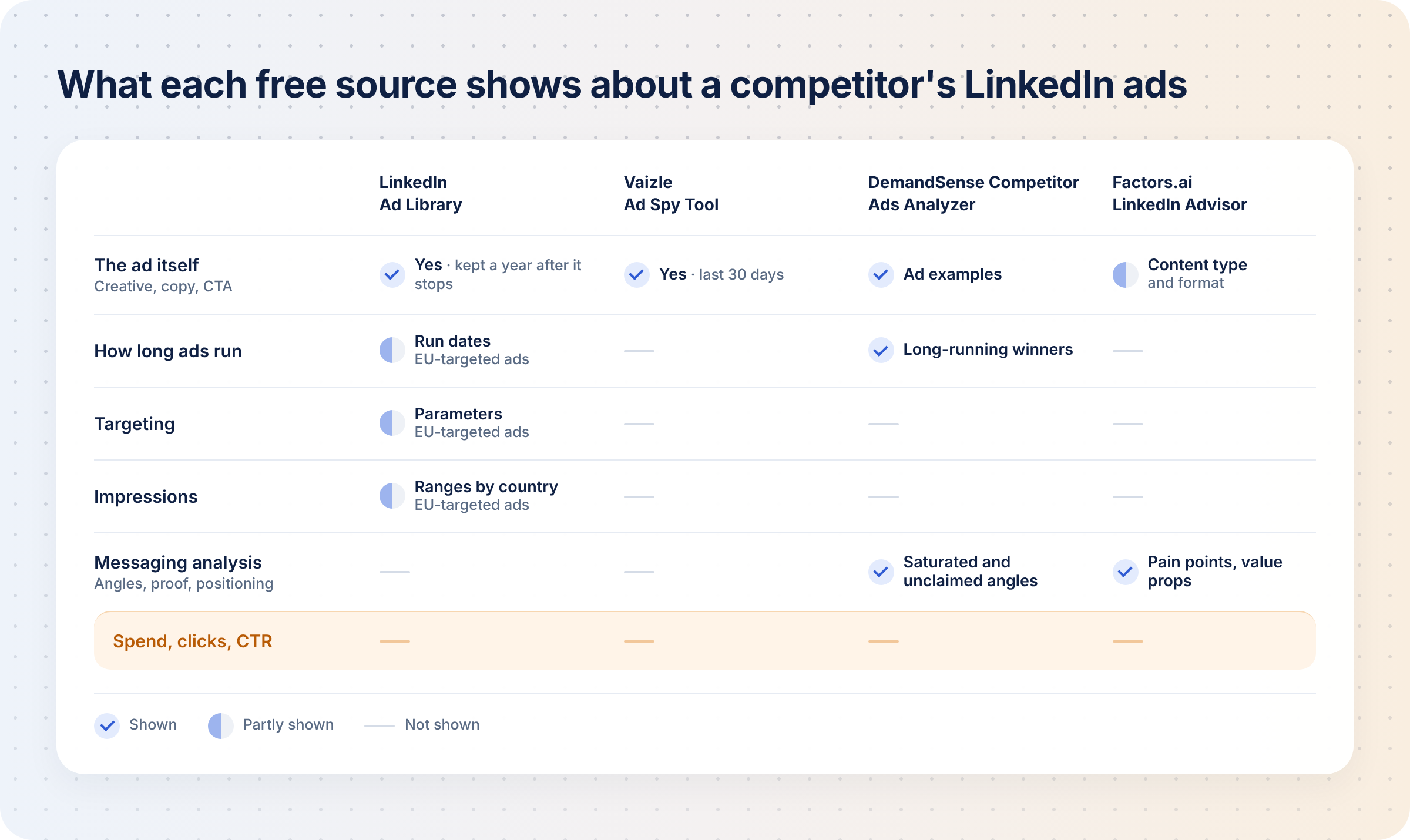
| LinkedIn Ad Library | Copywriters and the creative team looking for ad inspiration | Unlimited searches for LinkedIn competitor ads | Free | No ad ever shows spend, clicks, CTR or conversions | None |
| LinkedIn Insight Tag | Teams that want to track conversions and retarget their website visitors | Conversion tracking, website retargeting, and the job titles, companies and industries of visitors in aggregate | Free with an ad account | Uses cookies, so consent rules apply | LinkedIn ad account and website tag |
| LinkedIn Lead Gen Forms | Teams running LinkedIn lead gen campaigns | Leads (people who submitted the forms) | Free with an ad account; you only pay for the ads | LinkedIn stores the form data for one year only | LinkedIn ad account; a CRM connection for CRM sync |
A free tool is useful if it is free with no time limit and gives you something meaningful, not just a trial. We evaluated each tool based on:
The details are sourced from each vendor’s own tool, help and pricing pages, and G2 ratings, not hands-on testing.
Outreach automation tools and profile or content tools aren’t on this list because they solve a different problem.
LinkedIn is the most expensive ad channel most B2B teams run, and spray-and-pray tactics will only waste more of your budget. So the cheapest wins come before spend: knowing what competitors already say, where your CPC, CTR and CPL stand, and whether conversions are tracked at all.
Free LinkedIn ads tools are useful for:
Here’s what each tool can give you in detail:
DemandSense is a platform for the marketer who runs LinkedIn Ads in a small B2B team. It puts three things in one place that usually live in three separate tools: attribution, optimization, and website visitor profiling. On top of that sits an MCP server.
DemandSense offers three free LinkedIn ad tools, no card or access to your LinkedIn ad account needed.
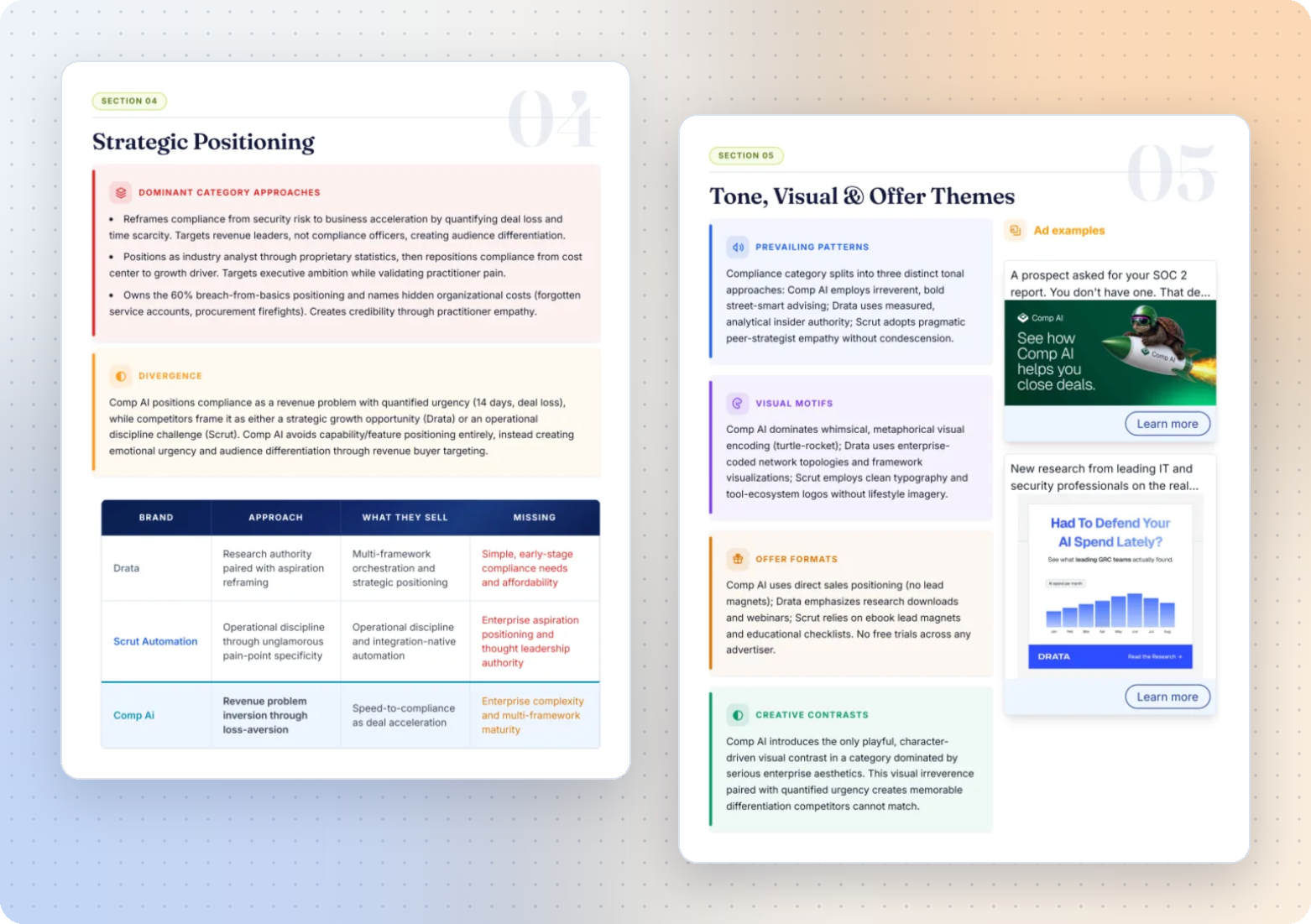
The first is the Competitor Ads Analyzer tool, which helps you analyze your competitor ads.
You enter your website, and DemandSense works out your industry and suggests about six competitors it finds advertising on LinkedIn in your niche, so it can surface rivals you hadn’t listed.
You pick one or two competitors, and about 30 minutes later you get a report showing:
Knowing what your competitors are doing makes it easier to identify gaps you can exploit and stand out from the competition.
To monitor competitors continuously, you need DemandSense Competitor Monitoring, which is available on the 30-day free trial.
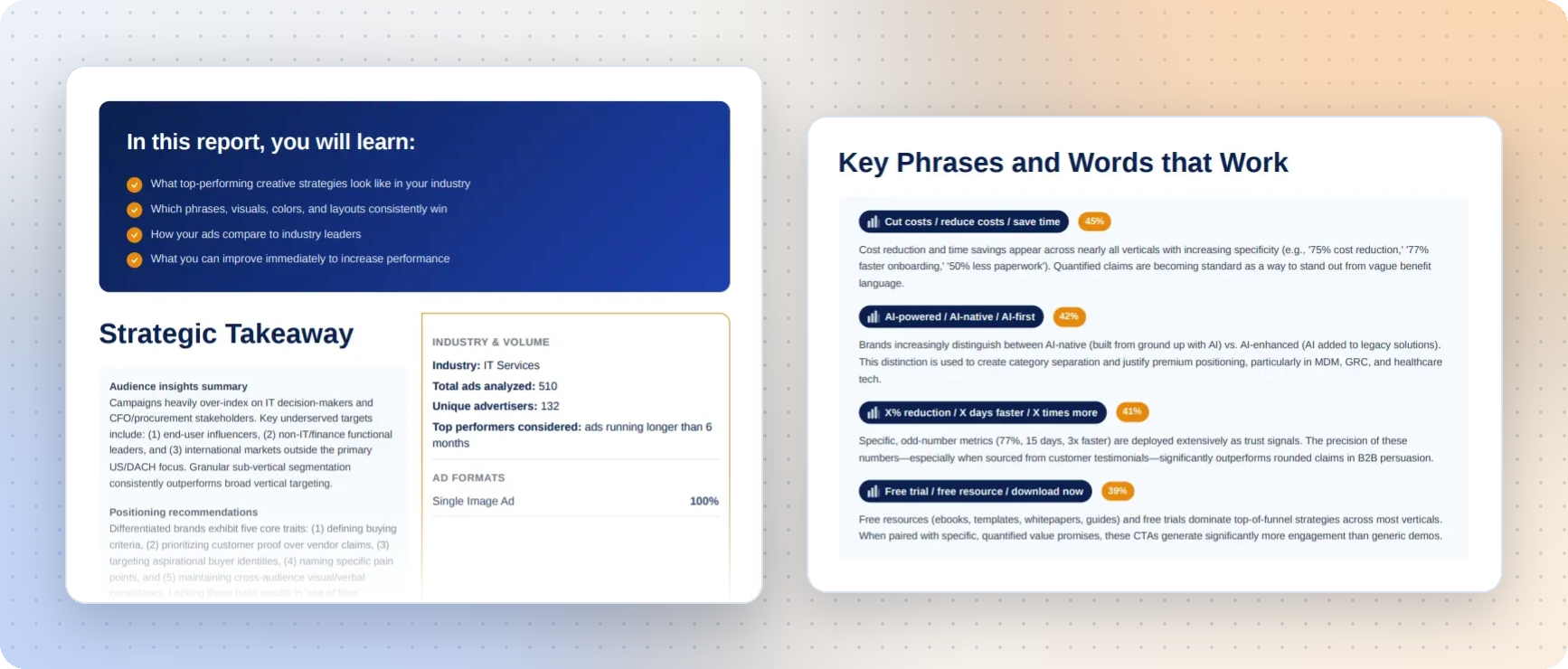
The Ad Strategy Scanner scans your own active LinkedIn ads and compares them with the top ad creative and messaging patterns in your category.
Unlike the Competitor Ads Analyzer that goes deep on named rivals, the Scanner reads your own ads against category-wide patterns.
The report covers visuals, layouts and formats; headlines, offers, CTAs and proof points against ads that keep running.
You get a creative score, the biggest gaps, and priorities to focus on for your next campaign, emailed to you in about 30 minutes, no card needed.
A well-written ad creative boosts your ad relevance score, and LinkedIn’s auction rewards more relevant ads with lower costs.
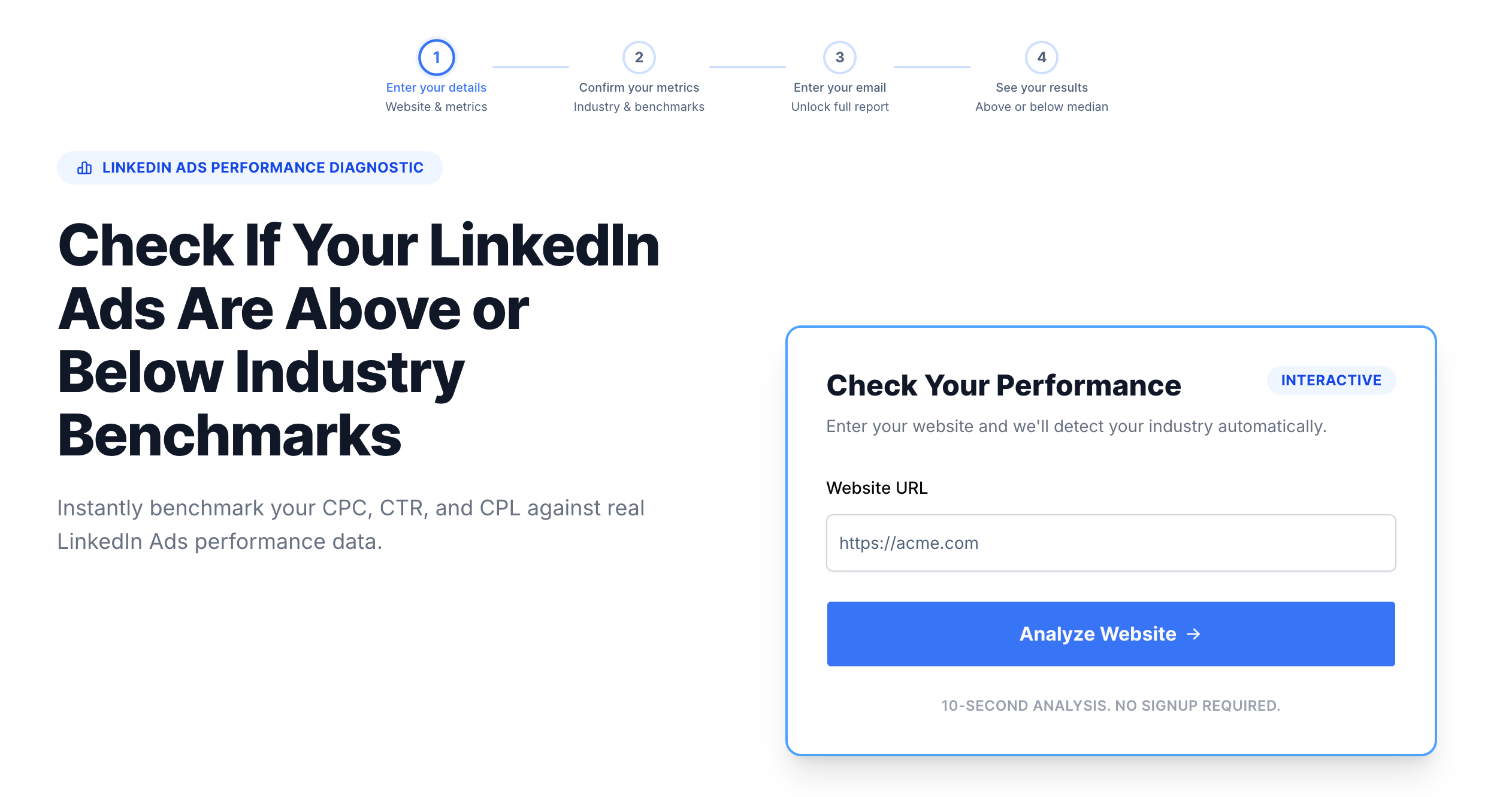
Not sure whether your ad costs are within range? DemandSense Benchmark Checker gives you a quick review of your LinkedIn ads CPC, CTR and CPL against your industry’s median, with a top-performer reference to show you where you stand on the three metrics.
The quick check requires no sign-up, but for the full report, your email is needed.
Before adjusting campaigns because you feel your CPC is too high, check it against your peers. It might be what everyone else is paying.
Factors.ai LinkedIn Advisor is a competitor research tool that helps with analyzing messaging angles of your named competitors.
You enter your competitors’ URLs (three maximum), and the Advisor gives you a one-off report in up to 20 minutes showing your competitors’:
Your business email is required for the report.
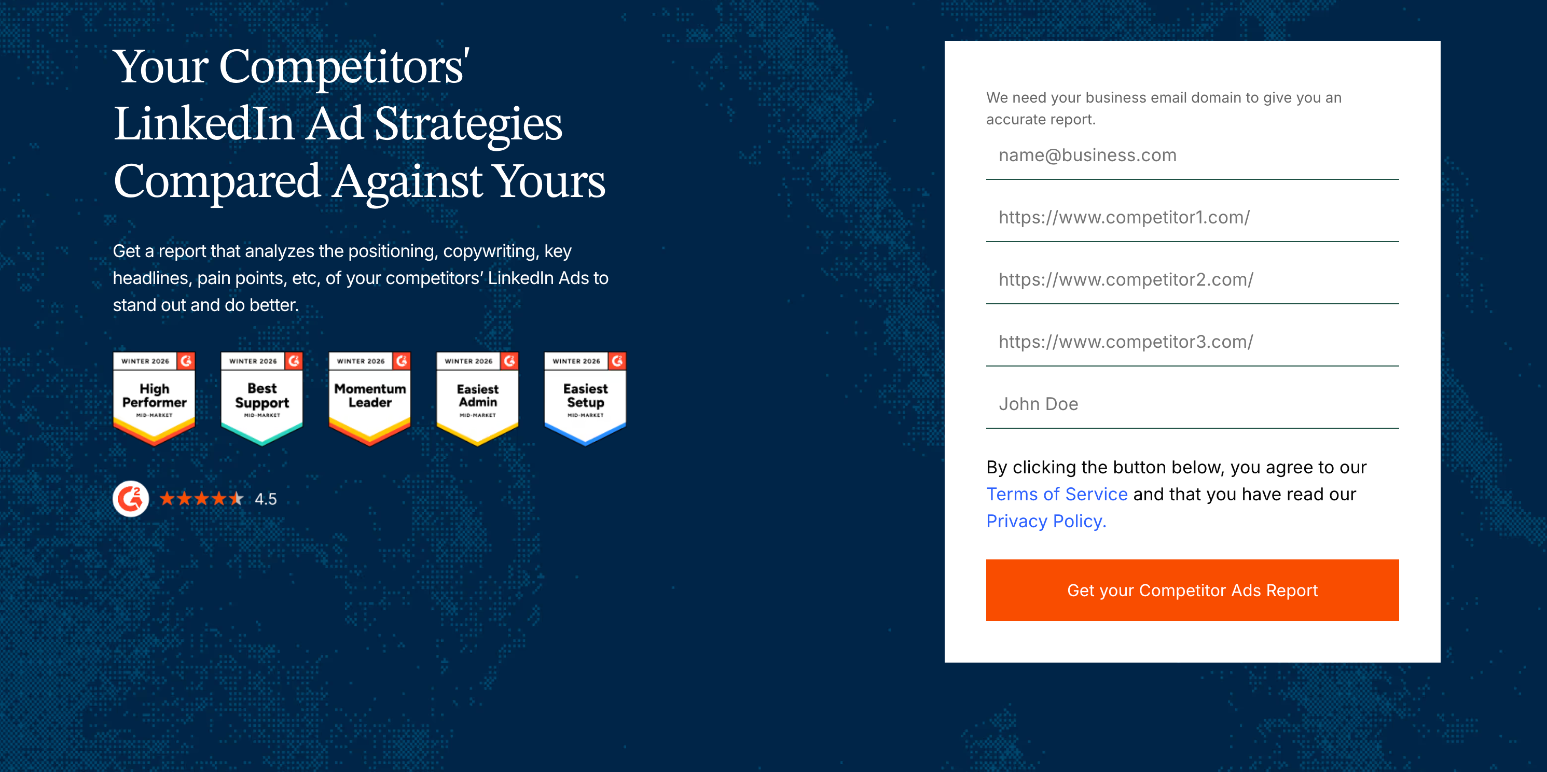
However, the report only covers messaging; no creative review or performance data. G2 4.5.
Vaizle’s free Ad Spy tool lets you view recent competitor ads across LinkedIn, Meta and Google in one view.
You search by entering the keyword or advertiser name for Meta and LinkedIn and the advertiser name for Google, and it shows you the ads running in the last 30 days only. You can use it when looking for ad inspiration.
The searches are unlimited, and you don’t need to sign in or connect your LinkedIn ads account.
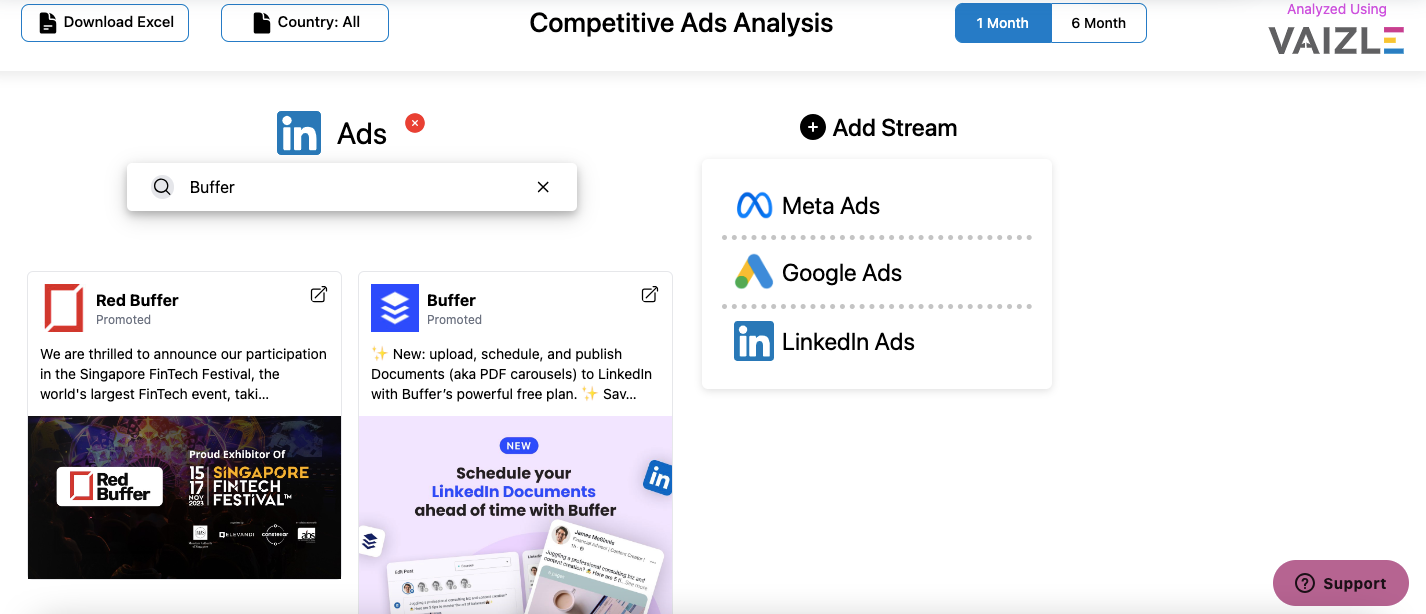
However, it only shows the creative: no spend, impressions, targeting or in-depth competitor analysis.
This is for the marketer who needs help drafting ads. ZenABM TLA Generator helps with drafting Thought Leader Ad copy (a Thought Leader Ad is a person’s post promoted as an ad) from your website. You can also add a speaker, voice sample, topic and CTA link to give the Generator more context. You get three free generations, no sign-up.
ZenABM Single Image Ad Creator generates single image LinkedIn ads from 5 templates:
You can customize the ads with preferred colors, CTA button message, size (square 1200×1200 or landscape 1200×628), and even font, then download as PNG or JPG, without connecting your ad account.
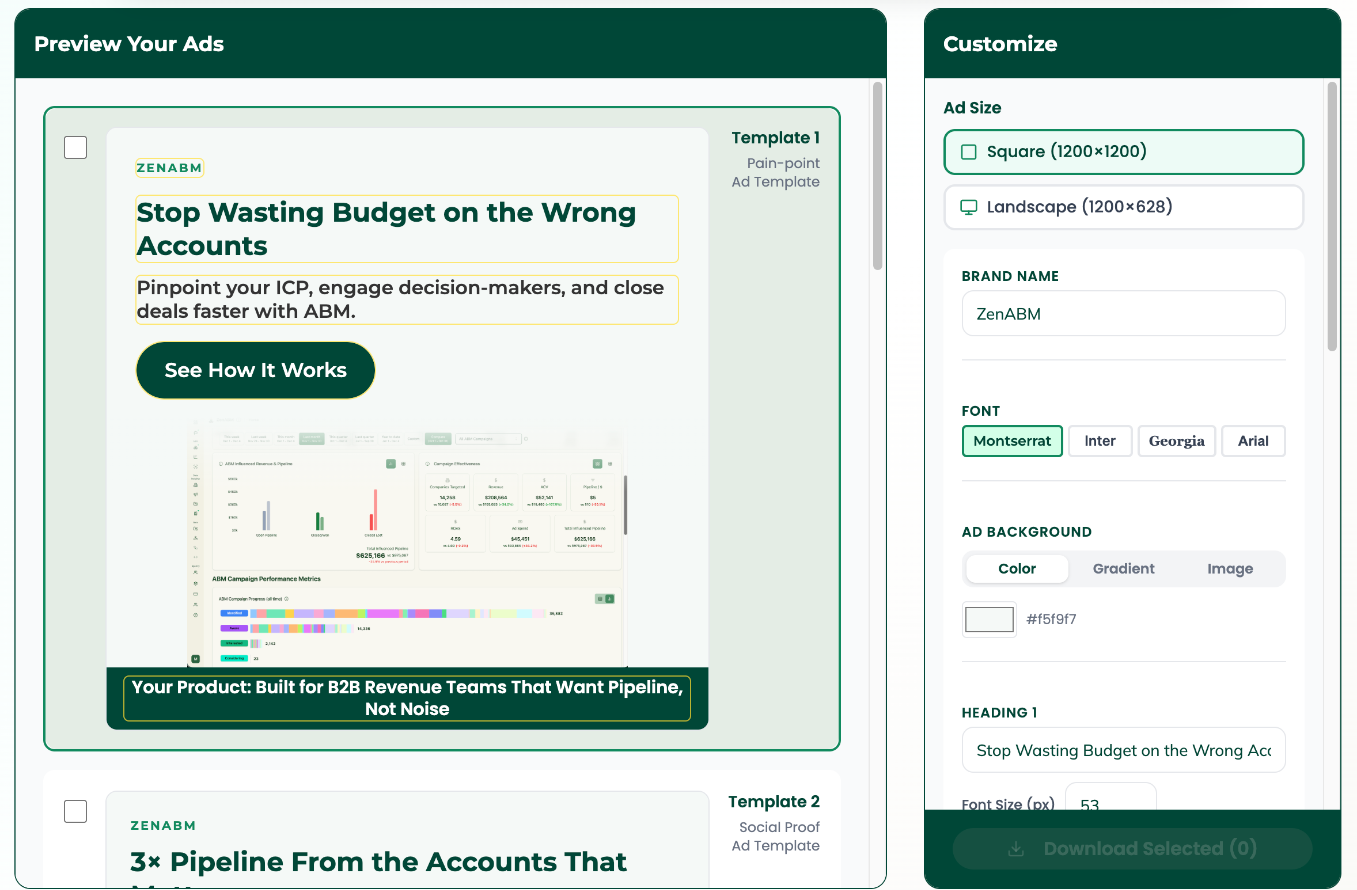
The only limitation is that the templates are built for B2B SaaS and work best on a desktop or tablet.
The drafts give you a starting point, but you still have to refine the messaging to suit your brand and your audience so you don’t fall into the AI slop trap.
Dreamdata is a B2B revenue attribution platform that offers a free plan as one of its pricing tiers, which gives marketers ad spend reporting, company identification and benchmarking.
What you get:
It requires you to connect your LinkedIn ads account and add a tracking script to your website, but no credit card is needed.
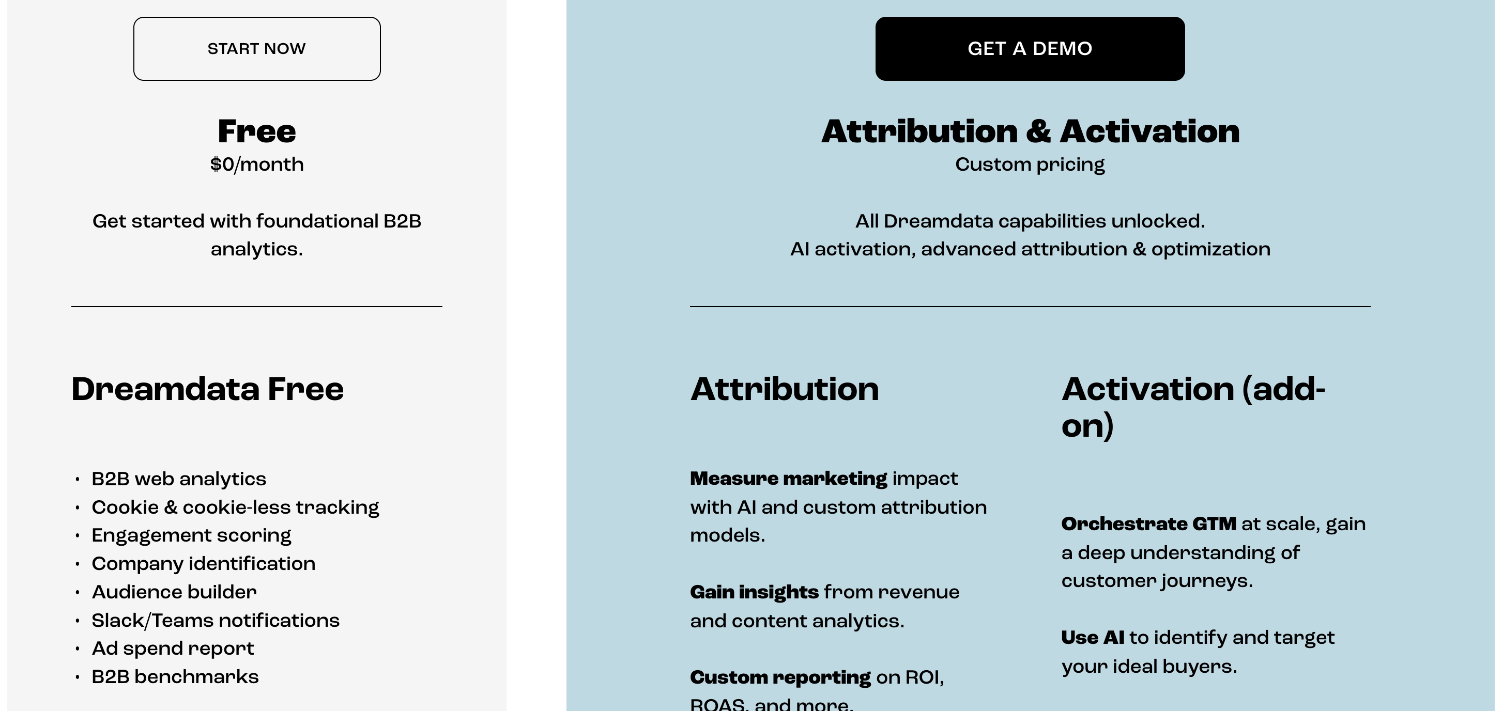
The free plan is limited to 2 months of history, 5 seats, 3 stage models, 1 sync and 2 notifications (Slack or Teams).
LinkedIn offers these four tools for free to help marketers run and monitor their ads:
LinkedIn Campaign Manager is where marketers can view their ad performance and access controls like ad scheduling and budget caps. It’s free to use as long as you pay for the ads, the minimum budget being $10 per day or $100 for the lifetime budget, and every B2B marketer running ads on LinkedIn uses it by default.
You get three planning features free:
Campaign Manager also has audience attributes you can use to filter the audience and find your ICP on LinkedIn.
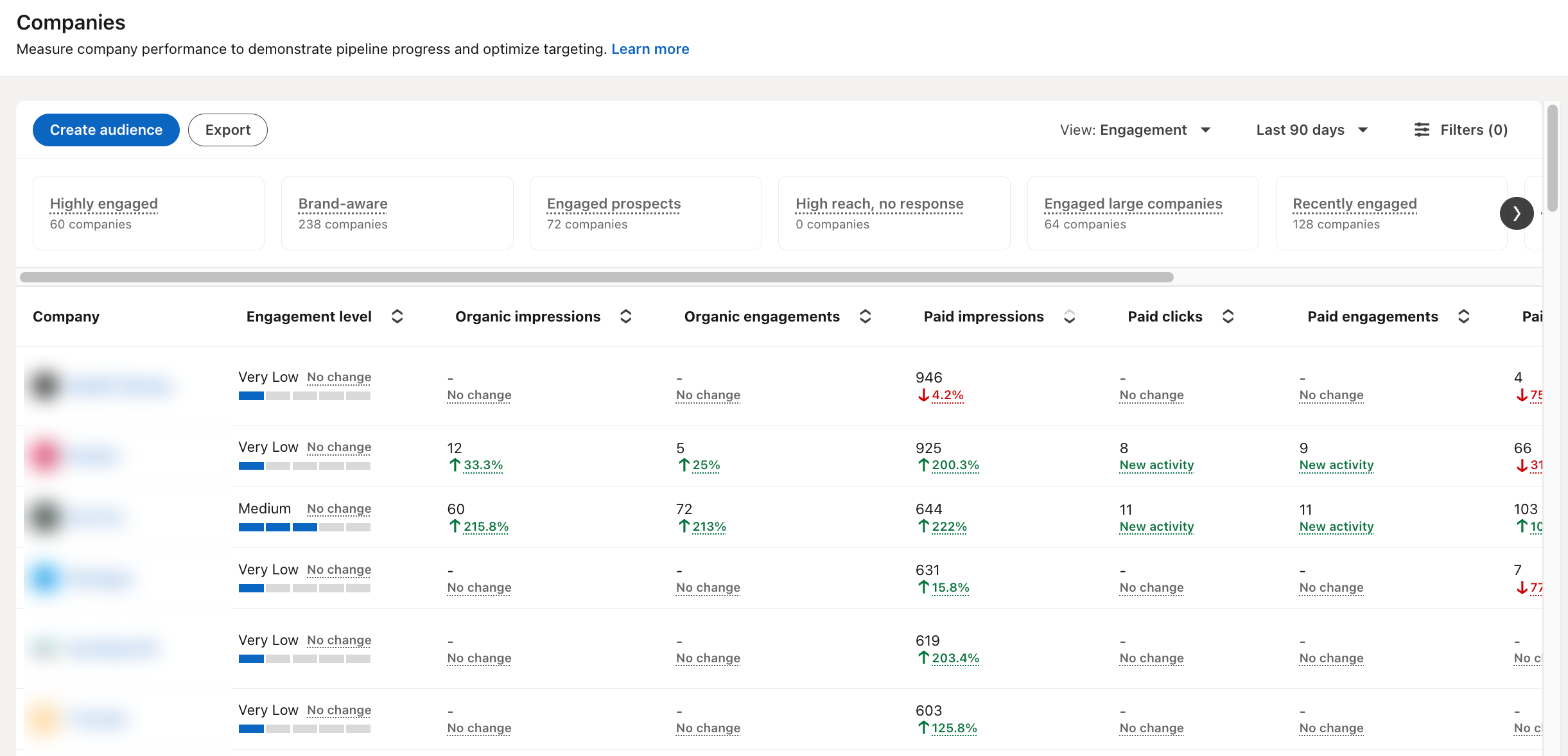
You need a LinkedIn ad account to access Campaign Manager.
You can connect it to your CRM directly through LinkedIn or through an attribution platform for you to see the downstream impact of your campaigns.
The LinkedIn Ad Library lets you view ads that have run on LinkedIn for free. You can search and analyze your competitor’s LinkedIn ads by advertiser, payer, keyword, country and date range, with keyword and date range being the most useful.
It covers ads that ran after 1 June 2023, and an ad stays searchable one year after its last impression (paused ads don’t vanish).
Every ad shows its preview, format, advertiser and payer. EU-targeted ads also show impression ranges by country, the dates they ran, and their targeting parameters.
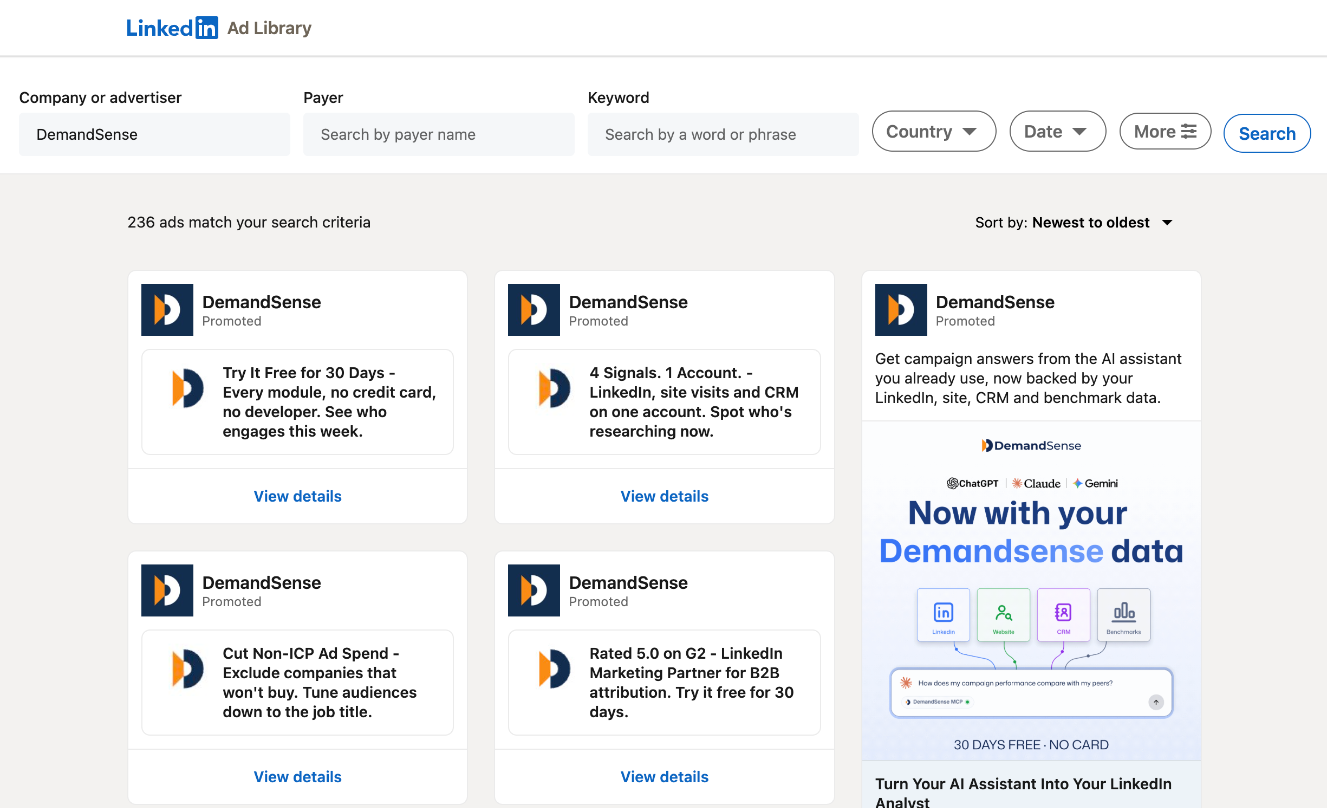
But it doesn’t show spend, clicks, CTR or conversions for ads or analyze them for you.
The Insight Tag is a code you add to your website to track conversions and website visitors.
Conversion tracking lets you measure the actions LinkedIn members take on your website after seeing your ads.
It also helps with website retargeting: you can create Matched Audiences from website visitors directly on the platform and target them in campaigns. And it gives you website demographics: the job titles, companies and industries of your visitors, in aggregate.
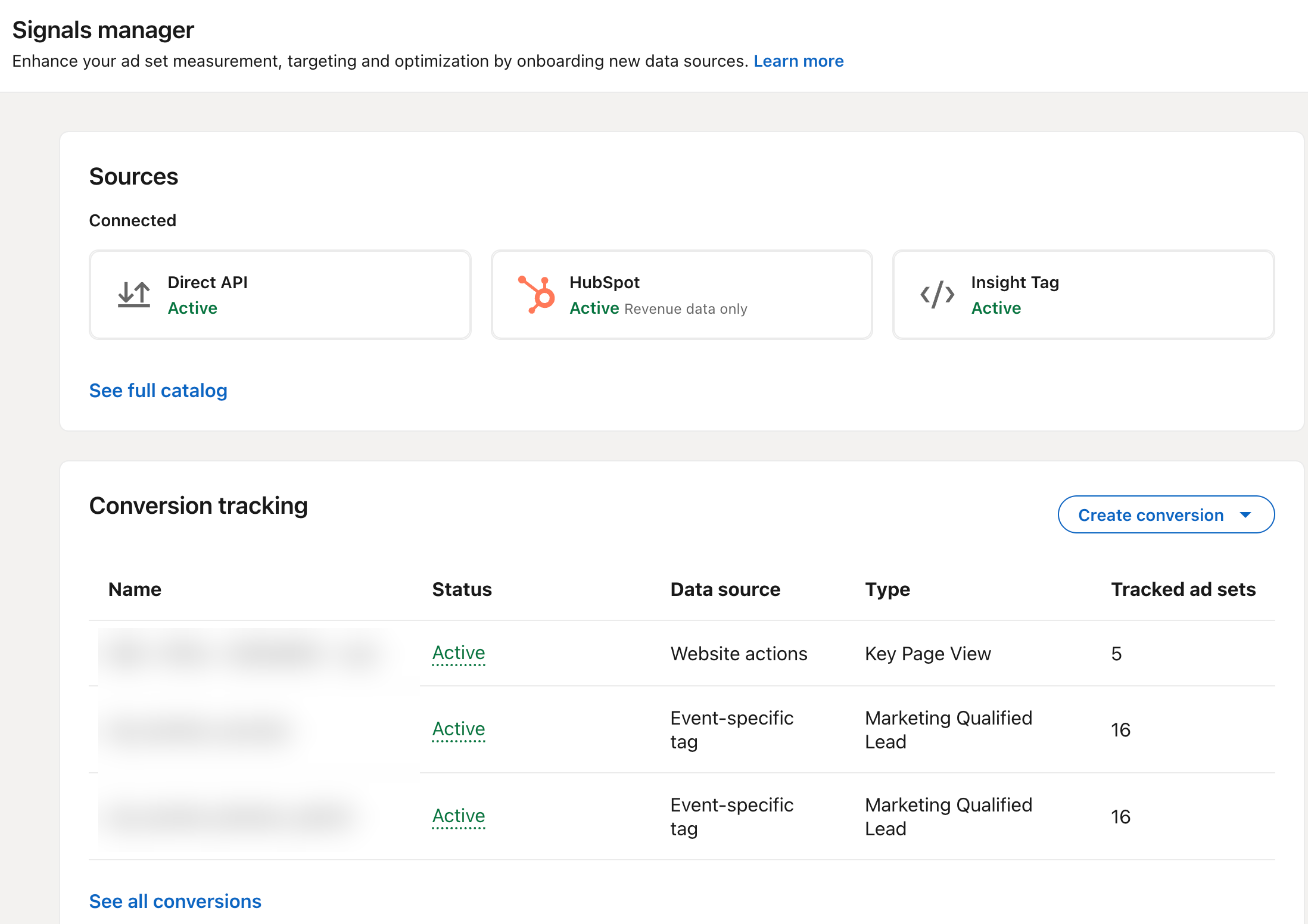
LinkedIn recommends using the Conversions API alongside the Insight Tag, so conversions are still counted when browser cookies are blocked.
LinkedIn Lead Gen Forms are native forms you attach to Sponsored Content and Message Ads that help you collect leads. You only pay for the ads, not the form.
The forms are pre-filled from a member’s profile, which makes them quicker to complete than website forms.
You can download the leads from Campaign Manager or sync the lists to your CRM for the sales team to reach out to them.
However, LinkedIn stores the form data for one year, and Lead forms on LinkedIn Pages are no longer available for new forms.
Native LinkedIn ad tools are provided by LinkedIn, and they give you:
While free third-party LinkedIn ad tools are provided by external platforms and give you:
You need both tools, but start with LinkedIn’s tools, because the third-party ones work better once tracking is in place.
The native and third-party tools complement each other. Here’s how you can use each for different needs:
For ad scheduling and other ads automation, you need LinkedIn automation tools.
Free tools give you snapshots: one report, one benchmark check, the last campaign’s numbers. They’re enough to start and to audit.
They stop when you need things to happen continuously:
The market keeps shifting, so you need optimization tools to manage and refine the ads as they run, and for these you have to buy the tools. Most tools offer a free trial so you can try them out before fully committing. If they offer a demo, ask them to use your own data to see if the tool will work for you.
The free tools read the market and your last campaign but don’t follow your accounts and cannot prove campaign impact. DemandSense connects the data to your CRM and gives you account-level engagement insights read against pipeline.
You see the companies your LinkedIn ads reach, which engaged, and which became pipeline, from LinkedIn engagement, site visits and CRM deals.
For campaign optimization, DemandSense gives you ad scheduling, frequency cap, budget control, audience tuning and spend protection. You set the rules, and DemandSense controls when ads run, which companies see them and how often, and what the budget can spend; closed accounts are excluded and open opportunities added automatically to campaigns; Competitor Monitoring keeps the competitor read going week to week.
Closed-won deals and qualified opportunities go back to LinkedIn through the Conversions API that DemandSense connected, so LinkedIn can deliver the ads to people more likely to buy from you.
Try DemandSense 30 days free, all features included and no card needed.
No. None of the tools on this list need LinkedIn Premium. Campaign Manager, the Insight Tag and Lead Gen Forms only need a free LinkedIn ad account; the Ad Library doesn’t need an ad account. The third-party tools ask at most for an email or a free account.
Yes. You can monitor competitor ads through the LinkedIn Ad Library, which shows other advertisers’ ads without an ad account, and the DemandSense Competitor Ads Analyzer and Vaizle don’t need ad account access either. What none of them shows is a competitor’s spend, clicks or CTR: LinkedIn doesn’t publish those.
These tools are built for LinkedIn Ads, which run from company pages through Campaign Manager. Personal-profile tools (content, scheduling, outreach) are a separate category and aren’t on this list. But Thought Leader Ads are the exception: they promote a person’s post as an ad, and the ZenABM generator helps draft them.
The three DemandSense tools and Vaizle need none; the DemandSense tools just ask for your email for the report. LinkedIn’s own tools need an ad account and the Insight Tag needs a tag on your site. Factors.ai asks for a business email; Dreamdata Free needs your ad accounts connected and a tracking script on your site. Check what a tool asks for before you connect anything.
Yes. The Ad Library, the DemandSense Competitor Ads Analyzer, Ad Strategy Scanner and Benchmark Checker all work from a website or advertiser name, so an agency can run them for a prospect before any account access exists. For ongoing client work, DemandSense Competitor Monitoring tracks chosen brands week to week.
Filed under
Written by
Kristina Haidai
LinkedIn Ads
Three free Claude marketing skills for LinkedIn Ads: find wasted spend, catch creative decay and list warm accounts for sales. Copy-paste prompts inside.
LinkedIn Ads
The median LinkedIn CPM in 2026 from our own data, why it moves with format, audience and industry, and how to benchmark your B2B campaigns against it.
Revenue Attribution & Measurement
Tools & Comparisons
DemandSense vs Factors.ai compared by use case: LinkedIn ad controls, visitor identification, the Conversions API, MCP, attribution and how each is priced.
Get expert insights and strategies delivered to your inbox weekly.
